The prompt-chain guides that go around for Unity, Unreal, and Three.js run to fourteen steps, and they're right to. If you point a coding agent at an empty directory, most of the work isn't the game. It's project architecture, asset pipelines, compression rules, analytics taxonomy, test harnesses, and deployment. Each needs its own prompt, in order, because later steps depend on choices made in earlier ones.
A generative studio handles that mechanical half of the list. That leaves you with a much shorter run of steps, where every prompt is a call only you can make. To see what those steps actually look like, we went back through every message sent to the studio while building the games in the gallery. That's 236 prompts across 33 games, 2D and 3D, from a gladiator autochess to a coffee shop in hell. The median game took five prompts after the brief. The most stubborn took twenty-five. Reading back through the messy runs showed us how to drop several steps entirely.
Here's the order that worked, and the prompt to use at each point. If you only want something to paste, skip to the six game prompts you can copy.
What is an AI game development workflow?
An AI game development workflow is an ordered sequence of prompts, one per decision, run against a project that tracks its own state between them. The order is everything. Ask for art before you set an art direction, and you get a bland average of the training data. Give it a fixed palette and an era first, and the pieces fit together. It's not about magic phrasing. Each step simply leaves a clear decision behind for the next step to build on.
These workflows usually take one of two shapes. In an engine-side chain, you paste prompts into an assistant that edits files in a repository you manage yourself. In a studio, you talk to an agent that already has the engine, the pipelines, a browser for testing, and somewhere to publish. You never look at a directory unless you want to. The prompts below come from the studio setup, though you can use most of them in a local repo if you handle the scaffolding yourself.
Which steps disappear when the studio owns the pipeline?
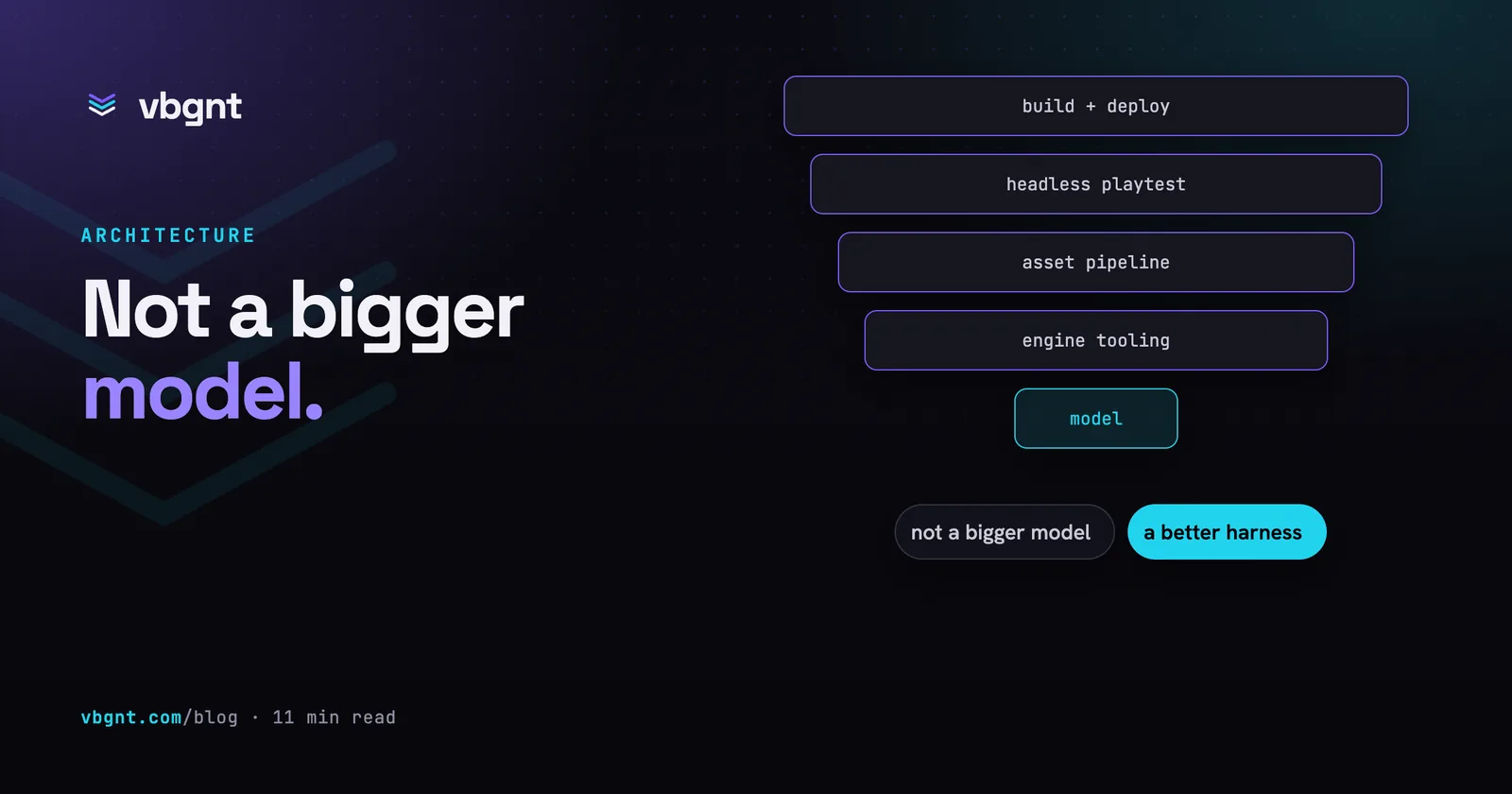
Roughly half of them. Not because they don't matter, but because you don't need to specify them. They work the same way for every game, so the machine handles them instead of your prompts.
| Stage | Engine-side prompt chain | In the studio |
|---|---|---|
| Project architecture | A prompt per engine, run before the codebase hardens | Scaffolded with the game |
| Asset pipeline | A prompt to define export, atlasing and import settings | Built in, per asset class |
| Audio and video delivery | An audit prompt, then an implementation prompt | Built in |
| Test harness | A prompt to build remote automation before you need it | A QA agent playtests every build |
| Deployment | A prompt for reproducible builds and rollback | Published to your arcade |
| The brief | Yours | Yours |
| Art direction | Yours | Yours |
| The first minute | Yours | Yours |
| Whether it is any good | Yours | Yours |
The split in that right-hand column is pretty clear. Every step that vanished was mechanical. Every step left over comes down to human taste. That's the real split in generative game development, and better prompting won't change it.
Phase one: get to a playable build
1. Write the brief
Across 33 games, two opening prompt styles worked reliably, each for different reasons.
The reference anchor takes one or two sentences to name a game everyone knows, then flips a core premise: "Tony Hawk's Pro Skater, but you skate on historical battlefields through time. Start with Gettysburg." That was the whole first prompt for Time Skater. It works because the reference handles the camera, controls, scoring, and session length for free. You can spend every word you have left on the novel parts.
The structured brief is a single paragraph covering five specific items: the core mechanic, camera, controls, art direction, and scope. It works because it doesn't leave key choices to default settings. Use this shape when your game doesn't have an obvious comparison:
A cozy 3D delivery game about a cat carrying the post across a village of floating rooftops. The one mechanic: every delivery you complete lowers a bridge somewhere else in the village, so the route opens up as you work and the order you choose decides whether you can finish before dark.
Isometric camera that follows the cat with a gentle lag. Gamepad and keyboard for movement plus one jump button, touch stick for phones. A run lasts about twenty minutes.
Art direction: deep violet twilight, warm lantern windows, tilted rooftops and floating islands, soft edges and no hard shadows. Stylised and handmade rather than realistic.
Notice what both styles skip. Neither mentions "fun", "polished", or "AAA". Every requirement is testable. Anyone playing the build can tell you if the camera lags, if the shadows are soft, or if a run wraps up in twenty minutes. A good brief makes it hard to build the wrong game by accident. We go deeper on this in how to prompt a game into existence.
2. Play it before you ask for anything
When the first build arrives, it's tempting to queue up half a dozen fixes based on the screenshot. Spend ninety seconds playing it first. The most common bug in our whole sample was invisible in still images. In 10 out of 33 games, the second or third prompt was basically "I can't get across." A bridge fell short of an island. A ceiling was too low for a jump. A dirt patch on a car sat out of reach of the brush.
Generated levels often look right while being completely impassable. You won't know until you touch the controls. Ninety seconds of play will tell you more than five minutes of staring at a picture.
3. Fix the feel before the content
Game feel means jump arcs, acceleration, hit pauses, camera lag, input buffering, and response times. Content means levels, enemies, modes, and menus. If the core movement feels bad, any content built on top of it will need a rework later. Get the movement right while the project is still small.
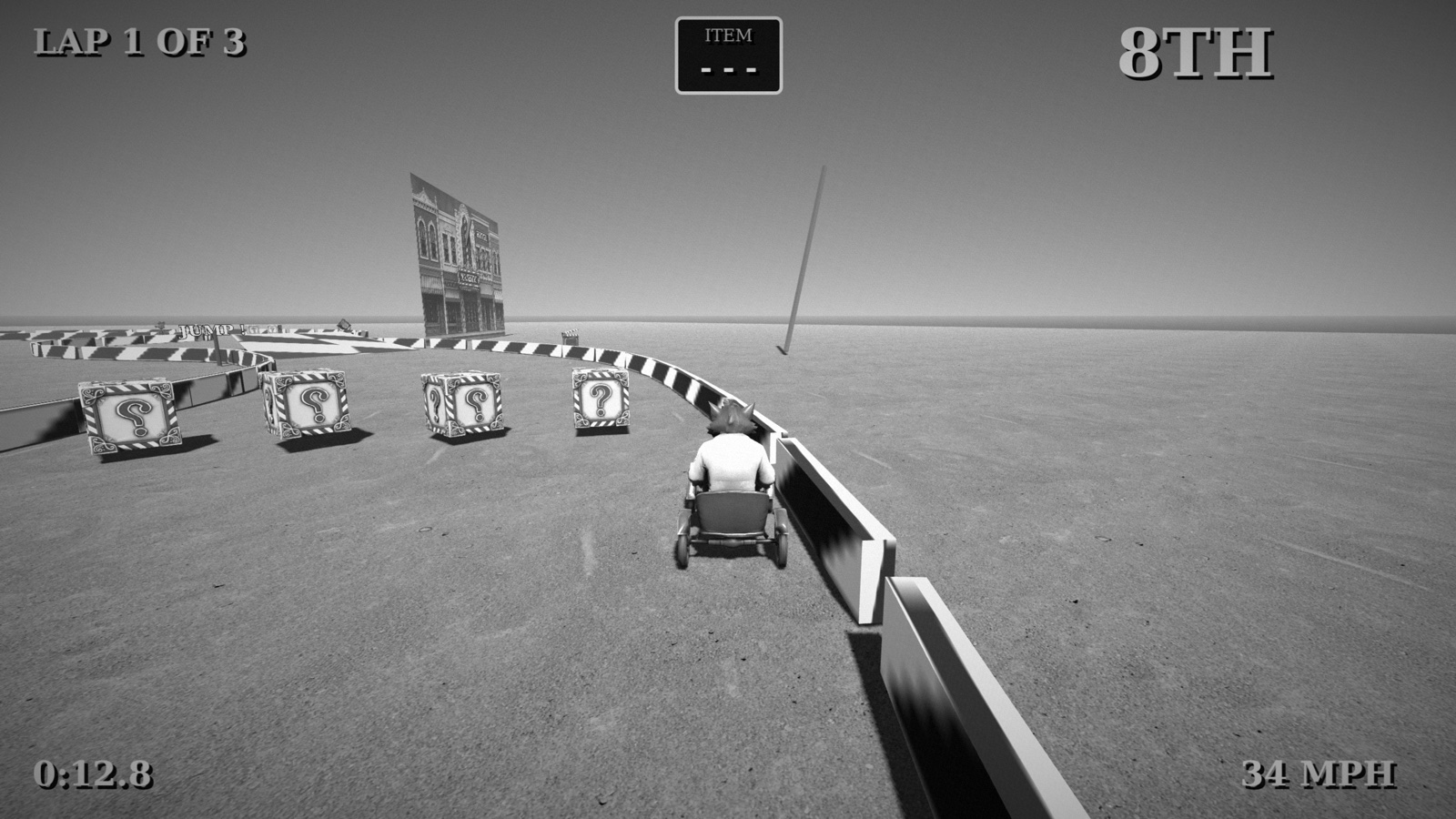
Describe the symptom instead of guessing the code fix. Our most effective prompts were plain about the player experience and agnostic about the code, like this one from Monster Karts:
Do not make bumping into the barriers or another player stop the kart so hard. Let them slide off instead.
Telling the model to "set friction to 0.82" assumes an implementation you haven't inspected. If your guess is wrong, you just create a different bug. Describe what feels wrong and let the agent work out the variables.
4. Lock the art direction while there are ten assets, not four hundred
This is the most valuable prompt in the workflow, and people skip it all the time because the opening assets look fine on their own. The cracks show up later. Once visual cohesion breaks, you have to redo every early asset to match the new standard.
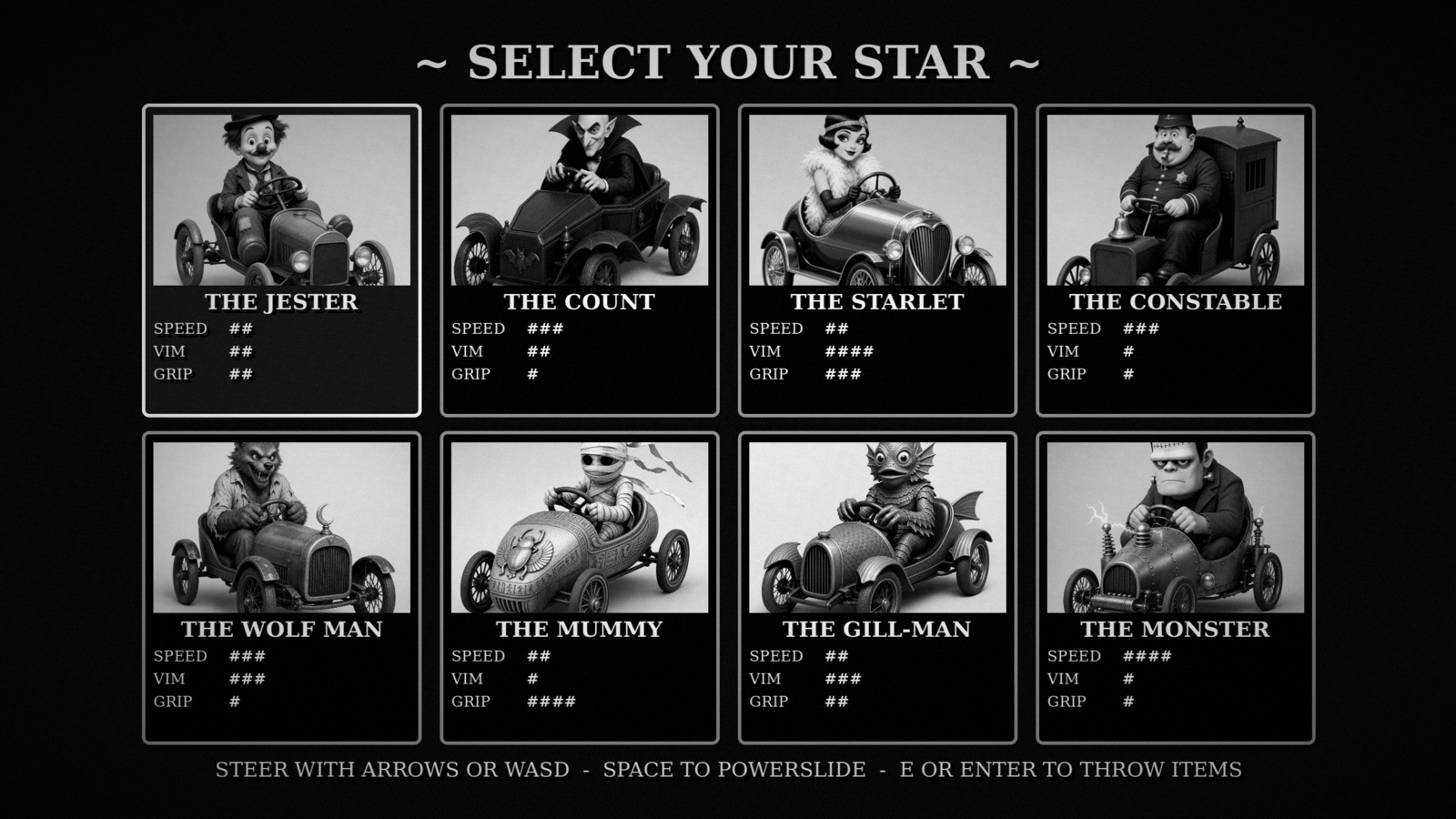
Use a specific era, medium, and constraint rather than vague descriptors. Clear constraints are testable. "Black and white, characters and cars inspired by old monster movies, soundtrack to match" kept Monster Karts coherent from day one. "A 90s FMV thriller in the Night Trap style" did the same for Night Switch 9000, right down to the noise on the security cameras.
Fix the visual direction for the whole game before generating anything else. Black and white only, no colour anywhere, heavy film grain, high contrast, vignetted corners, hand-lettered title cards in a silent-film face. Write the palette down as literal values and hold every future asset to it. The HUD and menus follow the same rules as the world art, so nothing looks like a website sitting on top of a game.
5. Ask for the first minute
Spell out the first sixty seconds. What does the player see, what do they try first, and what challenge do they run into? This turns an aimless sandbox into a proper game. It also prevents clumsy early oversights, like asking a player to "strike" without ever explaining which key strikes.
Build the opening sixty seconds deliberately. The first race starts on the easiest track with two opponents who drive politely, and the first corner is wide enough that a bad drift still makes it. Teach the drift by making the second corner impossible without it. Name every control on screen the first time it is needed, one concept at a time, and no text tutorial anywhere.
Phase two: finish it and put it somewhere
6. Playtest with someone who has never seen it
By your fifth run, you can't test your own game fairly. You know where every hazard hides. Send the link to a friend, watch them play without giving hints, and take notes whenever they pause or look confused. Those stumbles form your next three prompts, based on real friction rather than whatever bugged you last.
Three people played it. All three span out at the same hairpin on track two and none of them knew why. Two never found the boost in a whole race. One did not realise the pickups could be thrown backwards. Diagnose those three, fix the causes, and change nothing else.
7. Ask for the performance pass on the weakest device you expect
Do this after the game features are complete, but before the final aesthetic pass. Polishing usually eats whatever spare frame budget you have left. Name an actual target rather than just saying "mobile". A three-year-old mid-range Android phone gives the agent a clear baseline, while "runs well on phones" doesn't.
Profile the build and hold sixty frames a second on a three-year-old mid-range Android phone: startup time, frame pacing, memory, and what the first load actually downloads before anything is playable. Keep the desktop experience unchanged and retest it afterwards so the mobile work does not quietly cost anything there.
8. Run the polish pass last
Save lighting, surface shaders, particles, screen shake, UI transitions, and input audio for the end. These details transform screenshots, but they won't save weak gameplay. That's why they belong at the back of the queue. Add them once the foundation works, and the game will look as good as it plays.
Final presentation pass, no mechanical changes. Lighting and materials, impact and particle feedback, screen transitions, menu polish, and a sound for every action that currently has none. Show me the same three moments before and after so I can judge whether it actually improved.
9. Publish it, then take the project with you
The build goes live to your arcade as a link that runs in any standard browser. That's all the distribution you need when sharing something quickly with a friend. If you plan to take it further, keep two steps in mind.
Download the project files. It's a standard Godot 4 project with ordinary assets, and you can open it locally in the engine whenever you like. If you can't export your game, you're only renting it. Second, follow store rules on disclosure. Steam includes an AI section on store listings, and itch.io provides a tag for it. Disclosing too much won't hurt you, but hiding it can get your game pulled.
What a generated asset actually is
Prompting is only one side of the coin. Here's what the agent actually delivers. These are three real assets taken directly from Monster Karts, running live in your browser. Feel free to drag them around:
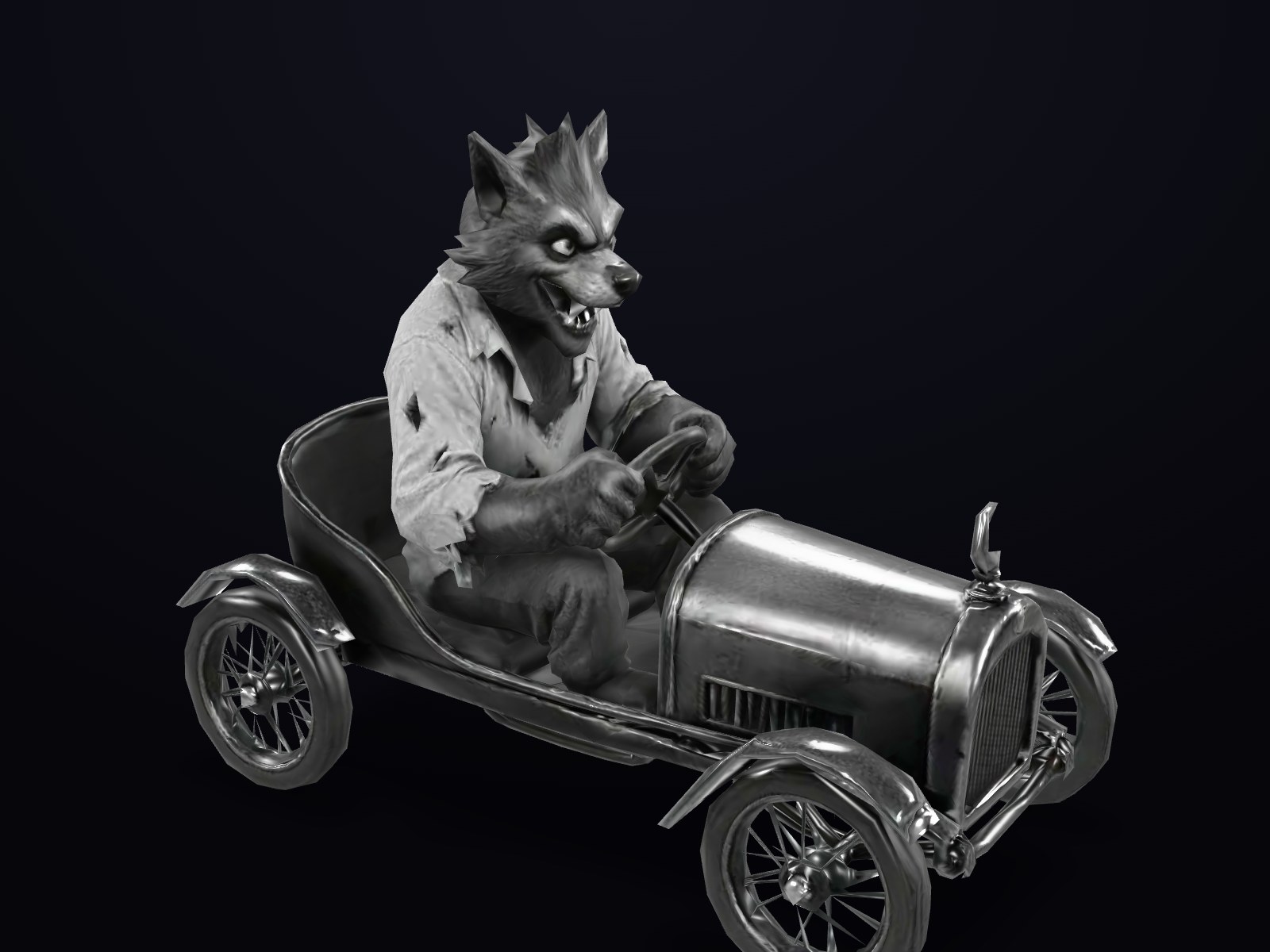
3.2 MB generated, 494 KB shipped
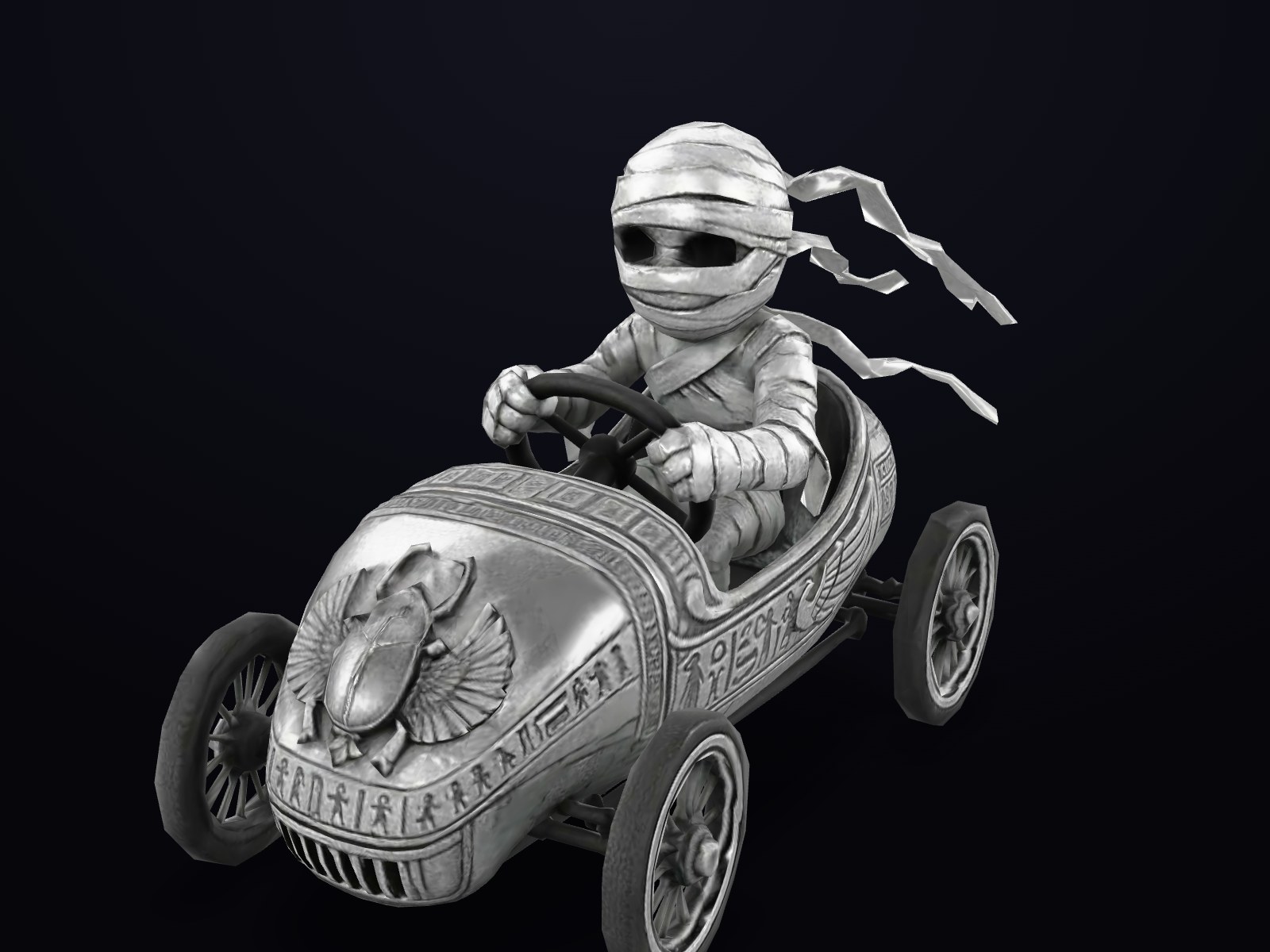
3.8 MB generated, 567 KB shipped

4.4 MB generated, 497 KB shipped
Each of these left the generator between 3 and 4 MB and ships at under 600 KB: meshes quantised, textures recompressed and capped, pivots and forward axis reconciled with the engine, import settings written. A driver, a rival and a pickup crate, all generated against one sentence about black and white silent film.
You shouldn't have to prompt for any of that background work. It's the pipeline setup that other workflows stretch across seven separate steps. In the studio, the backend compresses assets, aligns axes, and checks builds automatically. That leaves you free to focus on the game itself.
Six game prompts you can copy
Each of these is a complete opening brief in the shape described above: one mechanic, a camera, controls, an art direction given as a limitation rather than an adjective, and a first minute. Paste one as it stands, or swap the mechanic for your own and keep the scaffolding. Each is followed by a follow-up worth sending once you have played the first build.
A 3D kart racer
A two-player split-screen kart racer on a frozen lake at night. The one mechanic that matters: the ice fractures along the exact line every kart drives, so the racing line gets more dangerous each lap. Drift to charge a boost, release to fire it. Camera behind and slightly above each kart. Gamepad first, keyboard fallback, touch controls for phones. Art direction: cyan and violet aurora over black mountains, karts as hard silhouettes with glowing underlighting. First minute: one warm-up lap on unbroken ice so the player learns the drift boost before anything is dangerous.
Follow-up: "The karts feel like they are on rails. I want to be able to lose it."
A 2D platformer
A side-on 2D platformer about descending into a cavern carrying the only light source. The one mechanic: you can either hold the lamp or use your hands, never both, so climbing means setting the lamp down and walking into the dark. Single screen per room, 14 rooms. Move, jump, and one button to pick up or set down the lamp; touch controls with a thumb-sized lamp button. Art direction: near-black cavern, one violet light, every object a silhouette, a three-colour palette. First minute: the first jump is makeable holding the lamp and the second is not.
Follow-up: "The jump feels floaty and I keep overshooting the ledges."
A calm puzzle game
A calm 2D puzzle game with no timer, no enemies and no fail state. You stack translucent blocks in still water, and light passing down through the stack casts a shape on the far wall; a puzzle is solved when the shape matches the target outline. Blocks tint the light, so order matters as much as position. Fixed side-on camera, one puzzle per screen. Mouse or touch to drag blocks. Art direction: deep dark water, cyan and teal glass, one soft light shaft from the surface. First minute: one block and one target, solvable by accident. Nothing is explained in text.
Follow-up: "Add an undo, and never punish the player for using it."
A cozy 3D game
A cozy 3D delivery game about a cat carrying the post across a village of floating rooftops. Every delivery lowers a bridge somewhere else, so the route opens up as you work and the order you choose decides whether you finish before dark. Isometric camera with a gentle lag. Movement plus one jump button, touch stick for phones. A run lasts about twenty minutes. Art direction: violet twilight, warm lantern windows, low-poly tilted rooftops, soft edges and no hard shadows. First minute: one delivery two rooftops away with the bridge already down.
Follow-up: "The lanterns going out should feel like pressure, not a countdown."
A first-person exploration game
A first-person exploration game in a garden made of light, with nothing hostile in it. The garden rewrites itself only in the parts you are not looking at, so progress means deliberately looking away from where you want to go. Mouse and keyboard, gamepad, drag-to-look on phones. No combat, no inventory, no fail state. Art direction: dark reflective floor, wireframe flowers in violet and cyan, faint scan lines, everything emitting its own light. First minute: a straight path with one flower at the end; look away and back and the flower has moved.
Follow-up: "The rewriting should be subtle at first and get bolder as I go deeper."
An online multiplayer game
A two-player online tank duel, top-down, in a single arena that shrinks every thirty seconds. The one mechanic: shells bounce once off walls, so the best shots are banked. One player hosts and shares a room code; the other joins from their own browser. Twin-stick on gamepad, WASD and mouse on keyboard, two virtual sticks on phones. Art direction: 90s shareware, a flat four-colour palette, chunky pixel explosions. First minute: both tanks spawn facing a wall at an angle, so the first shot either player fires teaches the bounce.
Follow-up: "When the arena shrinks, show where the new edge will be two seconds before it moves."
Four prompt habits worth stealing
- Paste the console error verbatim. Dropping a raw
SCRIPT ERROR: Parse Errorstraight from your browser console tells the agent more than any paragraph about a black screen. It's the quickest route back to a working build. - Bring an image instead of an adjective. Visual bugs get sorted out faster with an attachment. Drop in a photo of what you want, a screenshot with a red circle around the problem, or a mock-up. A clear reference image clears up misunderstandings immediately.
- Say what not to touch. Adding "leave everything else alone" only takes five words. It protects you from the common regression where a simple bug fix tweaks four systems you were happy with.
- Keep batches small when a run is fragile. Packing six separate tasks into a single prompt feels fast until something breaks midway through. When a run fails, you lose all six adjustments and have to retrace your steps. That's how our longest projects ran off the rails.
What do you do when a change makes it worse?
Flag it right away, on its own, before asking for anything else. Combining new features with bug complaints is the fastest way to lose an afternoon. If you say "the karts feel too twitchy" alongside three feature requests, the resulting diff is confusing and you won't know which parts to roll back. Stick to one symptom per prompt. It's the same discipline as committing clean code, and it's the main difference between moving quickly and starting over from scratch.
The whole workflow in one place
- Write the brief: a reference anchor, or one mechanic, one camera, one control scheme, one art direction, one scope.
- Play the draft for ninety seconds before asking for anything, and check you can get everywhere.
- Fix the feel of the core verb before adding content.
- Lock the art direction as a palette, an era and a limitation.
- Specify the first sixty seconds, including where each control is taught.
- Playtest with someone who has never seen it, and prompt from what they did.
- Run the performance pass against a named weak device.
- Run the presentation pass last.
- Publish, download the project, and disclose generated content where asked.
Nine steps, a median of five prompts of iteration, and one complete game. The order matters far more than the exact wording, and the steps that rely on taste are the ones only you can guide.
Frequently asked questions
What are the best AI prompts for game development?
The best prompt depends entirely on which stage you are at, which is why a single prompt library disappoints. In order, the ones that earn their place are: a brief that names one mechanic, a camera, a control scheme, an art direction and a scope; a feel prompt that describes a symptom rather than a fix; an art-direction prompt giving a period, a medium and a limitation instead of adjectives; a first-minute prompt that says what the player sees, tries and gets wrong; a playtest prompt built from what three real people actually did; and a performance pass aimed at a named weak device.
What should your first prompt to an AI game generator say?
Either anchor it to a game everyone knows and then break it in one specific way, or name five things explicitly: the one mechanic, the camera, the controls, the art direction and the scope. Both shapes work and both avoid the same failure. Every phrase should be checkable by looking at the build, so a camera that lags, shadows that are soft and a run that lasts twenty minutes all belong in a brief, while fun, polished and AAA do not.
How many prompts does it take to make a game with AI?
Across 33 games built in the studio, the median was five prompts after the opening brief, with the most stubborn project taking twenty-five. The variable is not the size of the game so much as how much of it was specified up front: games whose briefs named the camera, the controls and the art direction spent their follow-up prompts on feel and content, while games that left those to defaults spent them re-deciding things the brief could have settled in a sentence.
Does an AI game studio generate the 3D models and art too?
Yes, and the generation is the easy half. A model arrives from the generator at 3 to 4 MB with its own idea of scale, pivot and forward direction, and what turns it into a game asset is the pipeline behind it: meshes quantised, textures recompressed and capped, pivots and axes reconciled with the engine, import settings written, the whole set held to one art direction. That work is identical for every game, which is why it belongs in the harness rather than in your prompts, and why the prompt chain you actually run is much shorter than the ones written for an empty directory.
Do you need to know how to code to use AI game development prompts?
No, and the prompts that worked best in this sample were the least technical ones. Reports like the kart stops too hard when it hits a barrier, or the skater levitates above the board, are precise about experience and vague about implementation, which is exactly the right way round. Naming an implementation you have not read (set friction to 0.82) presumes a diagnosis, and if the diagnosis is wrong you get a game that is differently wrong.
What is a good prompt to create a game with AI?
A good game prompt names five things: the one mechanic, the camera, the controls, the art direction and the first minute. For example: a side-on 2D platformer where you either hold the only lamp or use your hands, never both; single screen per room; move, jump and one lamp button; a near-black cavern in three colours; the first jump is makeable holding the lamp and the second is not. The post includes six briefs like that to copy.