vbgnt is a studio with its own agent. You type a sentence, our agent writes the game, generates the art and sound, tests it and publishes it to your arcade. That takes a lot of machinery, which is why the studio is still invite-only.
A lot of people asked a simpler question: "I already pay for Claude. Can it just make the game?" It can, if someone gives it the parts it is missing. So we built arcadegnt, a lighter version of vbgnt that you add to the assistant you already use. It's free. Your assistant does the writing. arcadegnt builds the game, plays it, and puts it online.
What is arcadegnt?
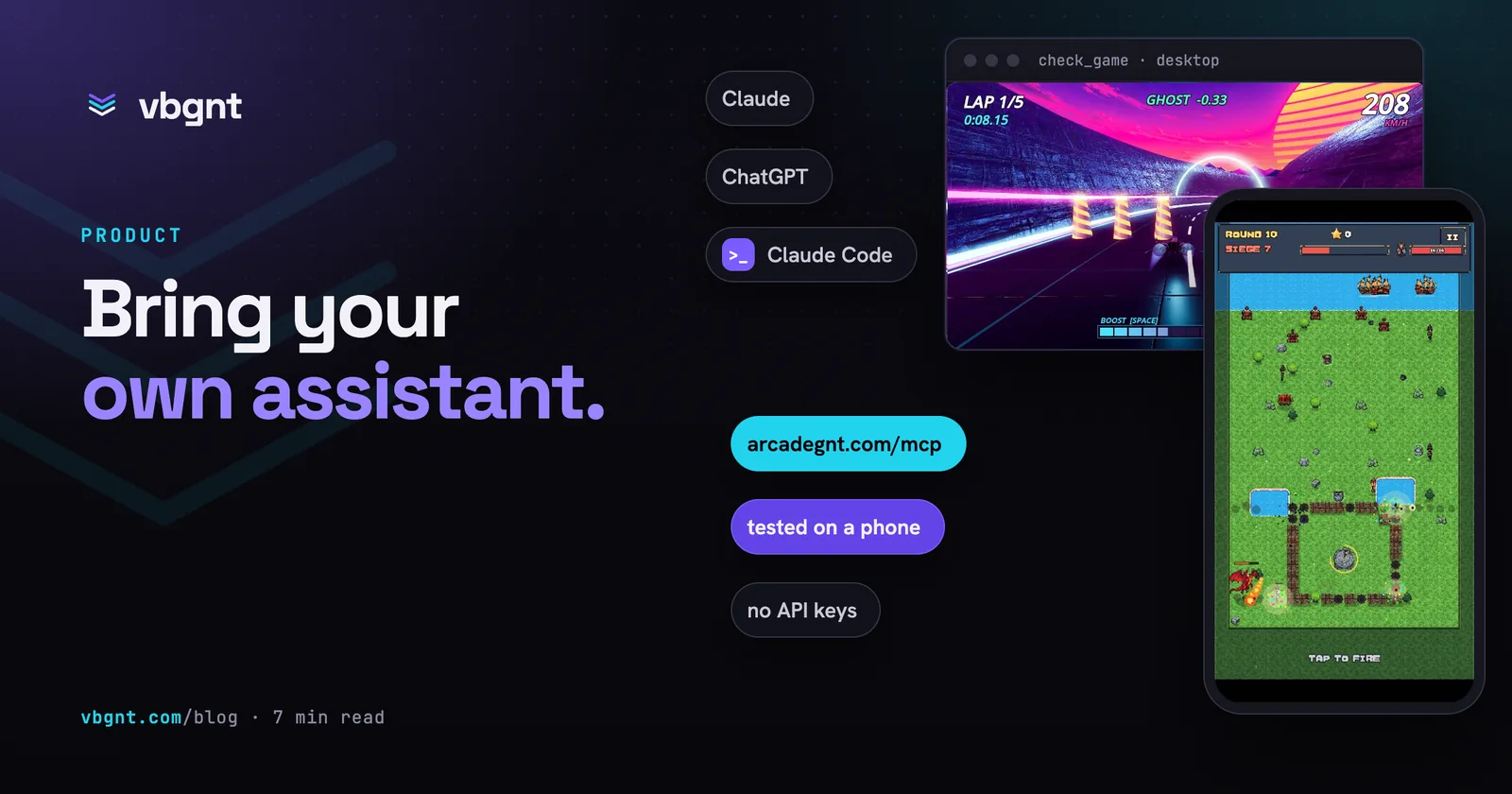
arcadegnt is an MCP server at https://arcadegnt.com/mcp. MCP (the Model Context Protocol) is the standard way an AI assistant reaches outside tools. Add arcadegnt to Claude, ChatGPT, Claude Code, Codex, Cursor or any other client that supports remote MCP servers, and your assistant gets 29 tools for making a browser game: create a project, read and write its files, build it, play it, publish it, and put it in front of other people.
The important part is what arcadegnt does not do. It never runs a model. Every line of code is written by your assistant, on the plan you already pay for, so arcadegnt itself is free: no subscription, no API keys to paste and no credits to buy. Signing up takes an email address and a code we send to it, and there's no credit card.
What arcadegnt adds is everything an assistant can't do from inside a chat window. It holds the project, runs the game engine, exports the game for the web, hosts it at its own address, and opens it in real browsers so your assistant can see what it made.
How is it different from the vbgnt studio?
The short version: in vbgnt, our agent does the work. In arcadegnt, yours does.
| vbgnt studio | arcadegnt | |
|---|---|---|
| Who writes the game | vbgnt's agent, in the studio | Your assistant, in your chat |
| Art, music, voices | Generated by the studio | Drawn in code, imported from packs, or brought from your own tools |
| Where games live | Your arcade at yourname.vbgnt.com | yourgame.arcadegnt-play.com, plus a reviewed gallery |
| Platforms | Web, plus desktop, Android and iOS exports | Web, on desktop and phone browsers |
| Online multiplayer | Yes | Not yet; local multiplayer works |
| How you get in | Invite | Free, sign up with an email |
Under the surface they share a lot. arcadegnt uses the studio's web export preset, the multitouch fix we wrote for browser builds, and the same high-score addon vbgnt games use. The difference is who holds the pen.
How do you connect it?
In Claude or ChatGPT, add a custom connector and paste https://arcadegnt.com/mcp as its address (in ChatGPT, custom connectors live under developer mode). A sign-in page opens, we email you a code, and the connector is live.
Coding agents take one command:
claude mcp add --transport http arcadegnt https://arcadegnt.com/mcpThen run /mcp in Claude Code, pick arcadegnt and sign in. Codex is codex mcp add arcadegnt --url https://arcadegnt.com/mcp followed by codex mcp login arcadegnt. The setup page has the steps for Cursor, OpenCode, VS Code and the rest.
After that, ask for a game the way you'd describe it to a friend. "Make a one-button game where a small ship dodges falling rocks, faster every ten seconds, with a high score table" is plenty.
What happens when you ask for a game?
Your assistant follows a loop that the server's own instructions spell out:
- Start a project.
create_gamecopies the arcadegnt starter: a project already set up for the web, with touch controls, gamepad support and the high-score addon wired in. - Read the guide.
get_guidereturns the rules that matter for browser games: which renderer to use, how touch controls work, the coding mistakes that come up most, and how to make a game look finished when nobody supplied any art. - Write the game.
write_filestakes up to 60 files in one call;edit_filehandles small fixes. - Build.
buildimports the project, loads every script and scene, runs the game headless for about three seconds, and exports it. If anything fails, the assistant gets each error with its file and line, fixes it and builds again. A failed build never takes the live version down. - Play it.
check_gameopens the live game in Chrome on a desktop and on a phone and hands back screenshots, the console and any errors. The assistant looks at them, fixes what's wrong, and rebuilds.
Step five is the one that makes the difference. A game can compile cleanly and still open to a black screen, put the jump button over the score, or run sideways on a phone. An assistant that only sees its own code can't know that. One that sees the screenshots usually fixes it on the next pass, without you having to describe the problem.
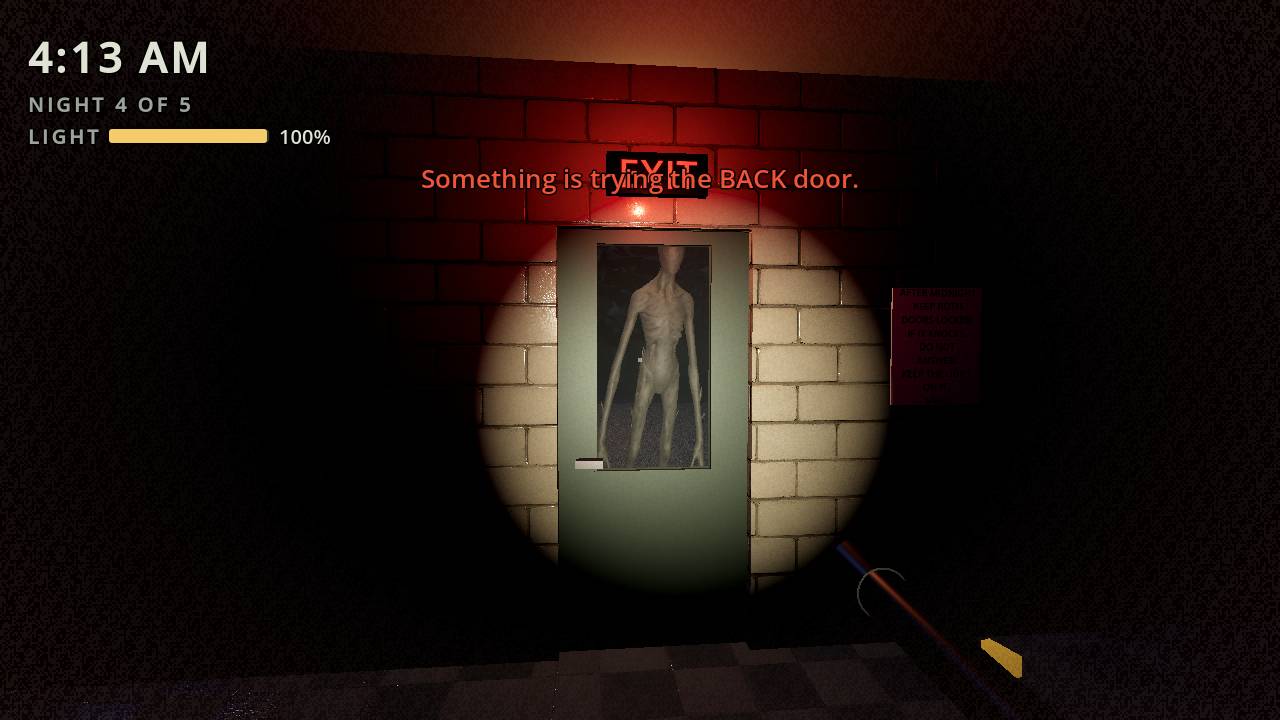
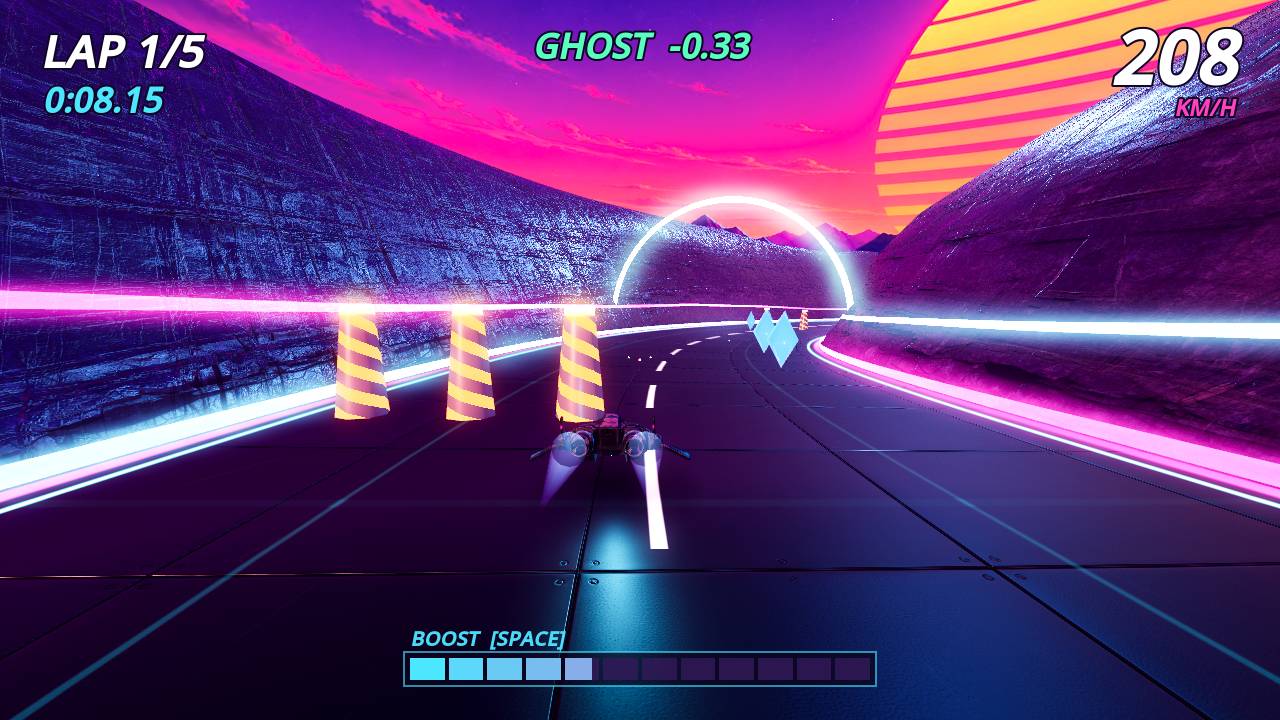
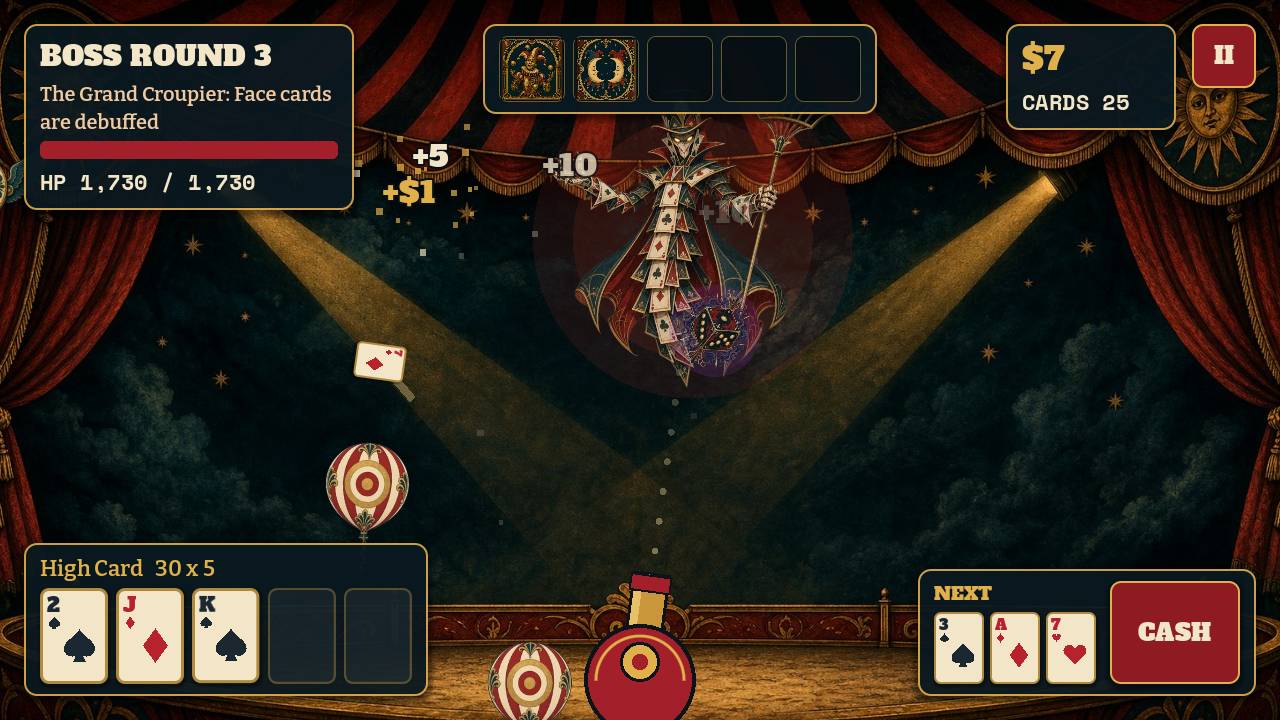
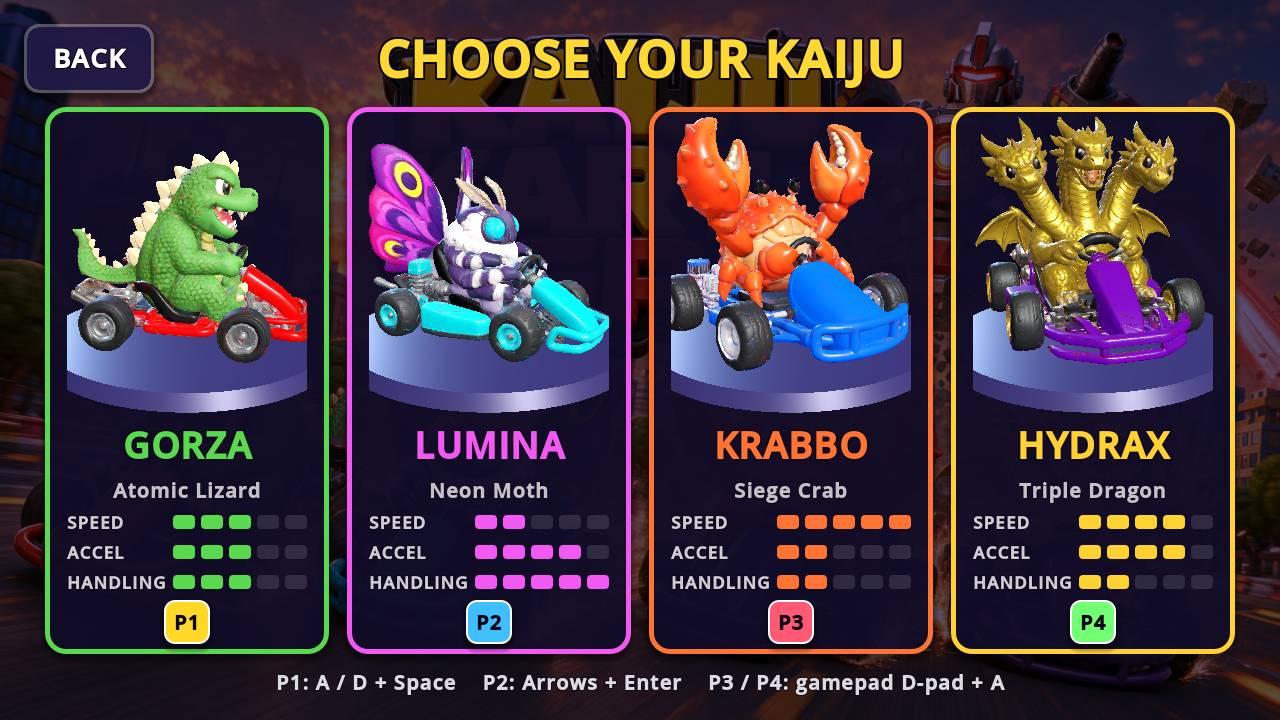
All four are in the arcadegnt gallery, built by an assistant over MCP. The screenshots are the ones check_game took.
Where do the art and sound come from?
arcadegnt doesn't generate art, because it doesn't run models. That leaves three routes, and most games use more than one:
- Your own files. Ask your assistant for an upload link and drop images, audio, fonts, 3D models or zip packs on the page it gives you. arcadegnt reads each file's size, length or shape, and renders 3D models from four sides so the assistant can tell which way a character faces before it places one.
- Free packs. Your assistant can import a link to a CC0 pack from Kenney, Poly Haven, itch.io or OpenGameArt straight into the project.
- Other MCP servers. Connect Meshy, PixelLab or a Blender MCP server next to arcadegnt, and your assistant can make a model or a sprite sheet in one tool and drop it into the game with the next.
With none of those, the assistant draws in code: SVG sprites, shaders, procedural textures, sound effects synthesised from waveforms, and 3D objects built from geometry. That route is better than it sounds. The guide pushes hard for a game that looks released rather than a grey-box prototype, and a well-made shader sky does more for a game than a mismatched asset pack.
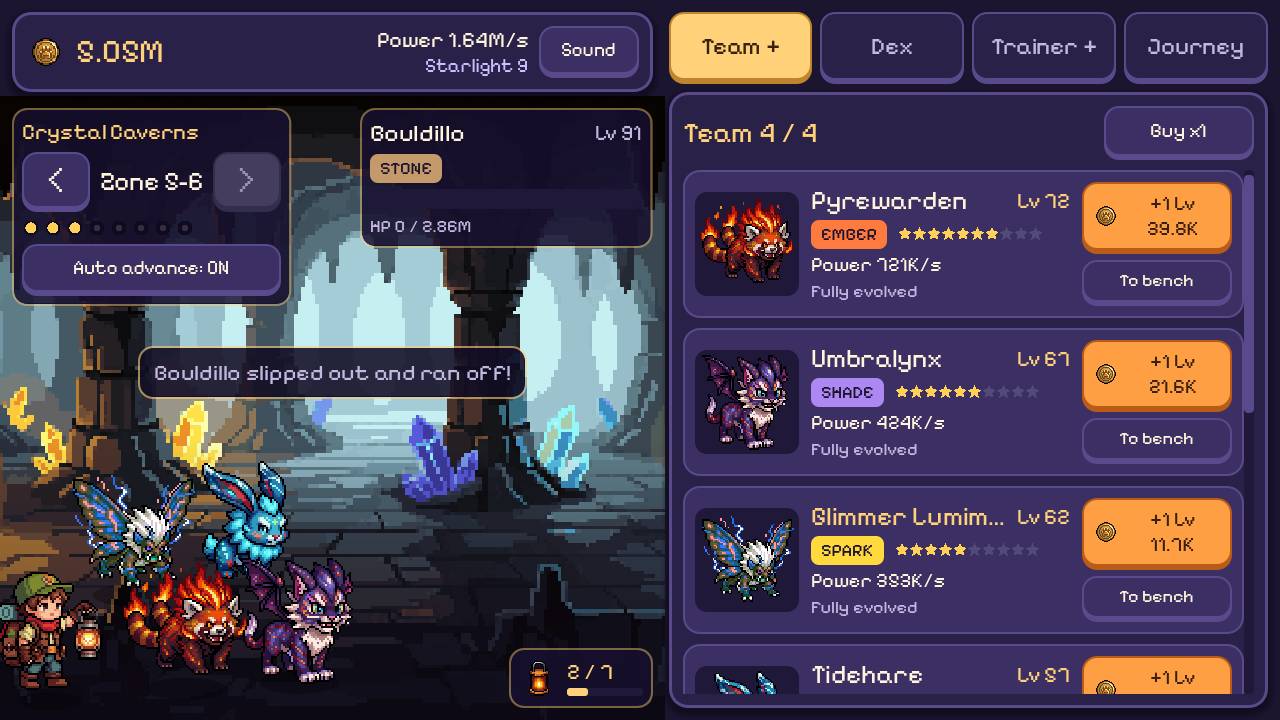
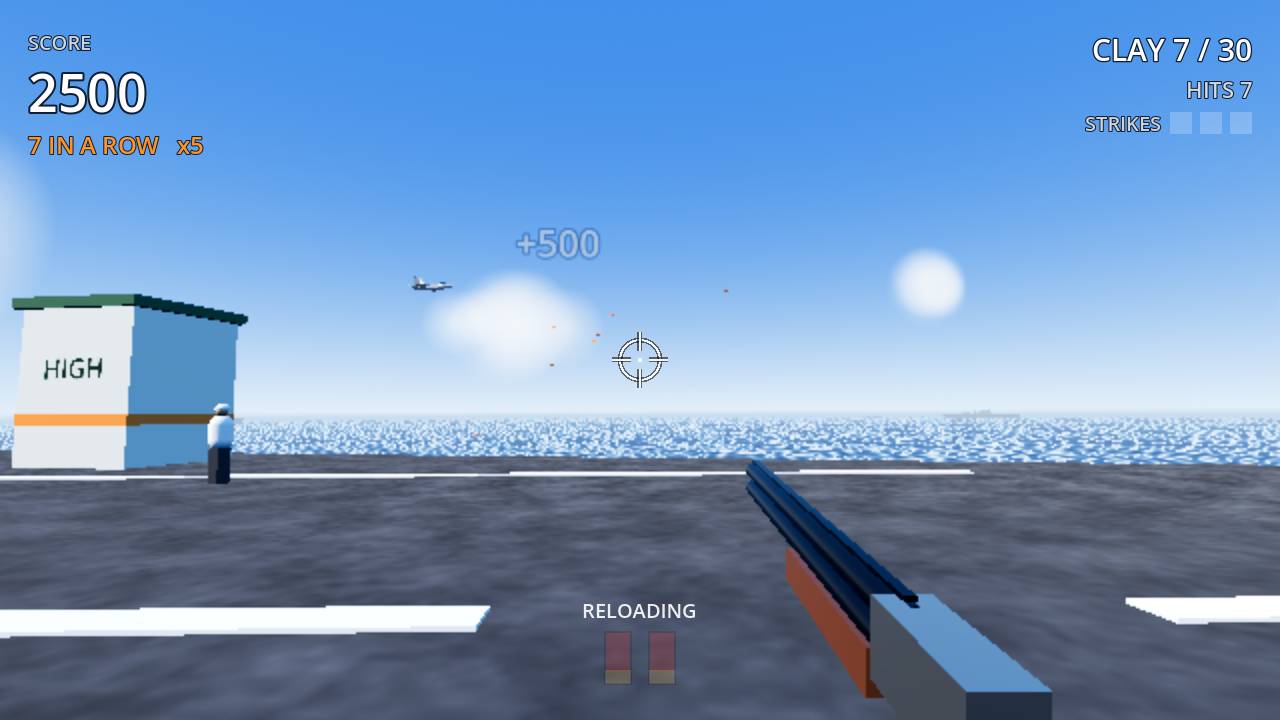
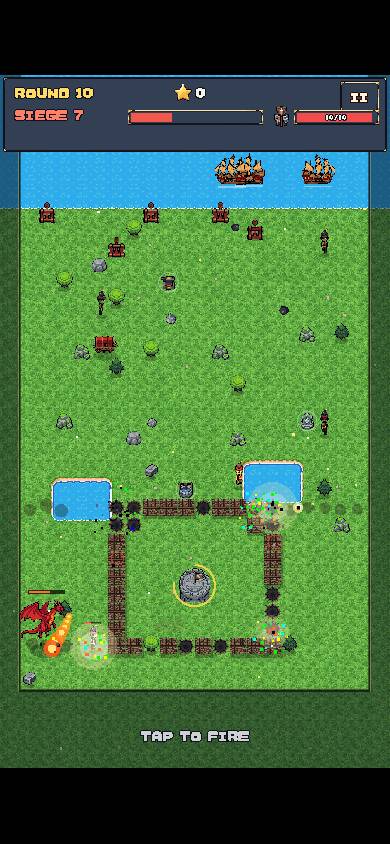
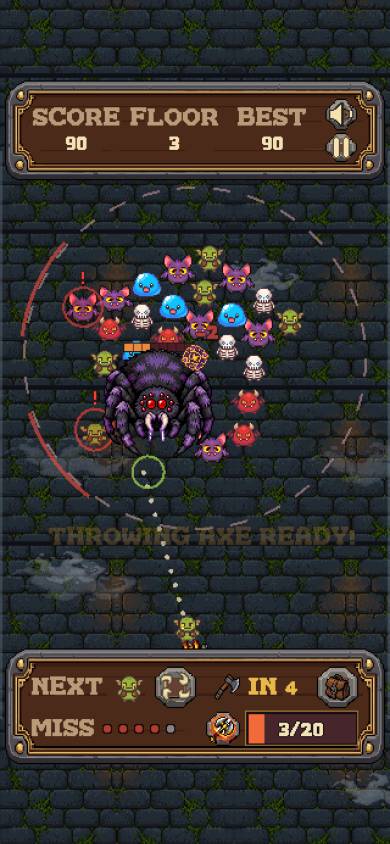
The phone half of check_game: the same build at a phone's size, with touch controls.
How do other people play it?
Every build publishes straight away to the game's play address, yourgame.arcadegnt-play.com. Send that link to anyone. It opens on a computer, a phone or a tablet, takes a keyboard, a gamepad or touch, and can be installed to a phone's home screen.
When you want strangers to find it, your assistant writes a gallery page with set_gallery_page (a description plus screenshots picked from its own check_game runs) and submits it with submit_to_gallery. A person plays every submission before it goes up. Once approved, that version goes live at yourgame.arcadegnt.com and in the gallery, frozen. You can keep building; your changes reach the approved address only when you submit again and that version is approved too.
The gallery also has a random mode: full-screen games, one after another, swiped like short videos. Players can like and rate what they play, and games keep online high scores (the top 100 per board), with suspicious scores held for you to approve or delete. Your assistant can pull play counts, unique visitors, ratings and where your traffic came from with get_stats.
What can't it do yet?
- No online multiplayer. Single-player and local multiplayer (shared keyboard, split screen, several gamepads) work. Playing with friends over the internet is still a vbgnt studio feature.
- The browser renderer only. 3D games use a renderer built for browsers, so you get models, lights, shadows, fog and particles, but not volumetric fog or real-time global illumination.
- Web only. There are no desktop, Android or iOS exports. You can download the whole project with
download_sourceand export it yourself. - Small on purpose. Four games per account, 150 MB per game, 25 MB per uploaded file and 80 MB per zip. Players on phones are downloading all of it.
- Only as good as your assistant. arcadegnt checks, builds and plays the game, but the design, the code and the taste come from the model on the other end. A stronger model makes a better game.
Which one should you use?
If you already spend your day in Claude, ChatGPT or a coding agent and want a small game you can send as a link, start with arcadegnt. It's free, your assistant runs on the plan you already have, the game is yours, and you can download the whole project whenever you like.
If you want generated art, music and voices, online play, store exports or your own arcade, that's the vbgnt studio. You can also connect your agent to the studio itself, where it drives our agent rather than writing the code.
Try it
It's free. Go to arcadegnt.com, copy the MCP link into your assistant, confirm your email and ask for a game. The first playable build usually lands in the same conversation.
Frequently asked questions
What is arcadegnt?
arcadegnt is an MCP server for making browser games with the AI assistant you already use. Add https://arcadegnt.com/mcp to Claude, ChatGPT, Claude Code, Codex or another MCP client; your assistant writes the game, and arcadegnt builds it, plays it in Chrome on a desktop and a phone, and publishes it at its own web address.
Is arcadegnt free?
Yes. arcadegnt never runs a model, so there is nothing to charge for: your assistant does the writing on the plan you already have. There is no subscription, no API key and no credit card. You sign in with an email address and a code we send to it.
How is arcadegnt different from vbgnt?
In the vbgnt studio, vbgnt's own agent writes the game and generates its art, music and voices, and games can be exported to desktop and mobile and played online with friends. In arcadegnt your own assistant writes the game, art comes from code, packs, uploads or other MCP servers, and games are web only with local multiplayer. vbgnt is invite-only; arcadegnt is open to anyone with an email address.
Which assistants work with arcadegnt?
Any client that supports remote MCP servers with sign-in, including Claude, ChatGPT (as a custom connector in developer mode), Claude Code, Codex, Cursor, OpenCode, VS Code, Manus, OpenClaw and Hermes Agent.
Can I add my own art and music?
Yes. Your assistant gives you an upload link for images, audio, fonts, 3D models and zips (25 MB a file, 80 MB a zip, 150 MB a game), or imports a link to a pack from Kenney, Poly Haven, itch.io or OpenGameArt. With Meshy, PixelLab or a Blender MCP server connected too, your assistant can make assets in the same conversation.
Do I own the games I make with arcadegnt?
Yes. download_source returns the complete project, so you can keep working on it locally or export it for other platforms yourself.