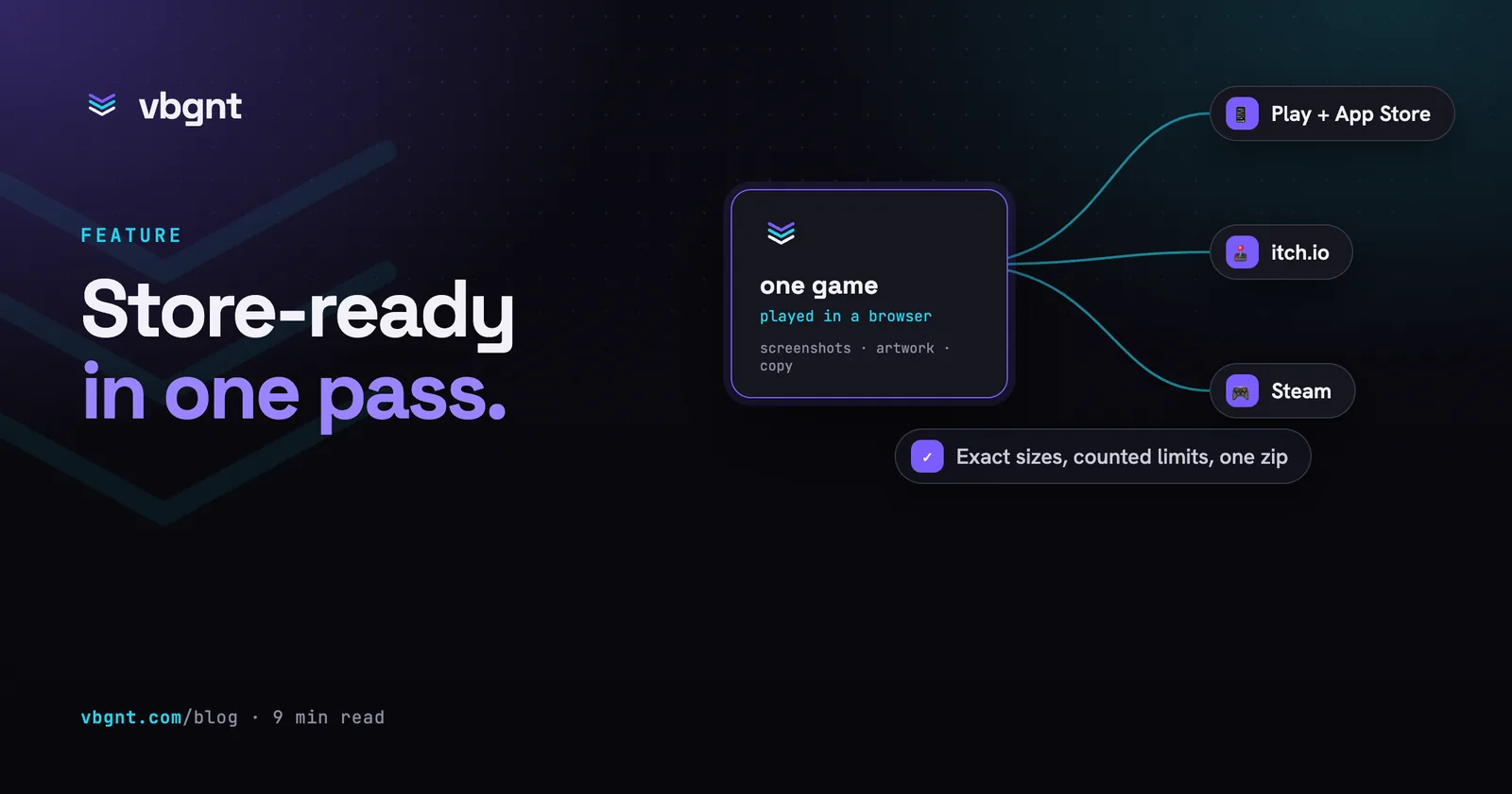
Apple and Google both changed what a store listing asks for this year. Apple added two new pieces of art that show up across the App Store, a wide header for the product page and a 3:2 image for search results, plus screenshot sizes for the iPhone Duo's two displays and a new required iPhone size. Google tightened its feature graphic and screenshot rules and now treats tablet and Chromebook screenshots as part of a proper large-screen listing.
The Marketing kit now makes all of it. Tick Mobile and the kit covers every size both stores take today, and the trailer step can make the videos too: App Store previews for iPhone and iPad, animated versions of the new header and search art, and a 4K trailer.
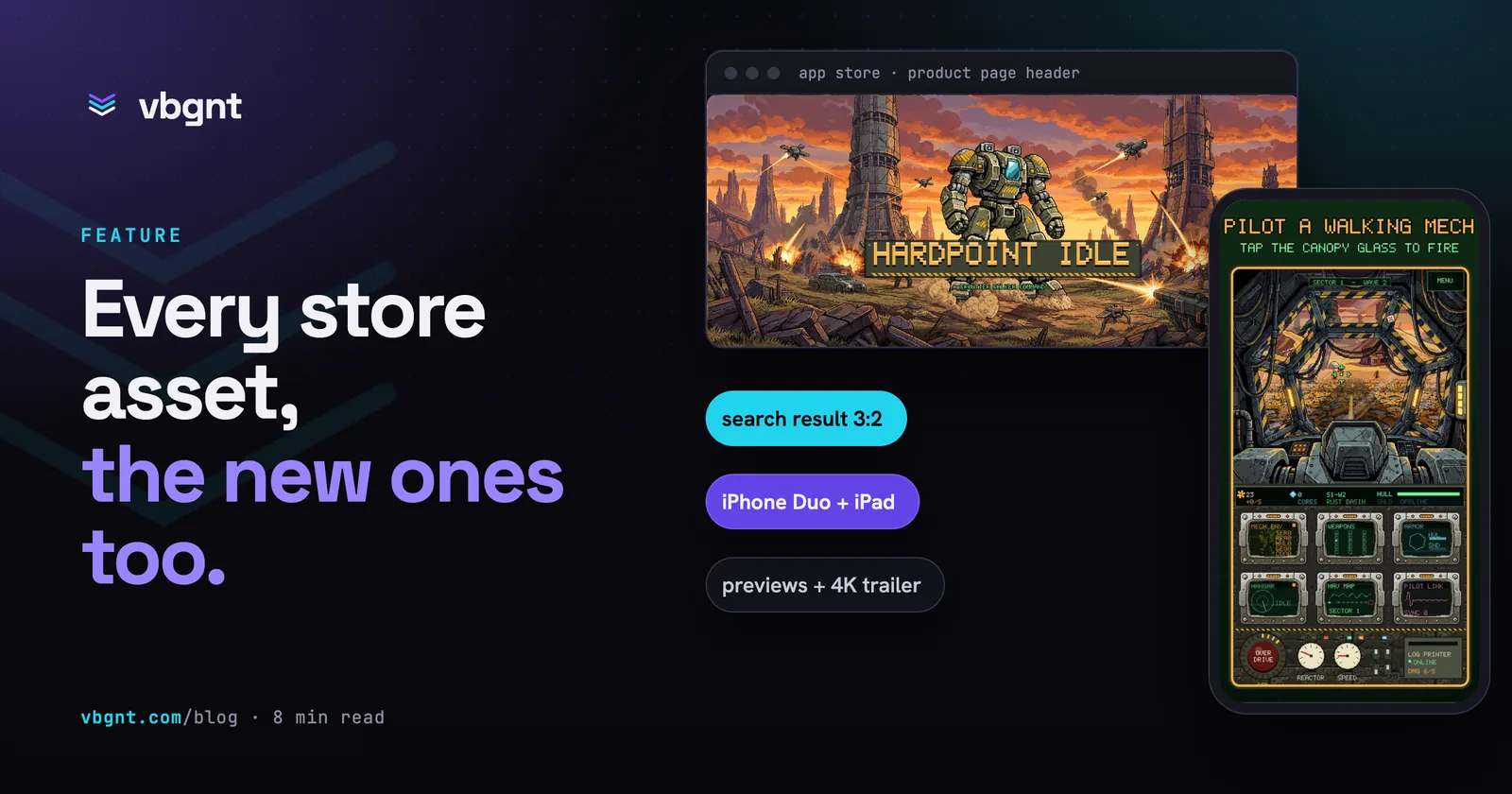
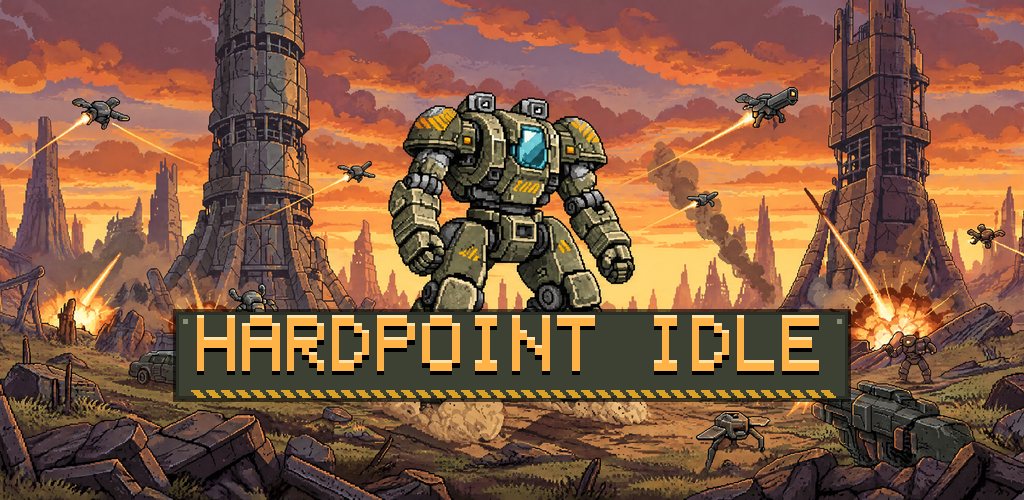
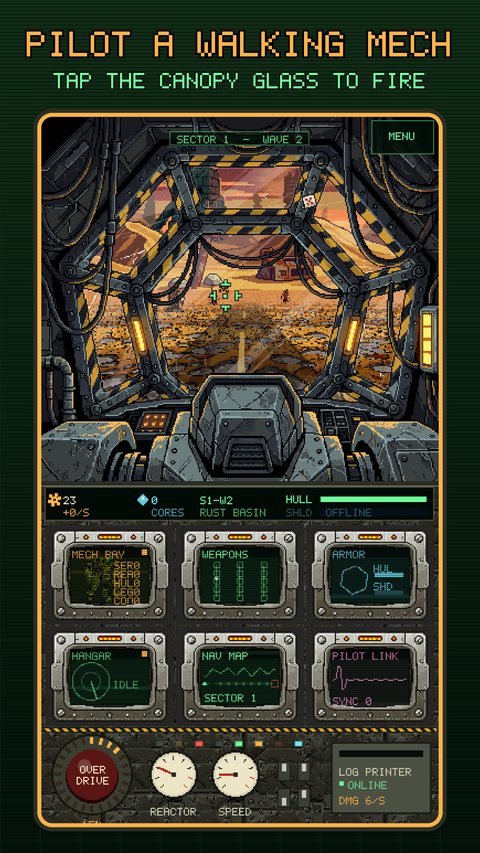
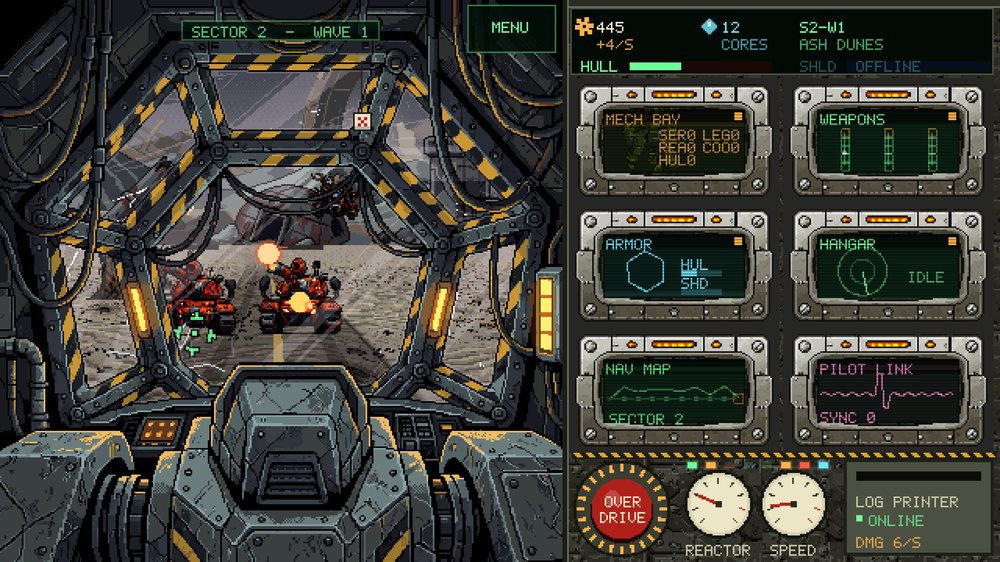
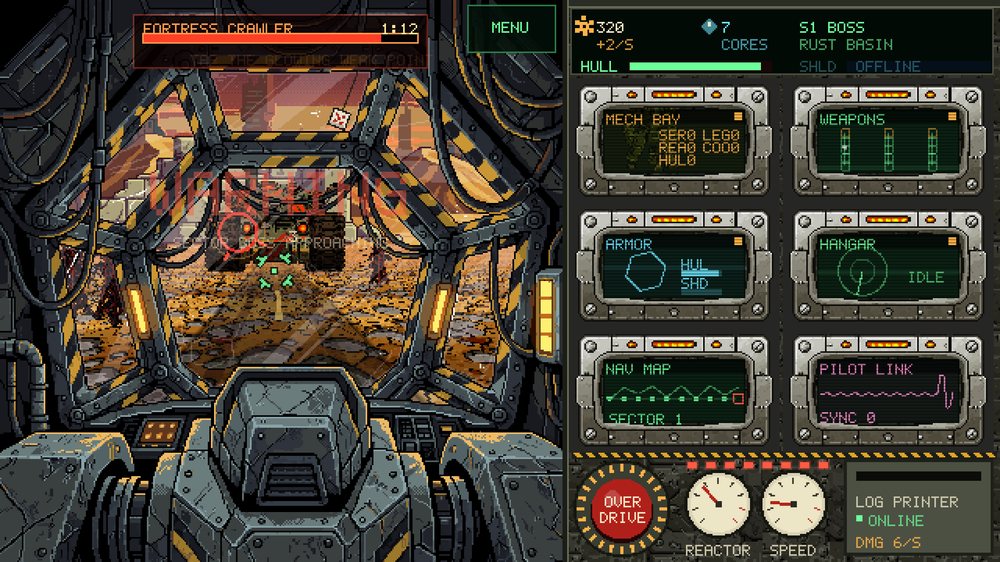
Everything below comes from one real kit, made this week for Hardpoint Idle, a pixel-art idle game where you pilot a walking mech from inside its cockpit. Nothing was retouched for this post.
What changed on the App Store?
Four things matter for a game listing.
- A product page header. A 3840x1646 image (21:9) across the top of your product page, on iOS 27 and iPadOS 27 and later. It can also be a 5 to 30 second video that loops, muted until the viewer unmutes it.
- A search results asset. A 3:2 image, up to 3840x2560, that people see in the Search tab before they ever open your page. It can be a looping video too, always muted. Without one, Apple falls back to your previews and screenshots.
- iPhone Duo screenshots. One set for the outer display (1398x2034 or 2034x1398) and one for the inner display (2007x2853 or 2853x2007). They become required from April 2027 for apps built with the iOS 27.1 SDK or later. Both are roughly 2:3, nothing like a phone's tall screen, so a squashed phone screenshot will not do.
- The 6.3-inch iPhone is now the size Apple requires (1206x2622). The 6.9-inch and 6.5-inch sets are still worth uploading so those devices get sharp images instead of scaled ones.
There is also an optional universal asset, one 5244x2950 image that Apple crops for both the header and the search result. It only works when a single composition survives both crops. The kit makes the two separately unless you ask.
What changed on Google Play?
Less, but enough to trip up a listing:
- The feature graphic (1024x500) is required and is now also the cover of your preview video and the large card in game recommendations. Play crops its edges in some places, so the title and focal point have to sit in the centre 70% of the width. Pure black, white or dark grey backgrounds are out, because they melt into Play's own interface.
- Games need at least three gameplay screenshots at 1080x1920 or 1920x1080 to qualify for Play's large-format recommendations.
- Tablet and Chromebook screenshots: at least four, up to eight, each side between 1080 and 7680 pixels. The kit makes one 2560x1440 set you upload to all three slots.
- Alt text for the feature graphic and every screenshot, up to 140 characters each, describing what is in the image.
Play's text rules also got stricter. No "Best", "#1", "Free" or "New" in screenshots or the short description, no calls to action, no device frames or hands, and captions covering no more than a fifth of the image. The kit's copy and captions follow those rules and count every field.
What does the kit make for the App Store now?
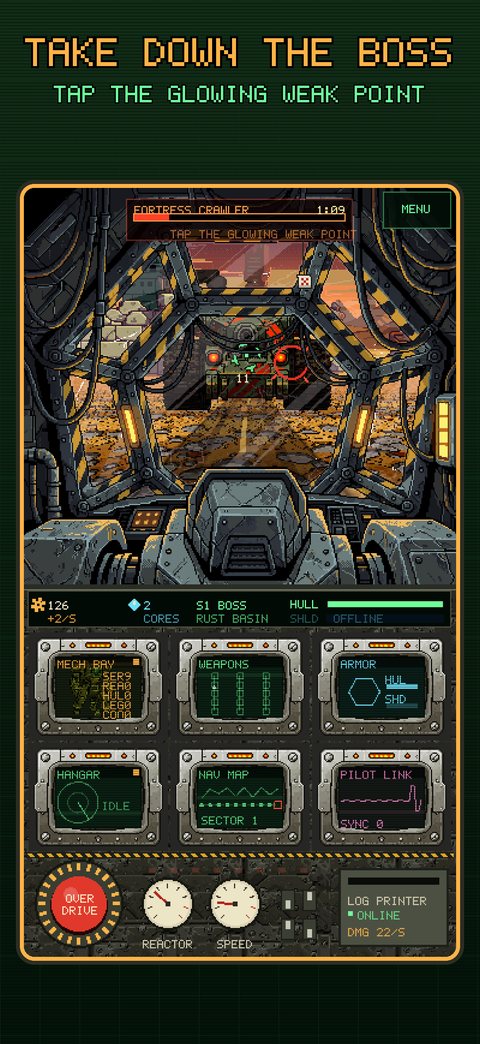
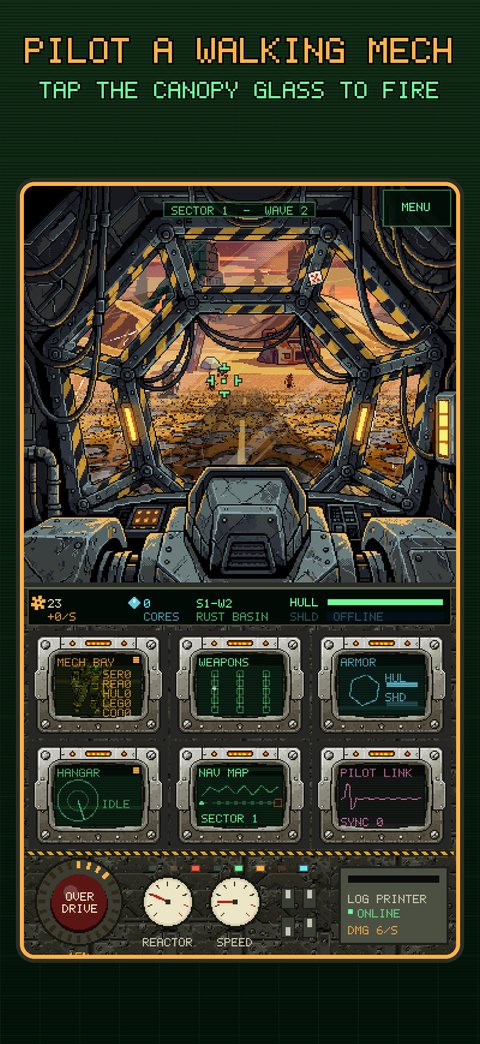
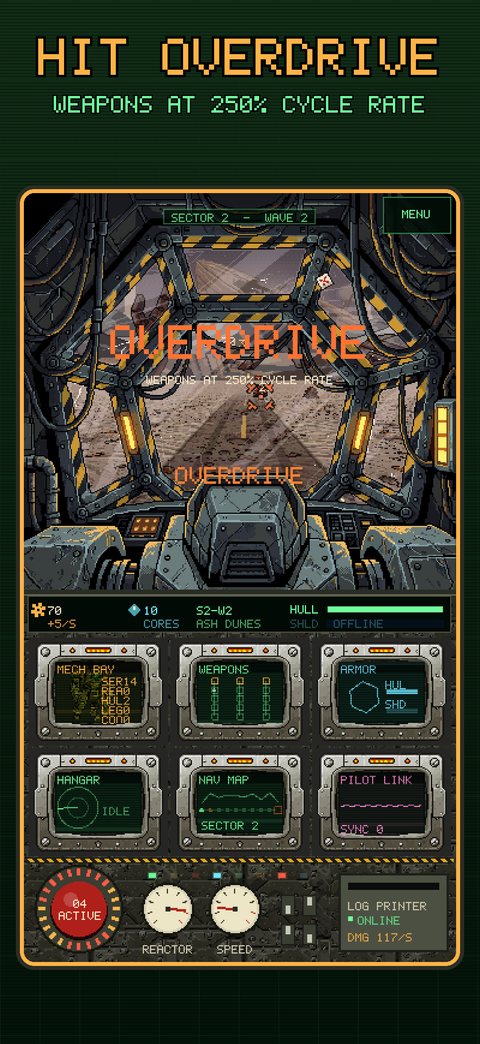
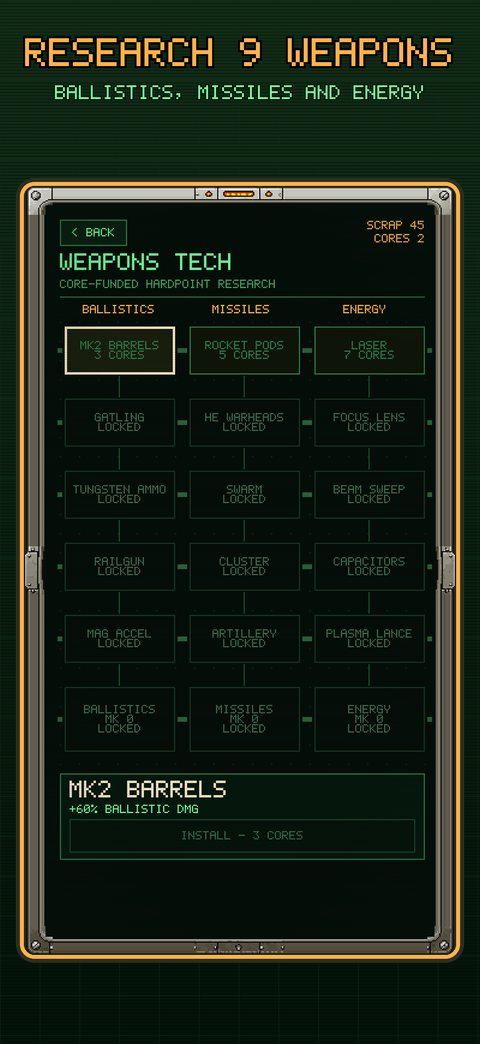
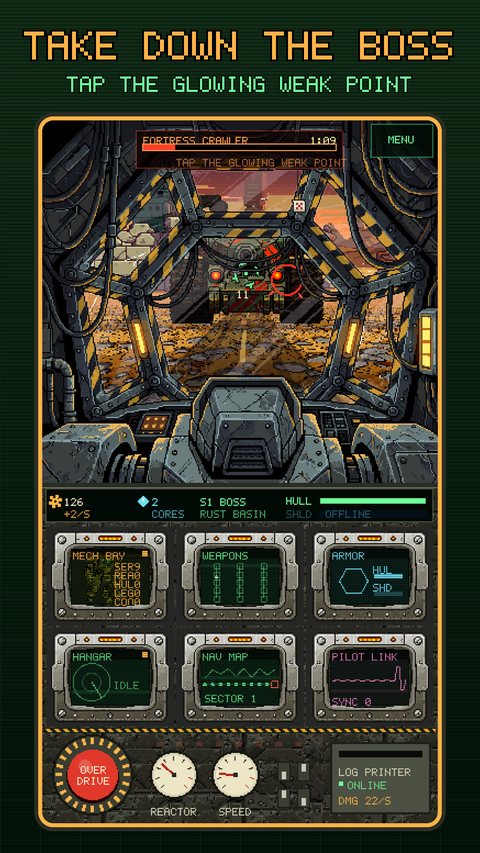
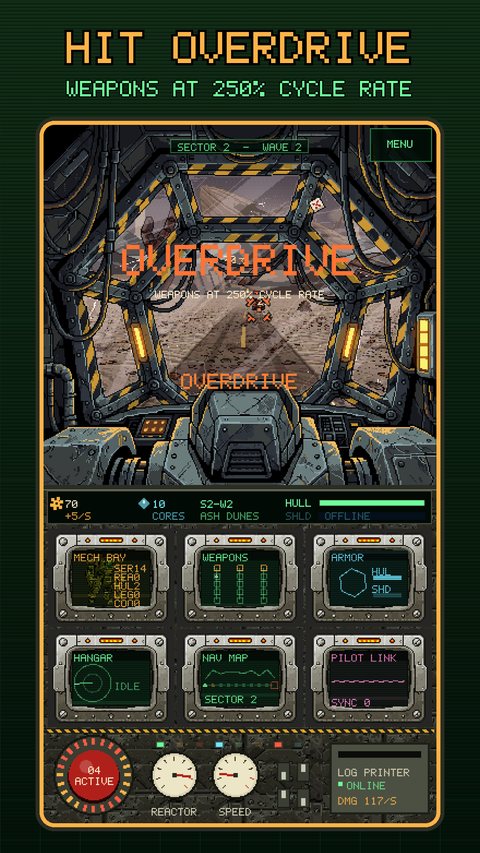
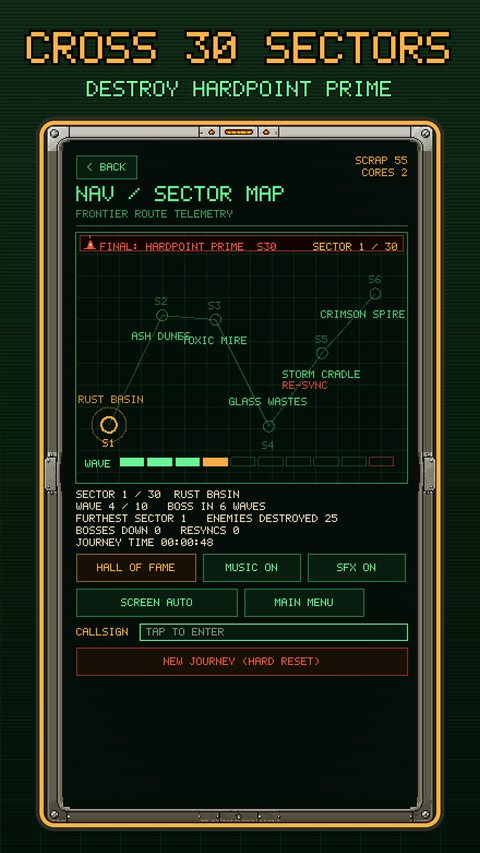
For Hardpoint Idle: eight captioned screenshots at each of six App Store sizes (iPhone 6.9, 6.3 and 6.5 inch, both iPhone Duo displays, and iPad 13 inch), the product page header, the search results asset, and the 1024 icon. Every screenshot is a real capture of the game, driven by scripted taps. The captions use the game's own pixel font and colours.
The header and the search result
These two do different jobs, and the kit treats them differently. The header sets the tone of the product page, so it is brand first: key art and the title, one idea, everything important in the centre half because Apple crops it per device. The search result has to tell a stranger what the game is in one look, so it shows gameplay with a short caption.
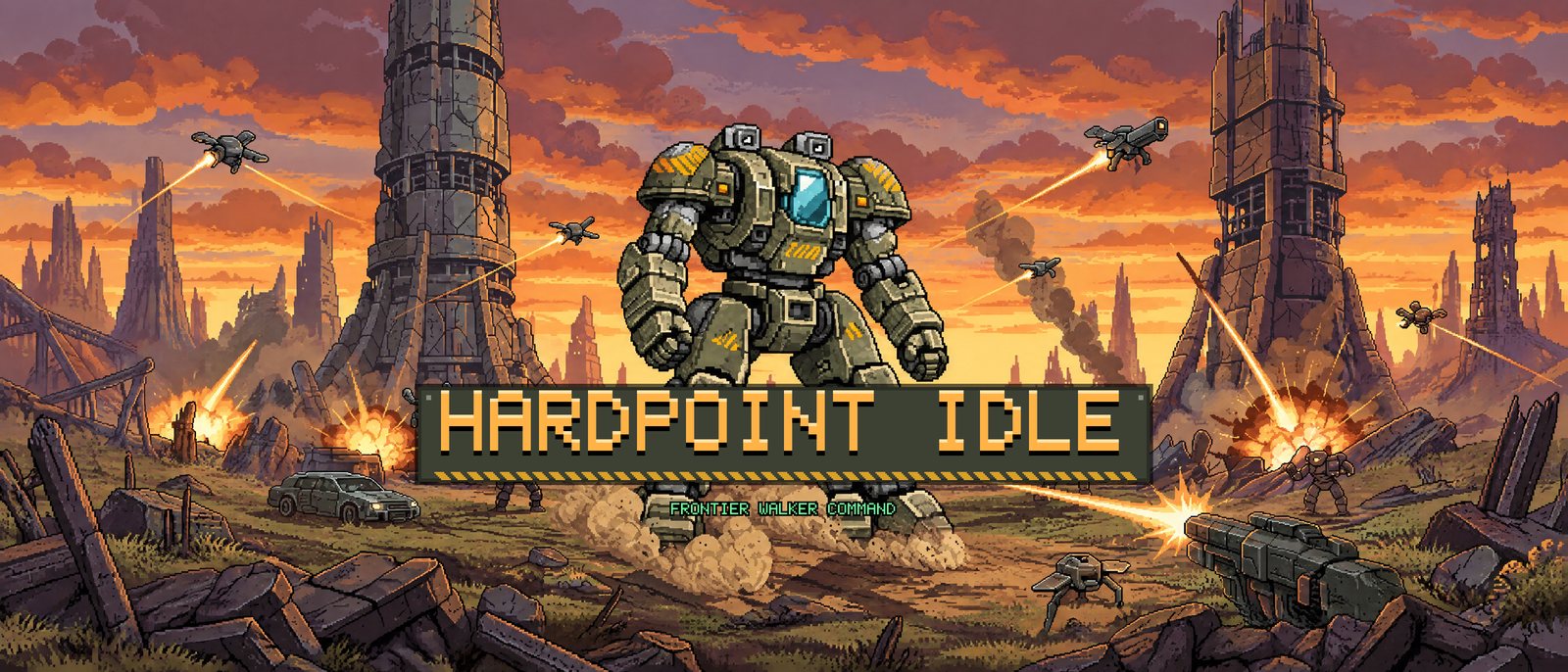
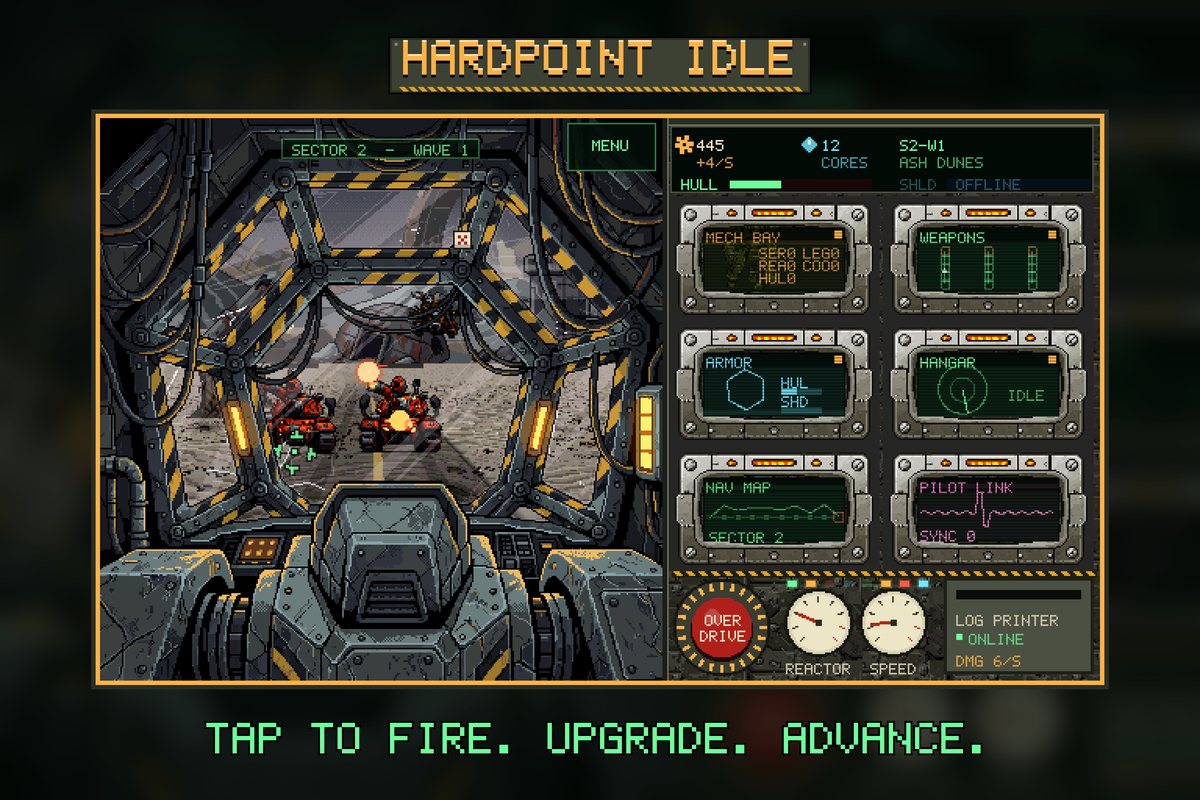
The iPhone Duo
The Duo's displays are close to square, so the kit captures the game at those shapes instead of reusing a phone shot. Hardpoint Idle has a real landscape layout (canopy on the left, console on the right), and the first kit made the Duo shots in portrait. We asked for landscape through the Revise button, in one line: "for the duo screens can we make them landscape". The agent took four new landscape captures, rebuilt both Duo sets and left everything else alone. The revision took twelve minutes.
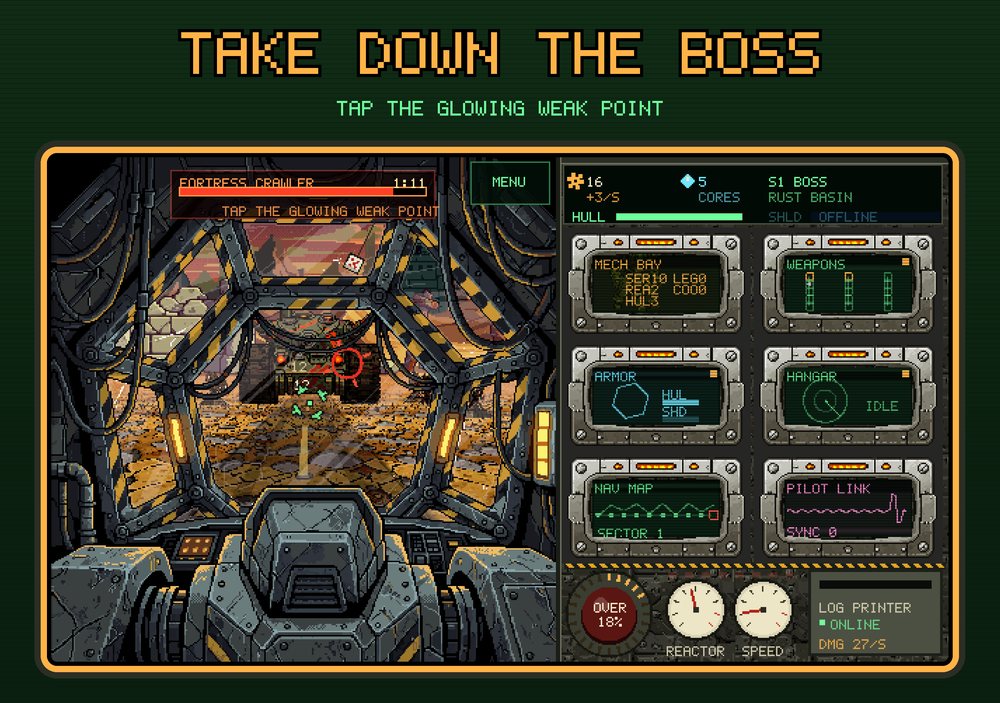
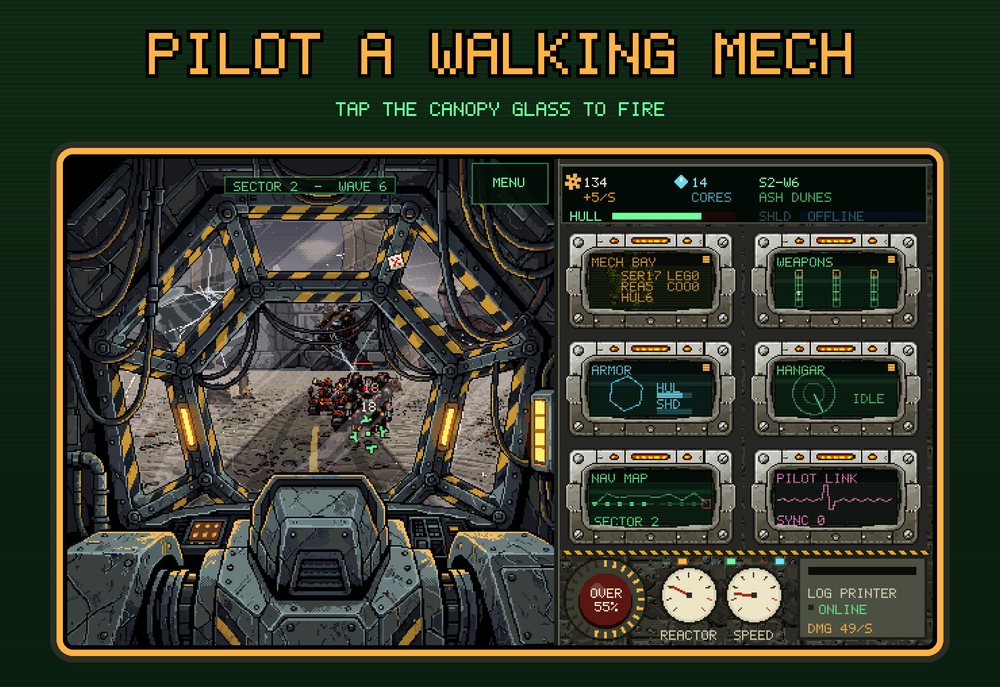
iPad
vbgnt's iOS builds run on iPad as well as iPhone, so Apple requires an iPad 13-inch set. The kit makes it at 2064x2752 from its own captures at that shape.
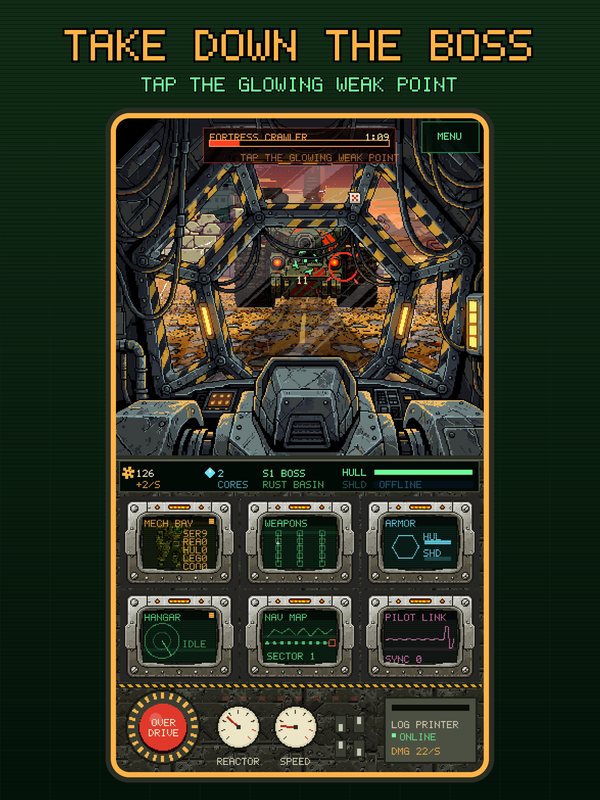
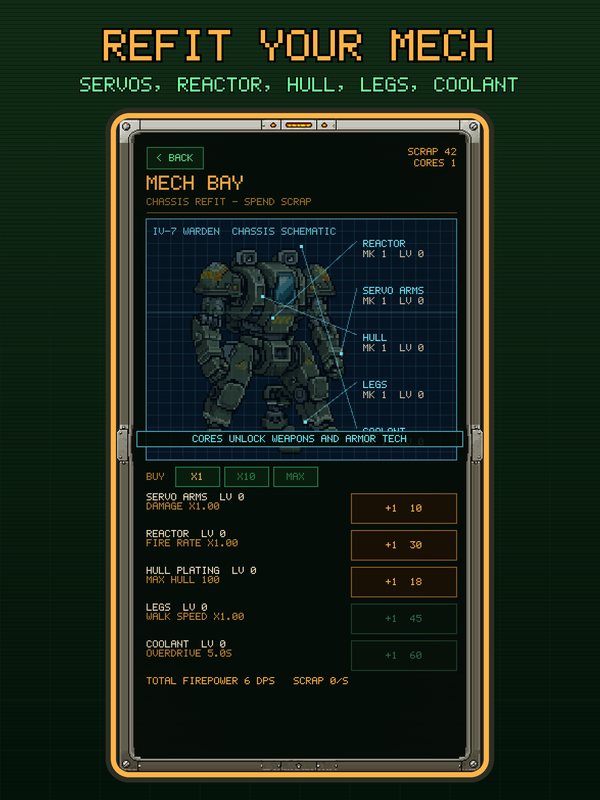
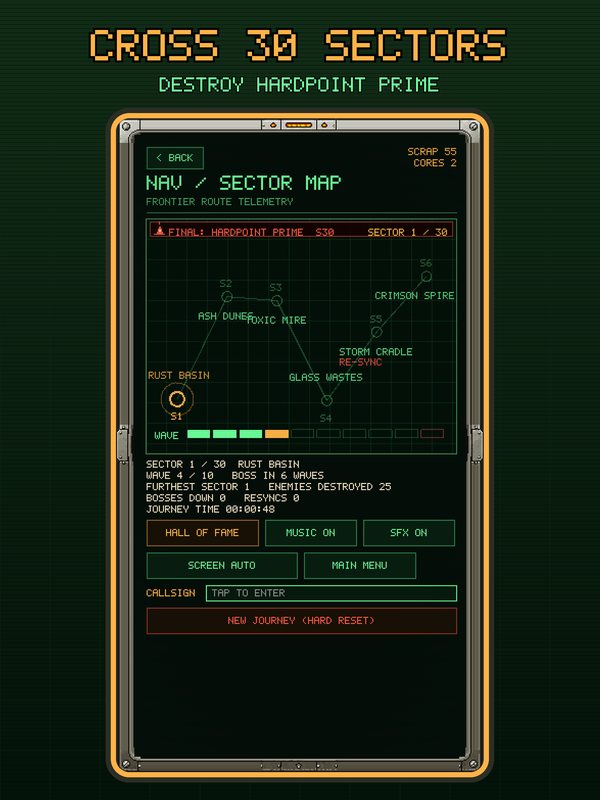
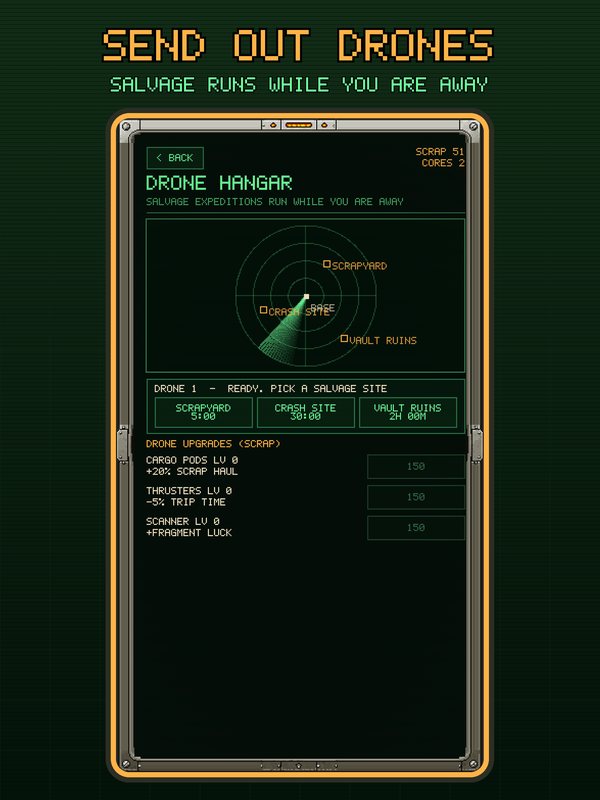
What does the kit make for Google Play?
Eight 1080x1920 phone screenshots in upload order, eight 2560x1440 screenshots for 7-inch tablets, 10-inch tablets and Chromebooks, the 512 icon, an Android adaptive icon in two layers, the feature graphic, and an alt-text.md with a line for every image. The listing file has the Play and App Store fields side by side with their character counts, and the content rating, data safety and privacy answers.
What videos can the trailer step make?
On a finished kit, Make trailer starts a second turn that records the game with Godot's movie-maker mode (fixed 30 frames a second, the game's real sound) and cuts it to the plan the kit wrote. It always makes the 1920x1080 trailer. For mobile kits it now has three options:
- App Store previews (iPhone + iPad), on by default. A separate 15 to 30 second cut for each, at Apple's exact sizes: 886x1920 or 1920x886 for every iPhone, Duo included, and 1200x1600 or 1600x1200 for the iPad.
- Animated App Store header + search result. Looping videos for the two new assets, at 3840x1646 and 3:2.
- 4K. A 3840x2160 master of the trailer for YouTube and Steam beside the 1080p one, and the App Store videos at native 4K. It takes longer to record, most of all for 3D games.
Hardpoint Idle had all three ticked. The turn took 92 minutes and produced six videos: the 45-second trailer at 1080p and 4K, both App Store previews at 25 seconds, the 14-second header loop and the 12-second search loop. Because the game draws at 640x360, every 4K frame is a clean six-times enlargement of real pixels rather than a blurry upscale.
App Store previews are their own cut
A preview is not the trailer squeezed into a phone. Apple autoplays it muted and loops it, and uses the frame at five seconds as the poster when nobody picks one. So the agent cuts it differently: no shot shorter than three seconds, captions that carry the story without sound, a strong full-cockpit frame at exactly 0:05, and a last shot that matches the first so the loop does not jump. It checks every file with ffprobe against Apple's limits (H.264 High at level 4.0 or below, 30 fps, stereo AAC, under 30 seconds) before it finishes.
Animated header and search result
The header video at the top of this post is brand and tone: slow, wide, the title in the middle. The search video below is the opposite: taps landing, the Overdrive banner, and "Pilot a walking mech" in the centre, built to work with the sound off because search results never play sound. Both cross-fade their last second into their first so they loop cleanly.
What does the kit still get wrong?
The README in every kit lists its own caveats. Hardpoint Idle's were these:
- Letterboxing. The game keeps a fixed 9:16 portrait and 16:9 landscape screen and adds bars at other shapes instead of laying itself out again. So on the taller iPhones, the iPad and the Duo, the screenshots show the real capture inside a frame. A game with a flexible layout gets edge-to-edge shots at every size.
- Cropping in the iPhone preview. The 886x1920 preview trims a little off each side of the 1080x1920 recording. In the Mech Bay shot that cuts the first letter of the screen's title.
- Prepared saves. To reach later waves and the boss in a short recording, each take starts from a save file placed on a throwaway copy of the project. The boss fight uses a deliberately weak build, because with a strong one the boss died in about a second, too fast to read.
- Late-game content appears only as names on the sector map and in the copy. The screenshots and trailer show the first two sectors.
- The key art behind the header and feature graphic was generated from the game's cover, and the README says so. Everything shown as gameplay is gameplay.
How do you make one?
- Open your game's Publish pane, go to Marketing kit, tick Mobile and press generate. The game must be deployed, because the screenshots come from the playable build. The kit runs in the background and never changes the game.
- When it finishes, browse it in the studio or download the zip. If something is off, press Revise and say what to change in a sentence. The earlier version is kept.
- Press Make trailer, leave App Store previews on, and tick the animated header and search result or 4K if you want them.
- Follow the README's upload map: which file goes into which field in Play Console and App Store Connect, including the Asset Library, where Apple's new header and search assets live.
Existing mobile kits made before this update do not have the new sizes. Generate a new kit to get them; your old ones stay where they are.
Frequently asked questions
What are the new App Store header and search result assets?
Two creative assets Apple shows across the App Store on iOS 27 and iPadOS 27 and later. The product page header is a 3840x1646 (21:9) image or looping video across the top of your product page. The search results asset is a 3:2 image or video, up to 3840x2560, shown in the Search tab before someone opens your page. Both are uploaded in App Store Connect's Asset Library, and the videos can run 5 to 30 seconds.
Which iPhone screenshot sizes does the App Store require now?
Apple requires at least one screenshot at the 6.3-inch size, 1206x2622 portrait or 2622x1206 landscape, plus an iPad 13-inch set (2064x2752) when the app runs on iPad. iPhone Duo screenshots, 1398x2034 for the outer display and 2007x2853 for the inner one, become required from April 2027 for apps built with the iOS 27.1 SDK or later. A vbgnt kit makes all of these, plus the 6.9-inch and 6.5-inch sets.
What does Google Play need for a game listing?
A 512x512 icon, a 1024x500 feature graphic with the title and focal point in the centre, and at least two screenshots, though games need three gameplay shots at 1080x1920 or 1920x1080 to qualify for large-format recommendations. Tablet and Chromebook screenshots (4 to 8) are optional but recommended, and every image takes alt text up to 140 characters. A preview video is a YouTube link.
Can vbgnt make App Store preview videos?
Yes. On a finished mobile kit, Make trailer has an App Store previews option, on by default. It records the game and cuts a separate 15 to 30 second preview for iPhone (886x1920 or 1920x886, which covers every iPhone including the Duo) and for iPad (1200x1600 or 1600x1200), with a strong frame at five seconds for the poster and an ending that loops back to the start, and checks each file against Apple's encoding limits.
Are the screenshots real gameplay?
Yes. The agent plays the deployed web build at each shape the stores want, with touch controls on, and keeps only frames it has reviewed. When a game keeps a fixed screen shape instead of laying out again, the capture is placed in a frame rather than stretched, and the kit's README says so. Key art for the header and feature graphic can be generated from the game's cover, and the README says that too.
Do my existing marketing kits get the new sizes?
No. Kits keep what they were made with. Generate a new mobile kit to get the new App Store and Google Play sizes; earlier kits stay available alongside it.