The first vbgnt games on the App Store and Google Play were free, with no ads and no purchases. People played them for hundreds of hours, and none of those hours earned anything. That was fine for a first release. It is not where most people who ship a phone game want to stay.
Mobile Monetization changes that. Turn it on for a game, tell the agent where a rewarded ad or a shop belongs, and the next Android and iOS exports carry Google AdMob rewarded ads and real in-app purchases through Google Play and the App Store. The browser version of the game does not change at all.
This post covers what it adds, how you set it up, how the agent places ads, how you test before release, and what it doesn't do yet.
What is Mobile Monetization?
Mobile Monetization is a per-game setting in the studio's new Monetization tab. When it is on, the game can do two things in its phone builds:
- Rewarded ads. Short Google AdMob videos the player chooses to watch in exchange for something in the game: double the offline earnings, finish a timer now, a revive, an extra spin.
- In-app purchases. Real purchases through Google Play Billing on Android and StoreKit 2 on iOS. Products are either bought once and kept, like a cosmetic set or a "no ads" pack, or bought again and again, like a coin pack.
It only touches the Android and iOS builds. The web version in your arcade, the games directory and itch.io never shows an ad or a shop.
How do you turn it on?
Open the game in the studio, go to the Monetization tab and switch on Ads and purchases on mobile. Then ask for what you want in the chat, in plain words:
- "Add a rewarded ad that doubles the offline earnings report."
- "Let players watch an ad to finish an expedition early, up to five times a day."
- "Add a shop with a starter pack, a coin pack and a no-ads pack."
The agent adds the buttons, the rewards and the shop screen, then builds and tests the web version as usual to confirm nothing new appears there. Export for Android or iOS from the Publish pane and the native ad and payment plugins go into that build along with your ids.
If you work through an agent of your own over MCP, the same setting is the set_monetization tool, and the agent's next prompt_game turn can place the hooks.
Where do the ads go?
Only where the player asks for them. Every ad is a rewarded ad: the game offers a reward, the player taps to watch, and the reward arrives after the ad finishes. The agent follows a few rules on every game:
- No ads the player didn't choose. No banners, no interstitials between levels, no ad on launch.
- A daily cap. Around 10 to 15 rewarded ads a day per player, saved on the device.
- The reward is granted only when the ad completes. Closing an ad early gives nothing, and the game doesn't hand out a reward when the button is tapped.
- Buttons only appear when an ad is ready. The button shows a short loading state otherwise, instead of failing when tapped.
The placements that work best are the ones players already want more of: doubling an idle game's offline report, skipping a long timer, a second chance after a loss, a free crate that turns up now and then, an extra roll.
How does the shop work?
You list your products in the Monetization tab, each with the exact id you create in Play Console and App Store Connect, whether it is bought once or can be bought again, and whether it skips ads. The agent builds one small shop screen with each item's price as the store reports it, in the player's own currency, and a Restore Purchases button, which the App Store requires.
A product marked Skips ads is a "no ads" pack. Players who own it get every ad reward instantly, without watching. Items bought once are restored on a new phone through the store, so a player who changes devices keeps what they paid for.
The agent also keeps paid items fair. On games with leaderboards, things you buy can't make a ranked run faster or higher. Cosmetics, ad skipping and comfort items are fine. If you do want to sell a boost, runs that used it go on their own board instead of the main one.
What does it look like in a real game?
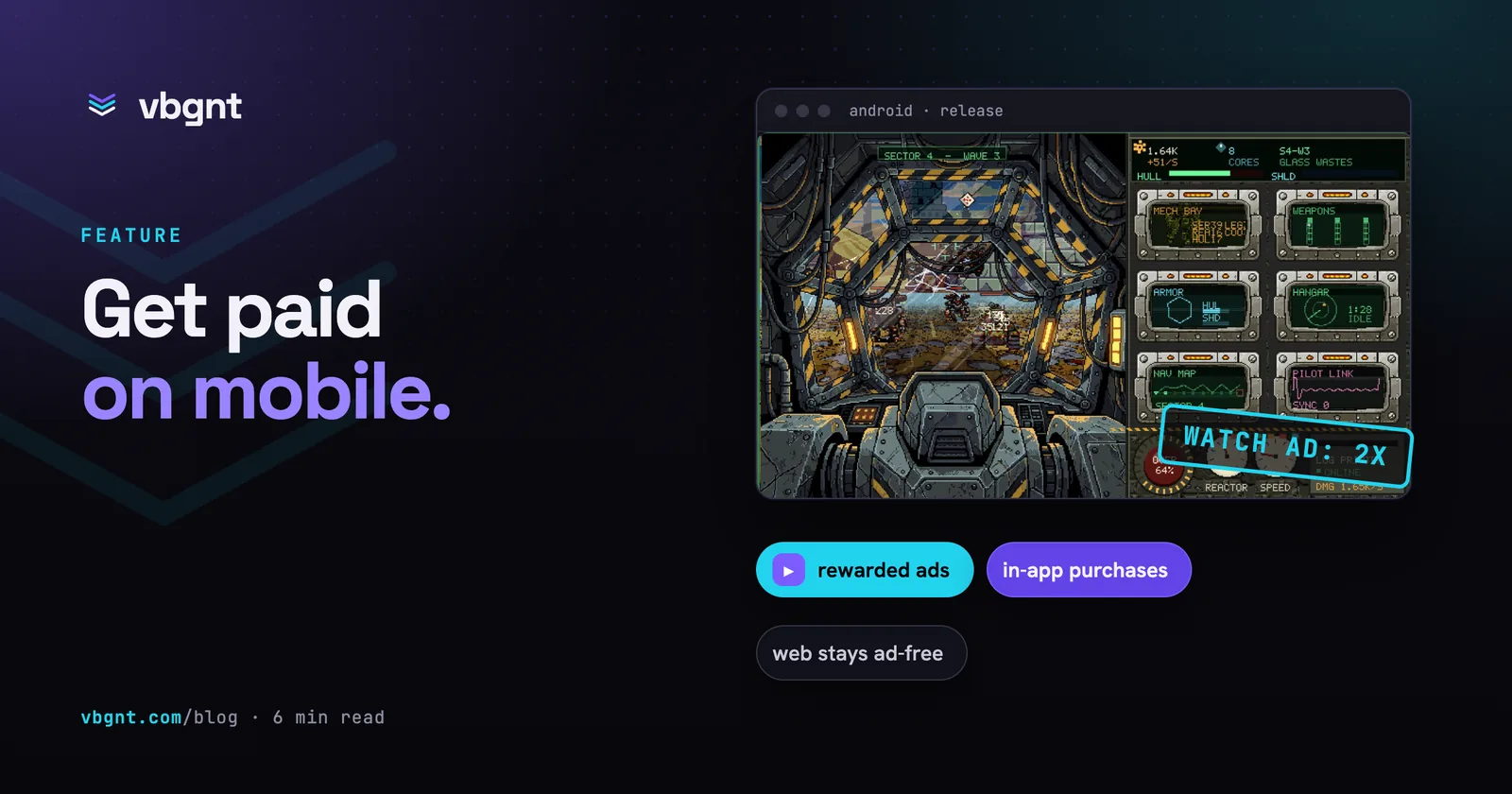
The feature exists because of Hardpoint Idle, an idle game made in the studio where you pilot a giant walking mech from inside its pixel-art cockpit. It already had everything idle players usually pay to speed up: drone expeditions on timers, an offline earnings printout, an Overdrive gauge, boss walls every ten waves and a cockpit full of cosmetics. Its mobile version was the first game we monetized, and it took one prompt.
Five rewarded ads, capped at 15 a day:
- Double it. The "while you were away" printout gets a button that pays the offline scrap and cores a second time.
- Rush. A drone out on an expedition can have its remaining time halved, once per trip.
- Emergency repair. When a boss beats you, retry it straight away with full hull and shield and a short damage boost, instead of falling back a wave.
- Overdrive refill. Fill the Overdrive gauge instantly, every five minutes at most.
- Supply crate. Every few minutes of play, a crate on a parachute drifts across the canopy. Tap it and watch an ad for a couple of minutes of income. Ignore it and nothing happens.
A Supply Depot screen, styled like the cockpit's other CRT monitors, sells eight products:
- Pilot License (bought once): every ad reward without watching, plus an exclusive paint.
- Ace Pack (bought once): a gold paint, a bobblehead charm that bobs with each stomp, and a new canopy frame.
- Fragment Pack (can buy again): 25 blueprint fragments, which only buy cosmetics.
- Starter Pack (bought once): cores, fragments and a paint, offered once after the first boss kill.
- Core bundles (two sizes, can buy again), an Overclock Module for permanent double scrap, and an Extra Drone Bay.
Hardpoint Idle has a Hall of Fame for the fastest clear, so fairness had to be designed in. Ads, the Pilot License and cosmetics never affect ranking, because every mobile player can get the same rewards for free. The starter pack, cores, the Overclock Module and the drone bay do speed up progress, so a run that uses any of them goes on a separate Boosted board with its own tab. The main board stays a fair race between web and mobile players.
The web version of Hardpoint Idle, in the arcade and on itch.io, is untouched: same game, no Supply Depot, no crate, no ad buttons. The agent checked that in the browser build before the turn ended.
Who gets the money?
You do. The game uses your AdMob app and ad unit ids and the products in your own developer accounts, so ad revenue comes from Google and purchase revenue comes from Google and Apple, straight to you, under their usual terms and store fees. None of it passes through vbgnt.
Turning monetization on also updates the game's privacy policy page to disclose ads and purchases, and the store listing copy covers what Google's data safety form and Apple's privacy labels ask about them.
How do you test it before release?
Ads and purchases only exist in a phone build, so the testing happens on a phone. Two switches in the Monetization tab make that safe:
- Test ads is on by default. The game shows Google's sample ads, which pay nothing and can be tapped freely. Debug builds always use test ads, whatever this is set to. Leave it on until your real ids are in and you are ready to release.
- Debug test panel puts a row of buttons on screen in debug phone builds: one to show a test ad, one per product. Release builds never show it.
Real purchases need the products created in Play Console and App Store Connect, and a tester account on Google Play's internal testing track or in Apple's sandbox. Store purchases can't be faked, so the debug panel is how you check the wiring before that.
What doesn't it do yet?
- Rewarded ads only. No banners or interstitials. We think forced ads make small games worse, so they're not on the list.
- No subscriptions. Products are bought once or bought again. Monthly passes aren't supported.
- Nothing on the web. Browser and itch.io builds have no ads or payments, and that is on purpose.
- The store setup is still yours. Creating the AdMob apps, the products, tax and payout details in Play Console and App Store Connect happens in those consoles. The studio tells you which ids it needs.
- Newer engines and phones. It needs a game on Godot 4.5 or newer, and its iOS builds need iOS 17 or newer.
Would you use it?
Mobile Monetization is new, and what gets built next depends on who uses it. If you have a game you want to earn from, tell us which game it is, whether you would start with ads or a shop, and what is missing for you, whether that's subscriptions, other ad networks, or help setting up the store accounts. Write to hello@vbgnt.com. We read every one.
Frequently asked questions
Can I put ads in a game made with vbgnt?
Yes, in the Android and iOS versions. Turn on Mobile Monetization in the game's Monetization tab, ask the agent where a rewarded ad should go, and export for Android or iOS. The ads are Google AdMob rewarded videos that the player chooses to watch for a reward. The browser version never shows ads.
What kinds of in-app purchases are supported?
Two kinds: items bought once and kept, such as a cosmetic pack or a "no ads" pack (non-consumable), and items that can be bought again, such as a coin pack (consumable). Subscriptions are not supported yet. Each product needs the same id in the Monetization tab, in Play Console and in App Store Connect.
Who gets the money from ads and purchases?
You do. The game uses your AdMob app and ad unit ids and the products you create in your own Play Console and App Store Connect accounts, so payouts come from Google and Apple to you under their usual terms and fees.
Will monetization change the web version of my game?
No. The ad and shop buttons only exist in the phone builds. On the web and on itch.io the game looks and plays exactly as it did before, with the same rewards and balance.
How do I test ads and purchases before releasing?
Leave Test ads on and turn on the Debug test panel, then export a debug build for your phone. You will see Google's sample ads, which pay nothing and are safe to tap, and a panel of buttons to trigger an ad and each product. Real purchases need the products created in Play Console and App Store Connect and a tester account.