Every vbgnt game so far has been built for the browser first. That was deliberate: a link is the easiest thing in the world to send, and a game that opens in a tab gets played. It also meant every game ran on the lightest of Godot's renderers, the one browsers can handle, and a lot of what the engine can do stayed switched off.
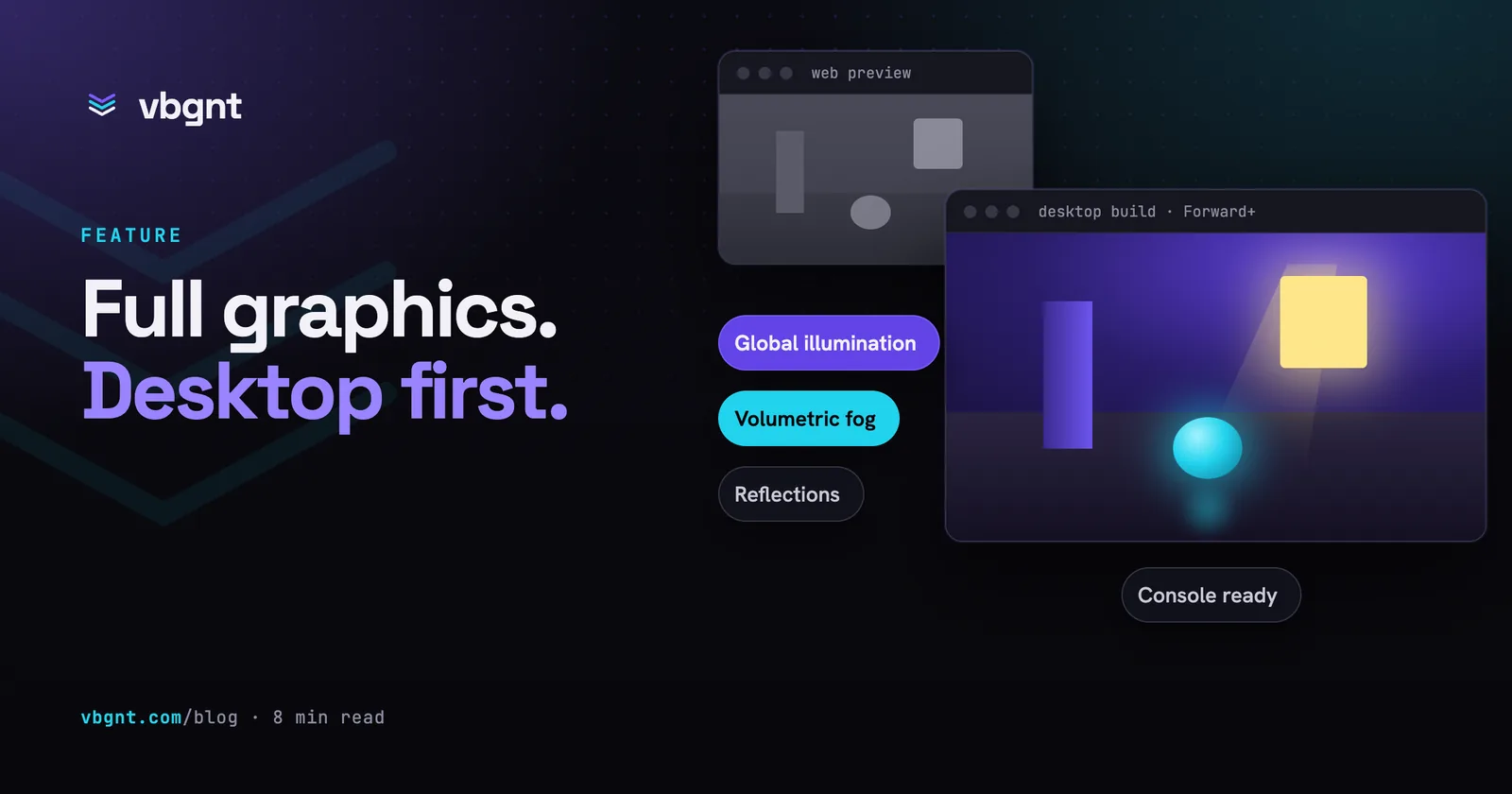
Pro mode switches it back on. Tick Pro (desktop graphics) when you create a game and the studio builds it for Windows, macOS and Linux with Godot's full desktop renderer: real-time global illumination, volumetric fog, reflections, soft shadows, proper anti-aliasing. The browser version doesn't go away. It becomes the preview you test gameplay with, and the real game is a download.
This post covers what Pro mode changes, how you play the full version, how the agent checks graphics it can't run on a GPU, and what it still doesn't do.
What is Pro mode?
Pro mode is a per-game setting that makes a vbgnt game desktop-first. The agent builds it on Godot's Forward+ renderer instead of the Compatibility renderer the browser uses, designs the controls for keyboard, mouse and gamepad, and gives the game a graphics settings menu. You switch it on in the new-game form, or later from the Pro button in the game's header.
Nothing about the studio changes. You still describe the game, the agent still builds and tests it, and you still play every build in the Game pane a few minutes later. What changes is which version of the game is the real one.
What does the desktop renderer add?
Godot has three renderers. Compatibility is the one that runs on WebGL in a browser and on older phones. Forward+ is the desktop one, and it is where most of the engine's lighting and effects live. In a Pro game the agent can use, among other things:
- Real-time global illumination. Light bounces off surfaces and colours the room around them, with no baking step. This is the single biggest difference you will see in 3D games.
- Volumetric fog. Fog that light actually passes through: shafts of sun through a window, a lamp glowing in mist, fog that only fills a cave.
- Reflections and ambient occlusion. Wet floors and polished surfaces reflect the scene; corners and contact points darken the way they do in real light.
- Better anti-aliasing and upscaling. Temporal anti-aliasing and resolution scaling, so edges stay clean and the game can run at a lower internal resolution on slower machines.
- Richer particles. Trails, particles that spawn other particles, and particles that collide with the world.
- Jolt physics. The faster, steadier physics engine Godot now ships, for 3D games with lots of moving objects.
Every Pro game also gets a settings menu with fullscreen or windowed, resolution scale, vsync and a quality preset that turns the expensive effects up or down. A desktop game that can't be turned down for a laptop is a desktop game half the people you send it to can't play.
Why is the browser version still there?
Because it is still the fastest way to know whether the game works. Godot exports the same project to the web and quietly swaps in the Compatibility renderer there, so the effects above are simply missing in the tab. The level layout, the controls, the rules, the menus and the bugs are all identical. When you ask for "a double jump" or "make the boss slower", the browser build answers the question in minutes.
The studio labels it as a preview in Pro games: "Web preview with reduced graphics. The desktop build has the full look." The agent works to rules that keep the preview honest. Gameplay never depends on an effect, so nobody is hidden from you by fog that only exists on desktop. Code that only runs on a desktop graphics card lives in its own script and is never loaded in the browser, because the browser engine doesn't have those functions at all and would refuse to start the game. We found that one the hard way while testing Pro mode, and it is now a rule the agent follows on every turn.
Your arcade and the games directory show the browser version too, since that is what plays inside a web page. For a Pro game, that is the preview.
How do you play the full version?
Pro games have a Play on my computer button above the preview. It builds the game for the computer you are using (Windows, Mac or Linux) through the same export pipeline as the Publish pane, and the download appears there a few minutes later. Play it, then go back to the chat and say what to change.
If you would rather work in the engine yourself, download the project from the Files pane and open it in Godot. It is an ordinary Godot project with nothing hidden from you, so you can press play in the editor, move a light, and carry on in the studio afterwards.
How does the agent see graphics it can't run?
The agent works in a cloud machine with no graphics card. For browser games that was fine: it renders the game in software and looks at screenshots after every build. Forward+ needs a modern graphics interface (Vulkan), which that machine never had.
It has one now, in software. Mesa, the open-source graphics stack used across Linux, includes a Vulkan driver that runs entirely on the processor. With it, the agent runs a Pro game natively and takes screenshots with global illumination, reflections and fog switched on. It is slow: about 0.7 seconds per 720p frame in our tests, against the hundreds of frames per second a real graphics card manages. So the agent takes a handful of deliberate screenshots (the start of a level, a lit room, a big effect) rather than watching the game play.
What it can't do is measure performance. Software rendering tells you nothing about frame rates on a real card, so the quality preset matters. If a Pro game runs badly on your machine, say so: the agent can trade effects for speed, but it needs your numbers.
Which version of Godot does it use?
The new-game form now has an Engine picker. New games default to a preview of Godot 4.8, the newest engine with the most of these features, and 4.7 is there if you prefer a stable release. Games made before this keep the engine they were built with. Each game stays on its engine until you decide otherwise, so an engine update on our side never changes a game you already have.
Next to it is Advanced context, an optional checkbox that gives the agent a compact, checked set of notes on what the game's engine version can do, including the desktop features for Pro games. It costs a few thousand extra tokens per turn, which is why it is off by default. We are still measuring whether it makes games better, and you can compare: every saved build records whether it was on.
Can you upgrade a game you already made?
Yes, by forking it. The fork dialog now lets you choose a newer engine and Pro mode for the copy. The agent's first turn on the fork is an upgrade: it moves the project to the new engine, fixes whatever the newer version breaks, keeps the gameplay, levels and content the same, and then raises the graphics. If you ticked Pro, that means real lighting, fog, reflections and better materials, with before and after screenshots. The original game is not touched, so if you prefer it, it is still there.
You can add notes for the upgrade turn, such as "darker and wetter" or "keep the pixel font", and the agent reads them along with the upgrade instructions.
What does Console ready add?
Pro mode has one more option: Console ready. It makes the agent build the game so it could later go to Nintendo Switch, PlayStation or Xbox without a redesign. Every screen works with a controller alone, text and the HUD stay inside the area a TV safely shows, the game pauses if the controller disconnects, and anything that only makes sense on a PC (a Quit button, window settings, opening a web page) sits behind one switch a porter can turn off.
We can't build console versions, and nobody else can on your behalf without the console makers' approval: their tools are only available to developers they have accepted. So the Publish pane has a Console hand-off instead. It checks the project for the things that block a port, such as online play through vbgnt rooms or missing controller support, and gives you the whole Godot project as a zip with a CONSOLE_PORT.md brief at its root, written for your own approved team or a porting partner. vbgnt's play analytics are removed from that copy.
What doesn't Pro mode do yet?
- No in-browser play of the full version. The arcade, the directory and the Game pane play the preview. Streaming the desktop build to your browser from a cloud graphics card is possible and expensive, and we haven't built it.
- Desktop builds take minutes, not seconds. The preview is instant; the real game needs an export each time you want to see it.
- The agent can't see your frame rate. It checks the look, not the speed. Tell it how the game runs.
- No baked lighting. Lightmaps need an editor bake on a graphics card, so Pro games use real-time lighting instead. Real-time global illumination looks good and costs more.
- The 4.8 default is a preview of the engine. It is feature-complete and could still change before the stable release; games on it move to 4.8 proper when that ships.
Pro mode is for the games you want to look their best on a proper screen. For a game you mostly send as a link, the browser default is still the right choice, and you can switch either way later.
Frequently asked questions
What is vbgnt Pro mode?
A per-game setting that makes the game desktop-first. The agent builds it on Godot's Forward+ renderer for Windows, macOS and Linux, with real-time global illumination, volumetric fog, reflections and a graphics settings menu, and keeps a browser version as a reduced-graphics preview for testing gameplay.
Can I play a Pro game in the browser?
Yes, as a preview. Godot exports the same project to the web with its lighter Compatibility renderer, so the levels, controls and rules are identical but the desktop-only effects are missing. The arcade, the games directory and the studio's Game pane all play that preview. For the full version, use Play on my computer or download the project and open it in Godot.
How do I get the full desktop version?
Press Play on my computer above the preview. The studio builds the game for the computer you are using (Windows, Mac or Linux) and the download appears in the Publish pane a few minutes later. You can also export every desktop platform from the Publish pane yourself.
Can I turn an existing game into a Pro game?
Yes. Switch on Pro from the game's header and the agent moves it to the desktop renderer on the next turn, or fork the game and tick Pro and a newer engine in the fork dialog. A fork's first turn upgrades the engine and the graphics while keeping the gameplay the same, and the original game is left as it was.
Can vbgnt build my game for Nintendo Switch, PlayStation or Xbox?
No. Console versions can only be built by developers the console makers have approved. Console ready, an option of Pro mode, builds the game so it can be ported without a redesign, and the Publish pane's Console hand-off gives you the project as a zip with a porting brief for your approved team or a porting partner.
Does Pro mode cost more to use?
Pro mode adds a short set of desktop rules to each turn. The optional Advanced context checkbox adds a few thousand tokens per turn of engine notes, which is why it is off by default; each saved build records whether it was on so you can compare.