Until now, every 3D character in a vbgnt game was modelled, rigged and animated by an outside service, Meshy. It did the job, and the agent knew how to use it. But the rigs never quite fitted the way a game wants them to: each character came back with its own skeleton and its own handful of clips, and the agent spent part of every 3D turn working around that.
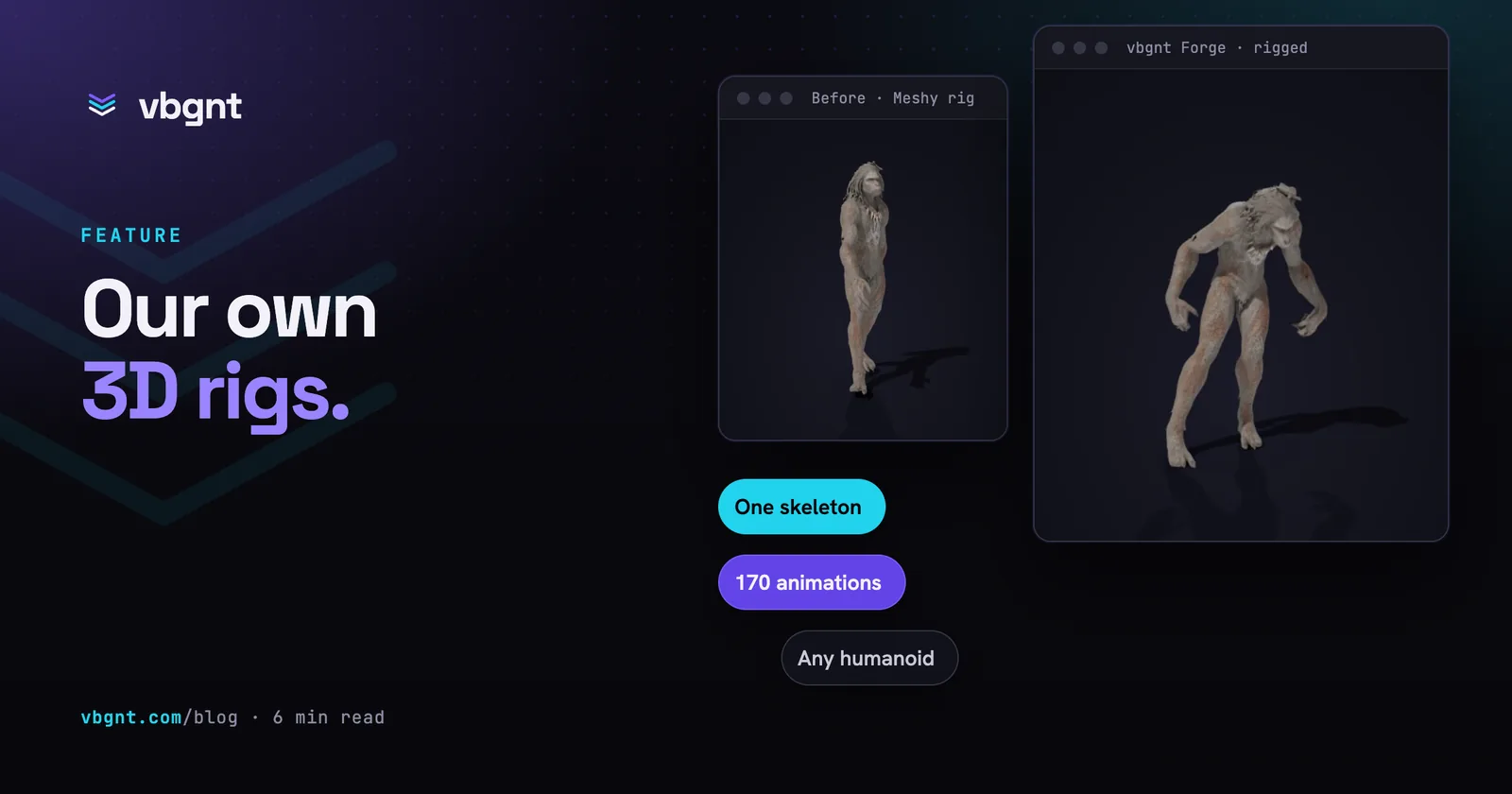
So we built our own. vbgnt Forge is the studio's own 3D asset pipeline: it rigs and animates characters, and it can make the models too. It is in testing now, switched on one game at a time, and it already rigs better than what it replaces.
What is vbgnt Forge?
Forge is two things a game can turn on separately:
- Forge rigging takes any humanoid model and gives it a skeleton and the animations the game needs. That includes models Forge didn't make: a Meshy model, a model from an asset pack, a model a character already had. If the model came with a rig of its own, Forge sets it aside and rigs it again from scratch.
- Forge 3D makes the model as well, from one concept image: textured, at a real-world size and standing on the ground. Characters from Forge 3D go straight on to Forge rigging.
Both work through the same agent you already talk to. You don't call anything yourself: when a game has Forge switched on, the agent uses it instead of Meshy for that part of the job.
Why build our own rigger?
Because the hard part of animation in a game isn't one character. It's twenty of them, made over a month, all expected to walk, run, get hit and fall over in a way that matches.
Every Forge character shares one skeleton. The rigger fits the same skeleton to each body, whatever its shape, so a clip made for one character plays on every other one. The agent keeps a single animation library for the whole game, and a character added in week four walks exactly like the ones from week one.
The library has 170 clips, picked for games. Idles, walks, runs, sprints and crouch-walks; jumps, rolls, slides and climbs; punches, sword combos, blocks and shield moves; pistol aim, shoot and reload; spellcasting; hit reactions and deaths; sitting, talking, chopping wood, farming, swimming, driving; and a zombie set with a hunched shamble and a claw attack. Many come in two versions, in place and with root motion.
It arrives ready for Godot. A Forge character stands at its real height with its origin at its feet, and every clip is already inside the file, by name. No retargeting, no bone map.
It's quick. A rig usually takes under a minute, so the agent can rig, look at the result, and try again in the same turn.
Side by side: the same models, two rigs
To compare fairly, we took three characters from one of our own games, a horror game set in a cave: two creatures and the woman you have to get out. Meshy modelled and rigged all three. We ran the same models through Forge rigging and asked for the closest clips from its library. Everything below is the same mesh with the same textures, rendered the same way. Only the rig and the animation differ.
Our honest read of the comparison:
- The creatures move better on Forge. A heavy, two-legged creature suits the zombie set's hunched shamble and claw attack, and the motion reads as weight rather than a person in a costume.
- Cloth is the hard case for both. Forge keeps the skirt and shawl together through a walk; very long, loose cloth can still stretch in big moves.
- Meshy's catalogue is bigger, about 700 presets against our 170, and some of its clips had no match in ours: the creatures' roar and taunt, and a limp. When a game needs a move the library doesn't have, the agent animates it in Godot.
One animation, every character
This is the part that matters most once a game has more than a couple of characters. Below, three characters of different shapes and sizes play the same walk from the library: a hooded wanderer, the woman from above and a large creature. Nobody retargeted anything. The clip was written once and every Forge rig plays it.
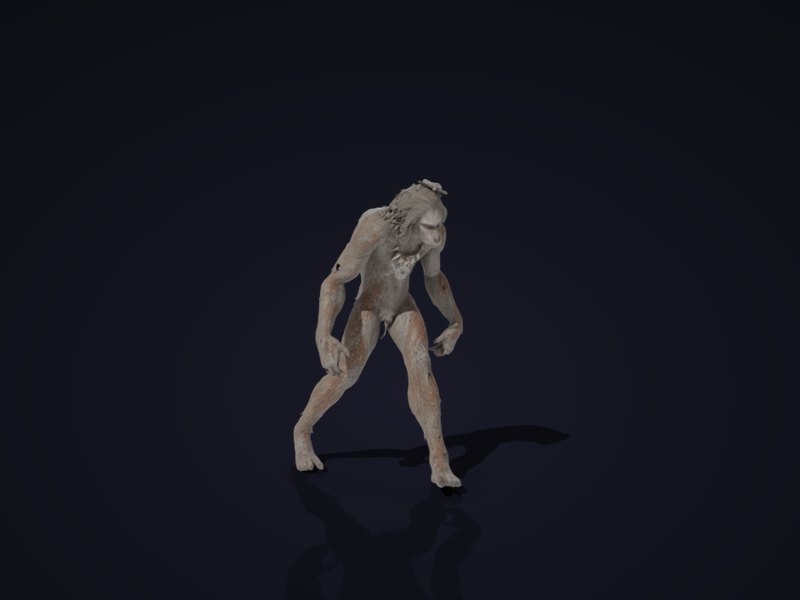
Zombie walk from the library
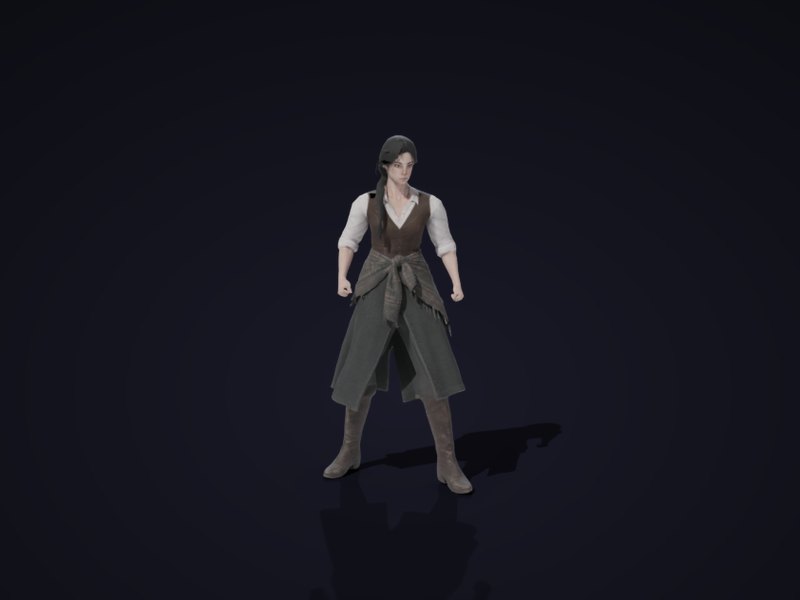
Idle from the library
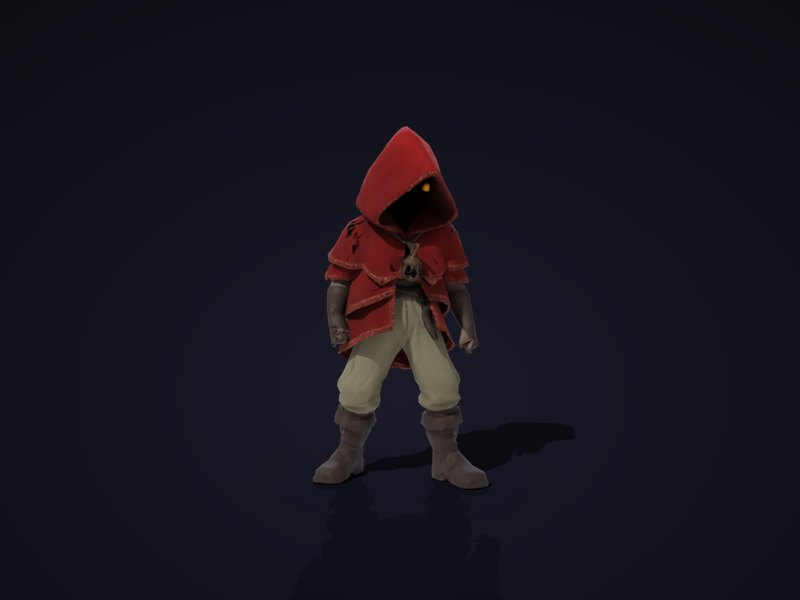
Made by Forge 3D, sword attack
Drag to turn them round. These are the rigged files as the agent receives them, compressed for the web.
What does Forge 3D make?
Forge 3D turns one concept image into a game-ready model in a few minutes: textured, with real materials, at the size you ask for and standing on the ground. The agent makes the concept first, the way it already does for Meshy, then hands it to Forge. Characters go on to the rigger; props, vehicles and weapons go straight into the game.
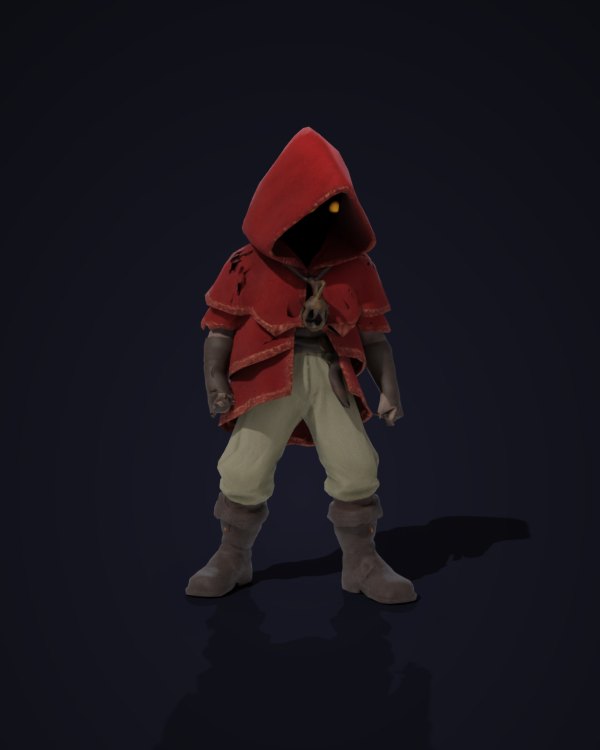
From a front-view concept, rigged after
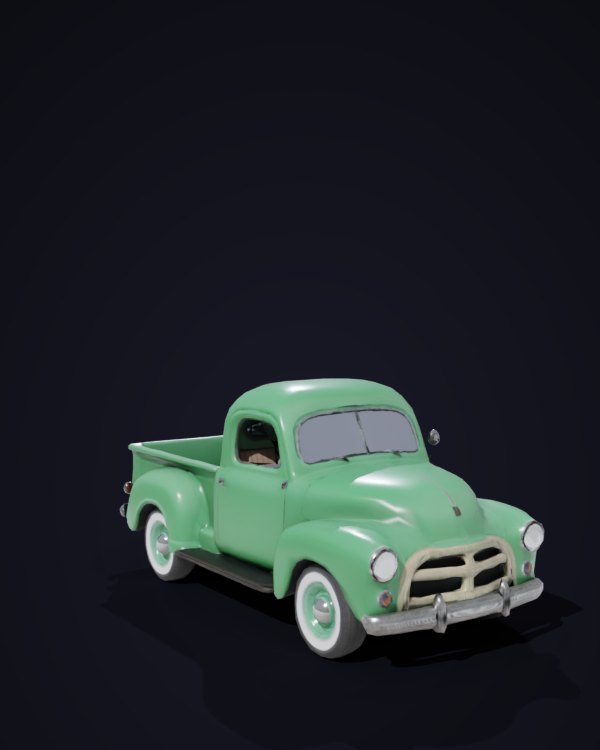
4.8 metres long, to scale
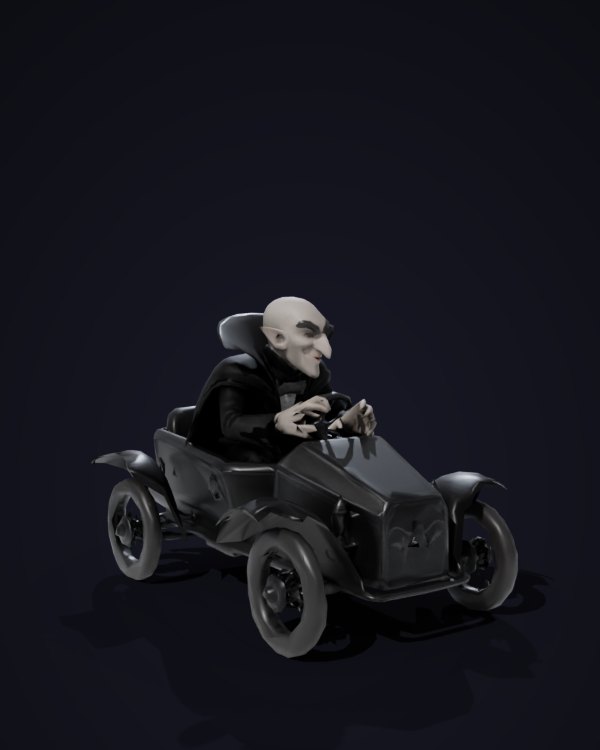
Driver and kart as one model
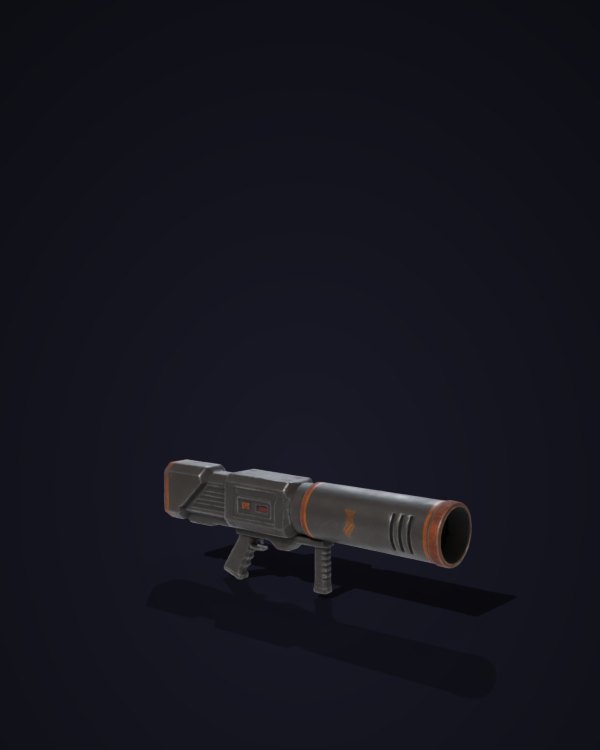
From a side-view concept
Where it falls short today:
- Colours can come out darker than the concept on some models, a purple turned navy in one of our tests. The agent checks every model it makes and can ask for another take.
- Pixel art makes poor input. A small sprite has no depth to build from and comes back as a flat card. Forge 3D wants a painted concept.
What can't Forge rig yet?
The rigger is built for two legs and two arms. Humans, cartoon people, robots, apes and ogres all work. Four-legged animals, snakes, spiders and characters whose robes hide their legs entirely don't, and Forge says so rather than handing back a bad rig. For those, the agent animates the model in Godot with tweens, or builds the creature from parts.
How do you turn it on?
Forge is opt-in per game while we test it. There are two checkboxes on the new-game form, Forge rigging and Forge 3D, and the same two switches in an existing game's Settings. Over MCP, create_game and update_game take a forge list.
- Forge rigging keeps Meshy for the models and uses Forge for every rig and animation. It's the one to try first, and it works on the characters a game already has.
- Forge 3D uses Forge for the models as well, so nothing in the game's 3D comes from Meshy.
Switching on changes what the agent uses from the next turn. Characters already in the game keep their old rigs until you ask for new ones: "re-rig the characters with Forge and give them a walk, a run, a hit and a death" is enough. Sound, music and voices are unchanged.
What happens next?
Forge is ours, which means we can keep changing it, and we will, constantly. The faults we found while writing this post came from running it on real games, and we fixed them the same week: vehicles that came out sideways, a shawl that caught on a fingertip, a detailed prop too big to finish. That's how it will keep going. We test it on the games people make, find what breaks or looks wrong, and fix it in Forge itself, so every game gets the fix at once.
Next on the list: truer colours on dark models, more clips in the library, and four-legged creatures. When Forge is good enough at everything Meshy did, it becomes the default for new games. Until then it's a switch, and we'd like you to try it.
Frequently asked questions
What is vbgnt Forge?
The vbgnt studio's own 3D asset pipeline. Forge rigging gives any humanoid model a skeleton and the animations a game needs, from a library of 170 clips that all share one skeleton. Forge 3D makes the model itself from a concept image. A game turns each on separately, and the agent then uses Forge instead of Meshy for that part of the job.
Can Forge rig a model that wasn't made by Forge?
Yes. Forge rigging works on any humanoid model in A-pose or T-pose with separate arms and legs: a Meshy model, a model from an asset pack, or one a game already uses. If the model came with its own skeleton and clips, Forge sets them aside and rigs it again from scratch on the shared skeleton.
Which animations does Forge have?
170 clips: idles, walks, runs, sprints and crouch-walks; jumps, rolls, slides and climbs; punches, sword combos, blocks and shield moves; pistol aim, shoot and reload; spellcasting; hit reactions and deaths; sitting, talking, chopping wood, farming, swimming and driving; and a zombie set. Many come both in place and with root motion. Every clip plays on every Forge character.
How long does Forge take?
A rig usually takes under a minute, so the agent can rig a character, check it and try again within the same turn. Forge 3D takes a few minutes per model.
What can't Forge rig?
Forge rigs two legs and two arms: people, cartoon characters, robots, apes and ogres. Four-legged animals, snakes, spiders and characters whose robes hide their legs aren't supported yet, and Forge says so instead of returning a bad rig. The agent then animates the model in Godot, or builds the creature from parts.
Will Forge get better?
Yes, constantly. Forge is vbgnt's own pipeline, so we change it whenever testing on real games turns up a fault, and every game gets the fix at once. Next on the list are truer colours on dark models, more clips in the animation library and rigs for four-legged creatures. When it matches everything Meshy did, it becomes the default for new games.
How do I turn Forge on?
Tick Forge rigging, Forge 3D or both on the new-game form, or switch them on in an existing game's Settings. Over MCP, create_game and update_game take a forge list. It applies from the next turn; ask the agent to re-rig existing characters if you want them on Forge too.