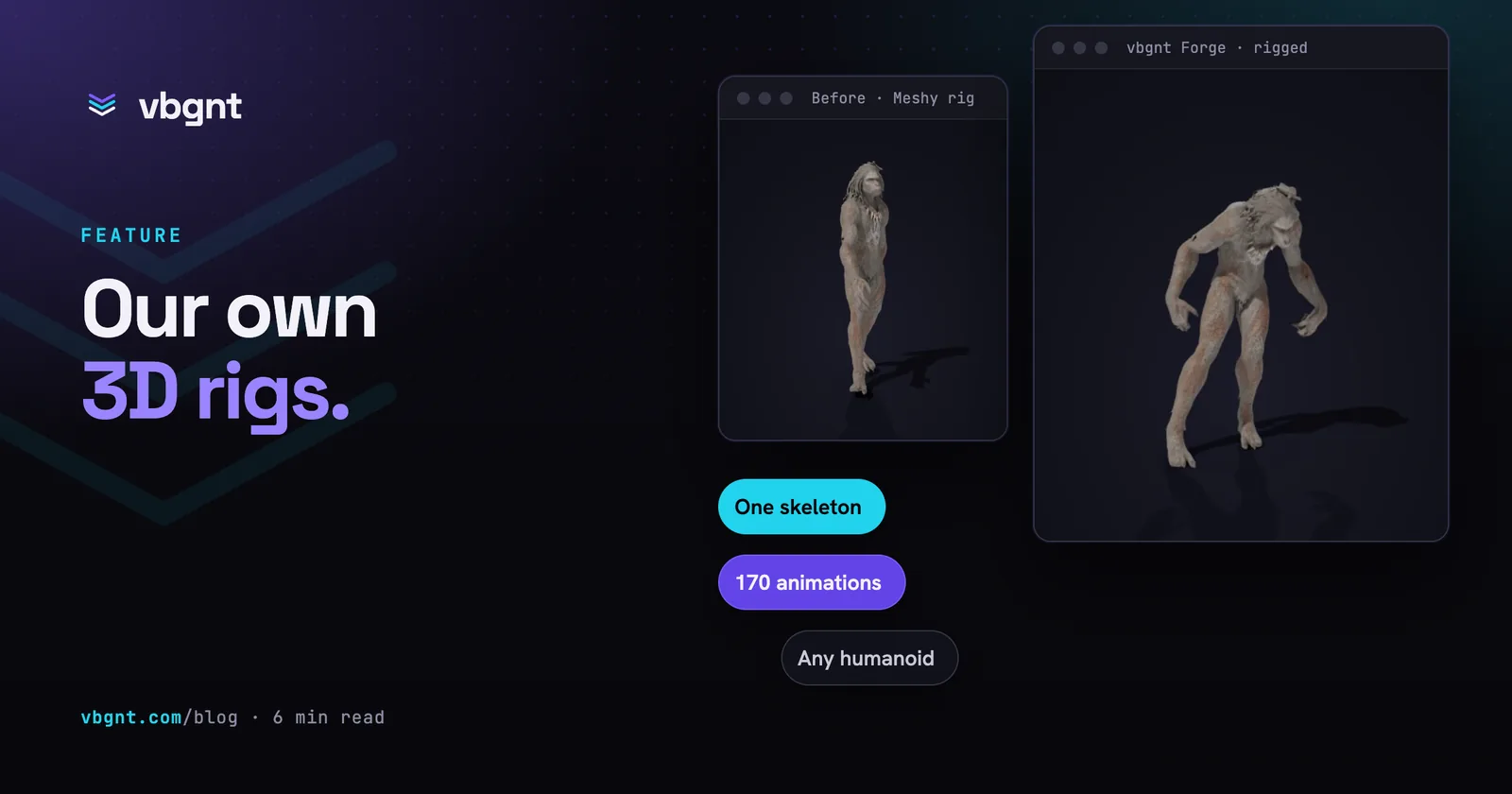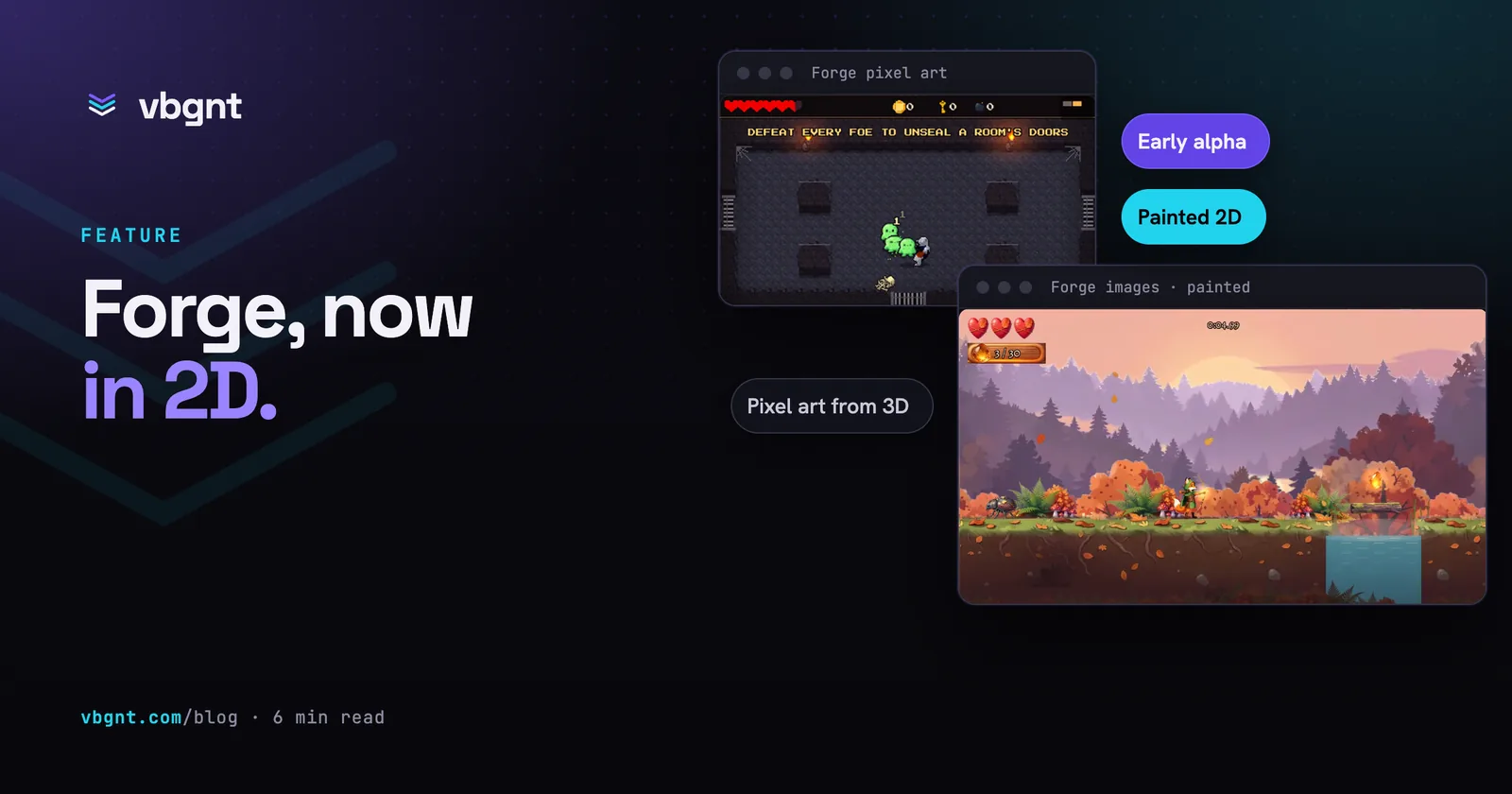
Forge started as our own 3D pipeline: models, rigs and one shared animation library. It now makes 2D art too. Forge images makes the painted art a game needs, from concept art and sprites to backgrounds, menus and key art, in place of GPT Image. Forge pixel art makes pixel-art characters, animations, objects and tilesets in place of PixelLab.
Both are an early alpha. They work: every game we tested them on came out with a full set of art and a build you can play. They are not yet as good as what they replace, and that isn't false modesty. GPT Image is OpenAI's, and OpenAI has raised billions. PixelLab is a specialist built for exactly this job. Both are state-of-the-art products. Forge is a few weeks old, so we'd rather show you where it stands than pretend otherwise.
How did we compare them?
We wrote two briefs, a painted side-scrolling platformer and a top-down pixel-art dungeon crawler, and built each one twice from the same words: once on the studio's standard pipeline and once with Forge switched on. Same agent, same model. In every art review we picked the first option offered, so neither build got a better pick from us, and nobody touched the art by hand.
The clips are the two builds of each game, recorded the same way with the same inputs.
Painted 2D: how does Forge images compare?
The game is Emberwood Ranger: a fox ranger with a short bow, an autumn forest at dusk, three kinds of enemy and an antlered bark golem at the end. Both builds have the whole level, boss included.
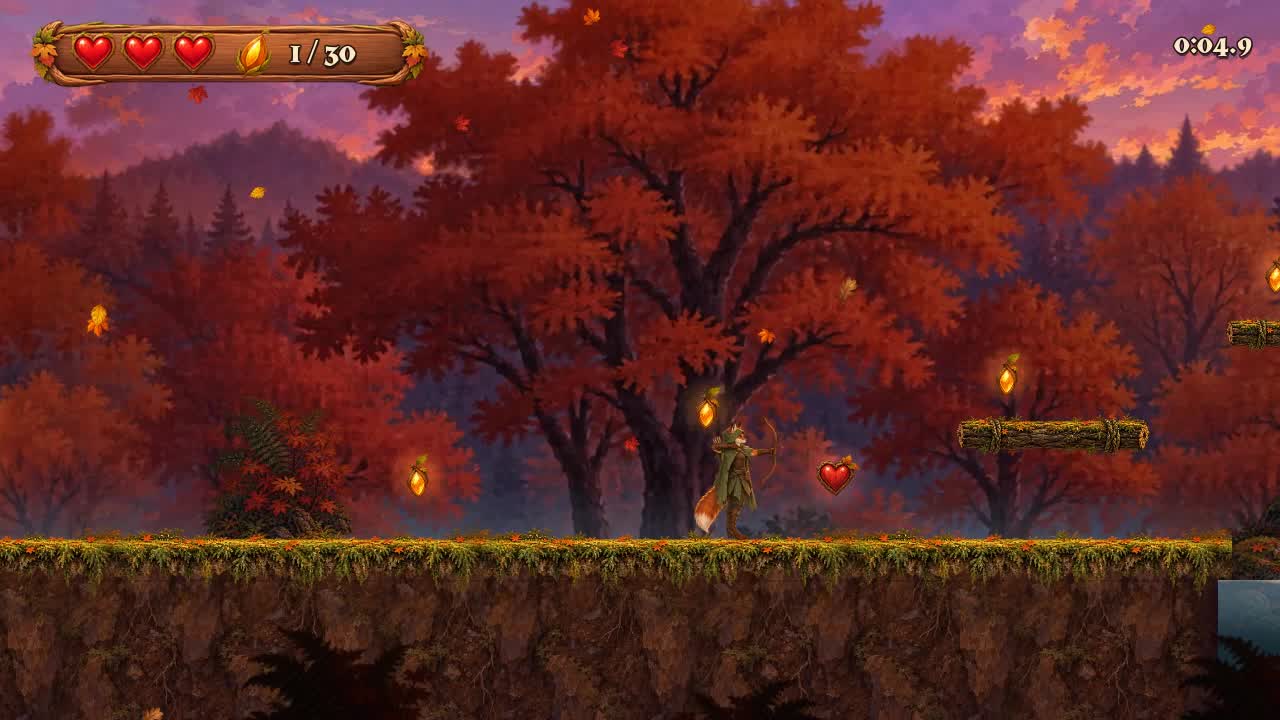
Denser, more painterly
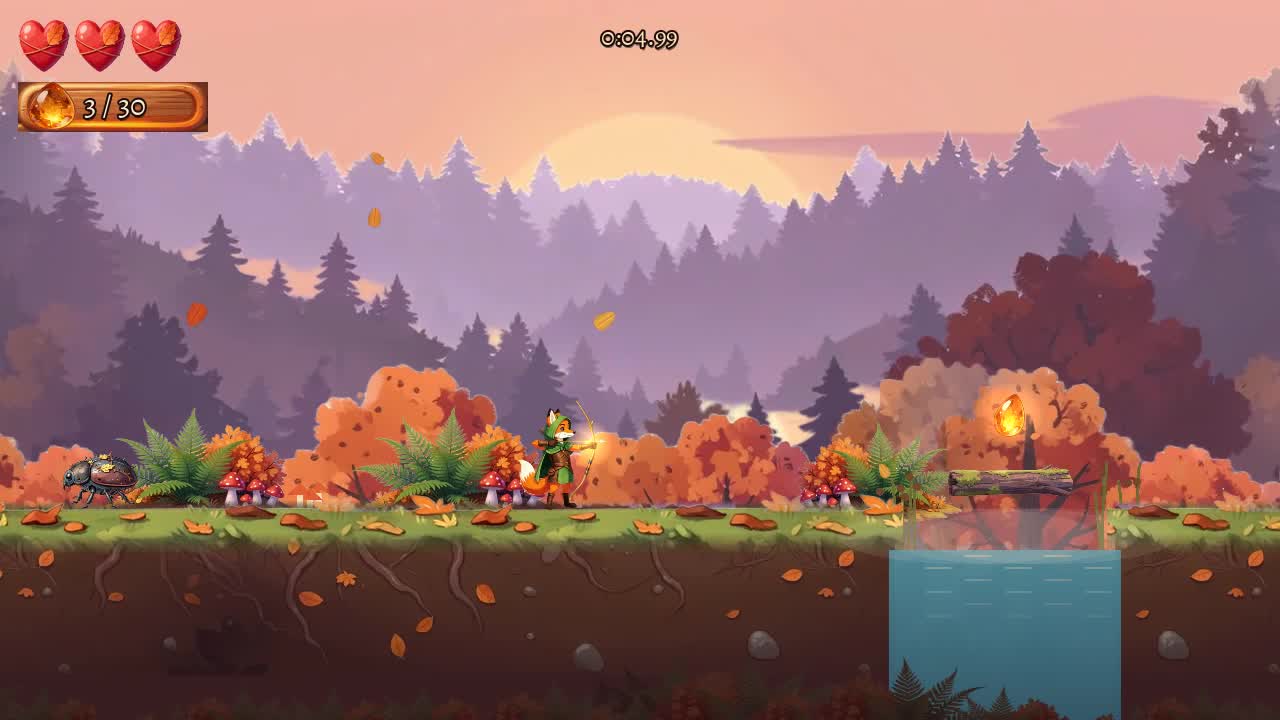
Brighter, cleaner shapes
Our honest read:
- The standard build is richer. Its forest is denser and more painterly, its fox has an eight-frame run to Forge's four, and every boss pose came out as asked.
- Forge's look is clean and consistent. The shapes are brighter and softer, and the fox, the enemies and the backgrounds read as one set, which matters more in motion than in a still.
- Forge left gaps. A few late pieces didn't make its first build: some of the golem's poses are stand-ins, the touch buttons are drawn in code, one background layer is missing and the title art shows an earlier fox. We've since given Forge more room in each build, and a follow-up turn fills them in.
Pixel art: how does Forge pixel art compare?
The game is Cinder Crypt: a small knight, three floors of crypt, slimes, skeletons, bats and archers, a giant armoured rat and a lich. This is where the two pipelines differ most in how they work.
Forge builds its pixel characters in 3D first. It makes each character as a model, rigs it on the same skeleton Forge 3D uses, and draws every direction and every animation frame from that. A character's four directions always agree, and an animation can't drop a shield or turn the wrong way mid-swing, because every frame comes from the same body. The knight got a separate swing for each hit of its three-hit combo, a real dodge roll and a death fall.
Where it falls short today:
- Only two-legged characters animate. The rigger is built for two arms and two legs, so the slime and the bat got sprites from their concept art and were animated in code with squash, hop and flap.
- No menu art yet. Forge couldn't make menu panels and buttons, so the agent drew them by hand in the game's palette. The stairs and a padlocked door came out the same way.
- A few gaps again. The rat reuses its stagger as its death, and the title art shows an earlier knight.
The standard pipeline has faults of its own. In its build a few clips came back wrong, with the knight turning his back mid-swing or his shield vanishing on a walk, and the agent re-rolled or mirrored them before they reached the game. That's the kind of fault building from 3D is meant to remove.
Are Forge builds slower?
For now, yes. With Forge switched on, our test builds took about twenty minutes longer on each 2D game, from brief to finished art, and about an hour longer on the 3D one. Speed is high on our list.
Why build our own?
Because the studio gets better when we can fix what's broken. With an outside tool, a bad frame or a wrong colour is something the agent works around, every time, in every game. With Forge it's a fault we fix once, in Forge, and every game gets the fix.
It also means one pipeline makes a character for a 3D game, a painted game and a pixel game, from the same model and the same skeleton, moving the same way.
What happens next?
Forge is an early alpha and we work on it every day. Next for 2D: more animation frames for painted characters, animation for creatures that aren't two-legged, menu and UI pieces, and faster builds. We test it on the games people make, fix what breaks in Forge itself, and we'll post these comparisons again as it improves. It becomes the default only when it matches what it replaces.
How do you turn it on?
Forge is opt-in per game. On the new-game form, or in an existing game's Settings, tick Forge images for painted art and Forge pixel art for pixel art. Over MCP, create_game and update_game take a forge list. It applies from the next turn; ask the agent to redo existing art if you want that on Forge too. Sound, music and code are unchanged.
For 3D, see Forge 3D models, rigging and animation, and for the whole pipeline on one page, vbgnt Forge.
Frequently asked questions
What does vbgnt Forge make for 2D games?
Two things a game turns on separately. Forge images makes the painted art: concept art, character sprites and animation frames, backgrounds, menus and key art, in place of GPT Image. Forge pixel art makes pixel-art characters with their animations, objects, tilesets, UI and fonts, in place of PixelLab.
Is Forge as good as GPT Image and PixelLab?
Not yet. Forge is an early alpha, and GPT Image and PixelLab are state-of-the-art products. In our side-by-side test the standard painted build was richer and more detailed, and Forge left a few pieces as stand-ins. Forge's strengths are consistency and that we can fix its faults ourselves.
How does Forge make pixel-art characters?
From 3D. It builds the character as a model, rigs it on the same skeleton Forge 3D uses and draws every direction and animation frame from that model, so the four directions always agree and frames can't contradict each other. Creatures that aren't two-legged are animated in code for now.
Are games built with Forge slower?
A little, for now. Our matched test builds took about twenty minutes longer on each 2D game with Forge switched on, and about an hour longer on a 3D game. We're working on it.
Will Forge get better?
Yes, constantly. We test it on real games and fix faults in Forge itself, so every game gets the fix. Next for 2D are more animation frames, animation for non-humanoid creatures, menu and UI art, and faster builds. When it matches what it replaces, it becomes the default for new games.
How do I turn Forge on for a 2D game?
Tick Forge images, Forge pixel art or both on the new-game form, or switch them on in an existing game's Settings. Over MCP, create_game and update_game take a forge list. It applies from the next turn.