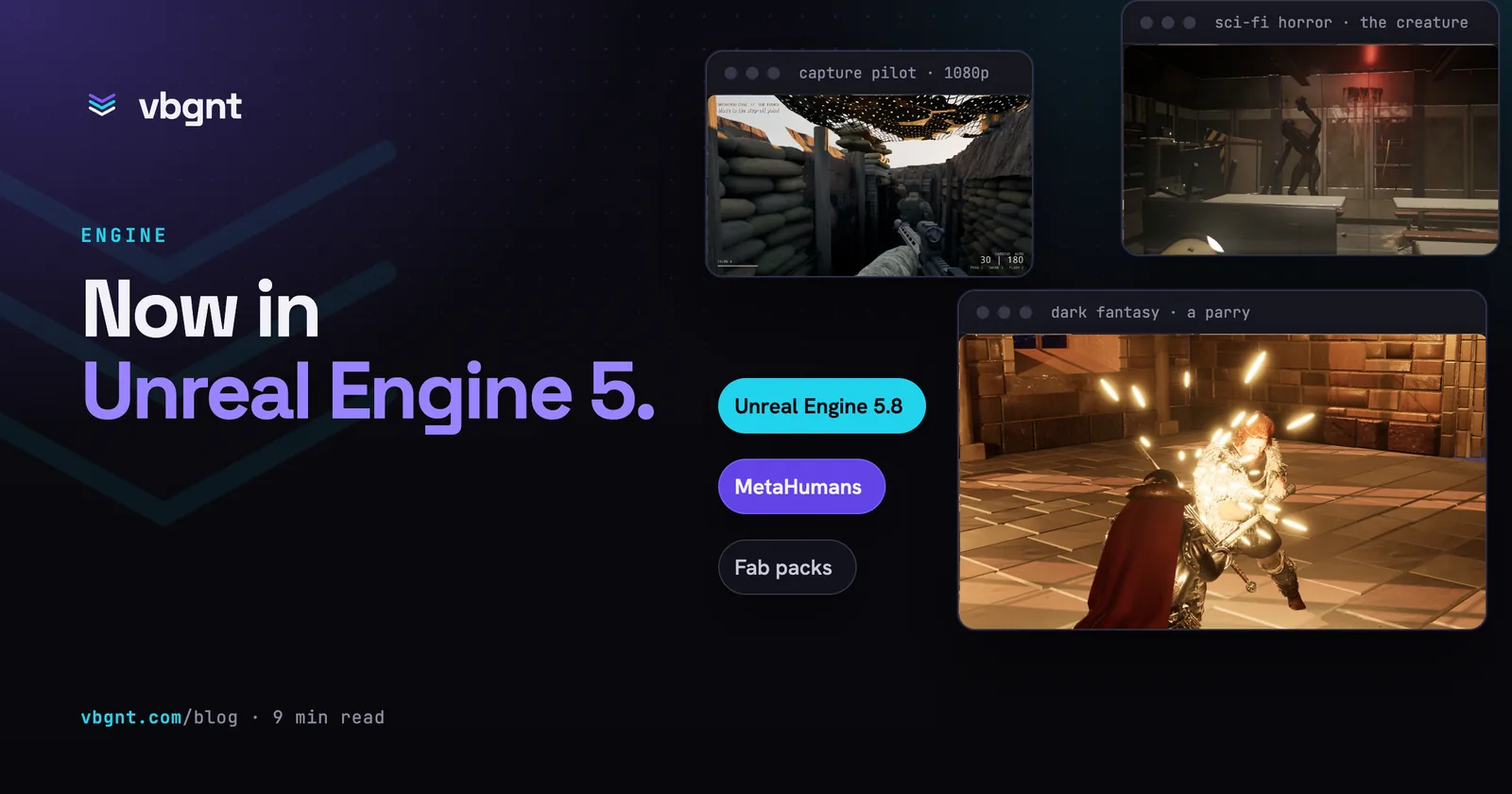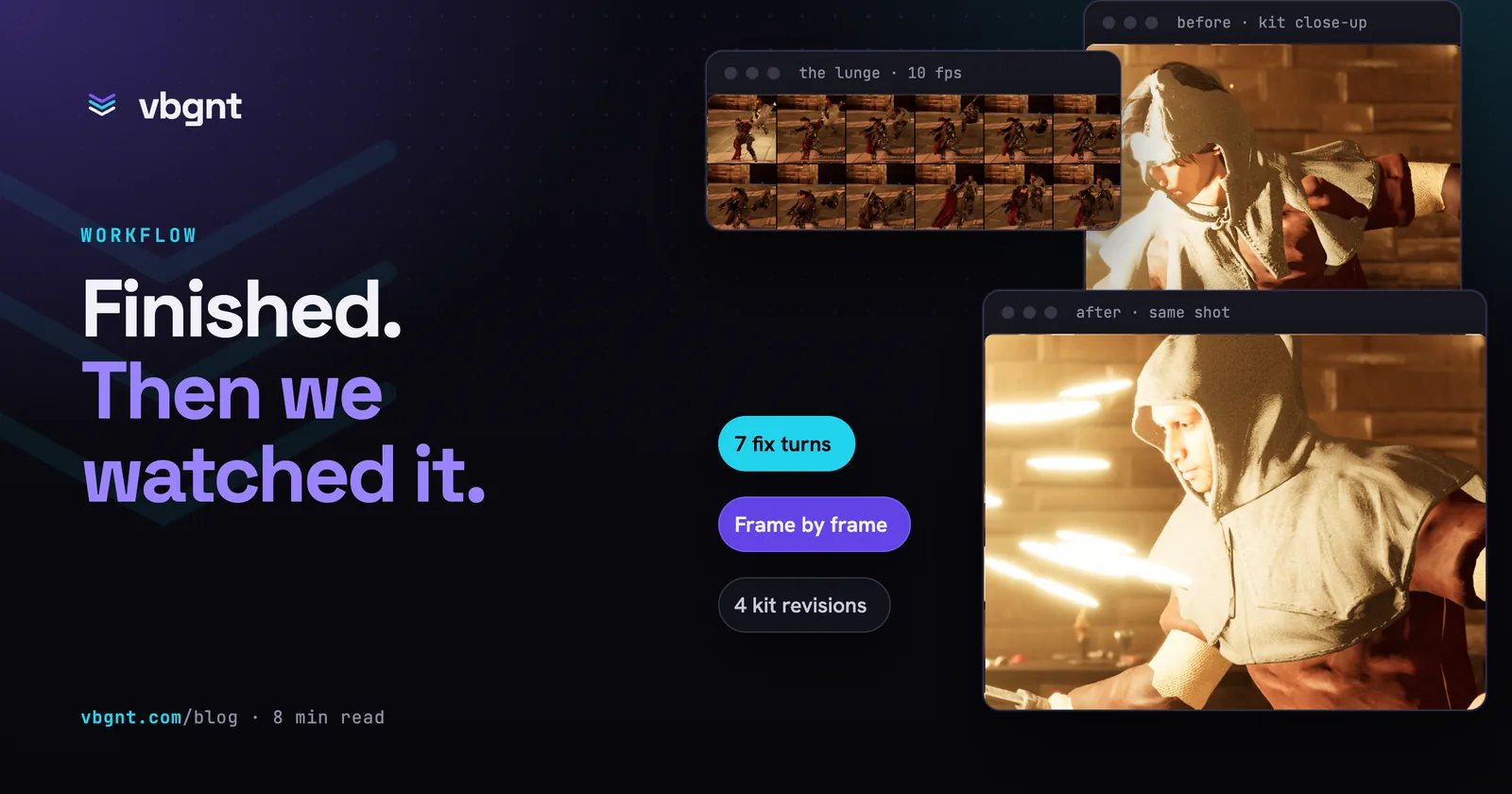
We made a dark-fantasy sword fighter in Unreal Engine 5 for the video that announced Unreal in the studio. By its tenth turn it had a stone keep, voiced MetaHumans, sword fights on real animation clips and a cloth cloak, the agent had checked its own screenshots after every turn, and we thought it was finished. Then we watched its footage properly, frame by frame, and it took seven more turns to get there.
This post is about those seven turns: what was wrong, how each problem was found, what the fixes cost further down the line, and what we're going to try so that the next game needs fewer of them.
Why didn't the agent catch these itself?
Because it checked the game from the cameras it had, and the problems were on the cameras it didn't. The agent looks at every screenshot it takes, and it records gameplay with scripted demo modes. Those shots are mostly wide, mostly from behind the player, and mostly at rest or mid-stride. Cloth clipping through an arm for four frames of a lunge, or a face lit wrong only from one side, doesn't show up in a still from a fixed camera.
What found them was footage seen the way a viewer sees it: a fight played back at full size, a close-up in the marketing kit, a thumbnail, the game streamed to a browser and walked around by a person. Every problem below was found by one of those, and none by the agent's own checks.
What was wrong, and how was each one found?
Each fix was its own prompt, with frames from the footage attached as reference images and the time in the recording where the problem shows.
The fire. While cutting the video we saw flat, bright slabs with hard straight edges sitting on top of the hearth flames, like cards stuck into the fireplace. Our guess in the prompt was that the flat flame and smoke cards were cutting into the stone of the hood and mantel. One turn rebuilt the fire so it reads as fire from every angle the camera sees it.
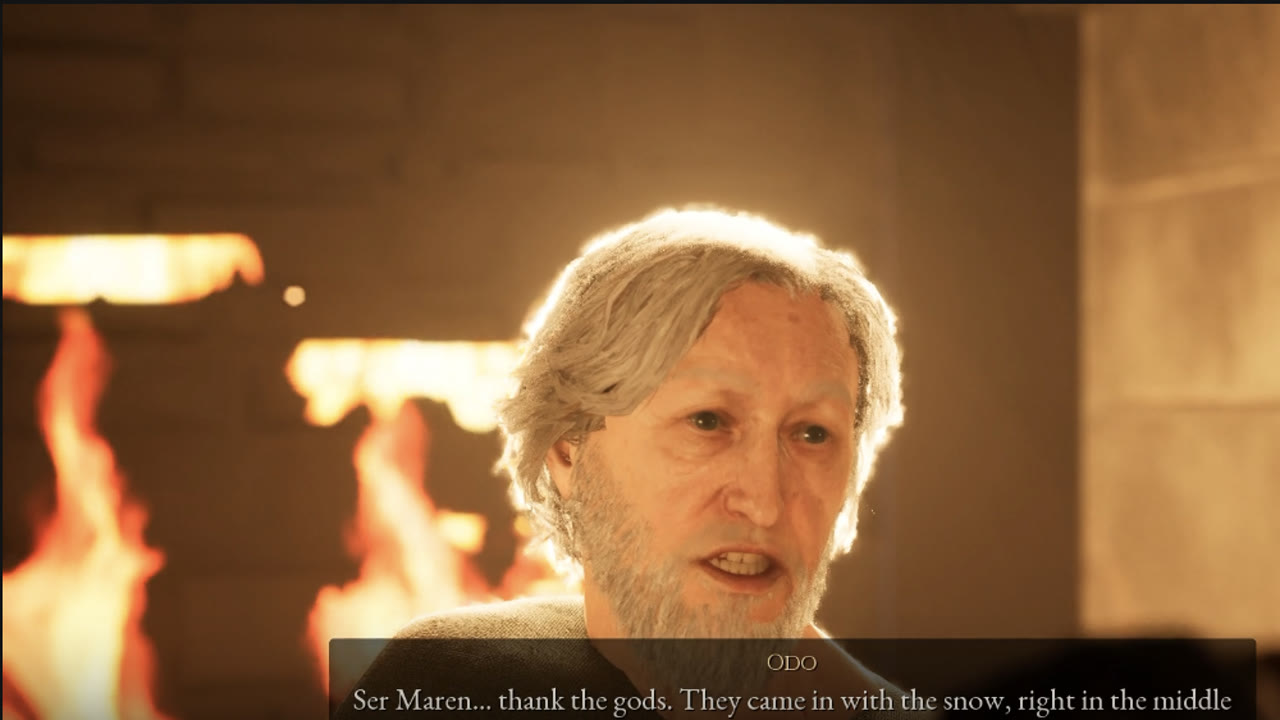
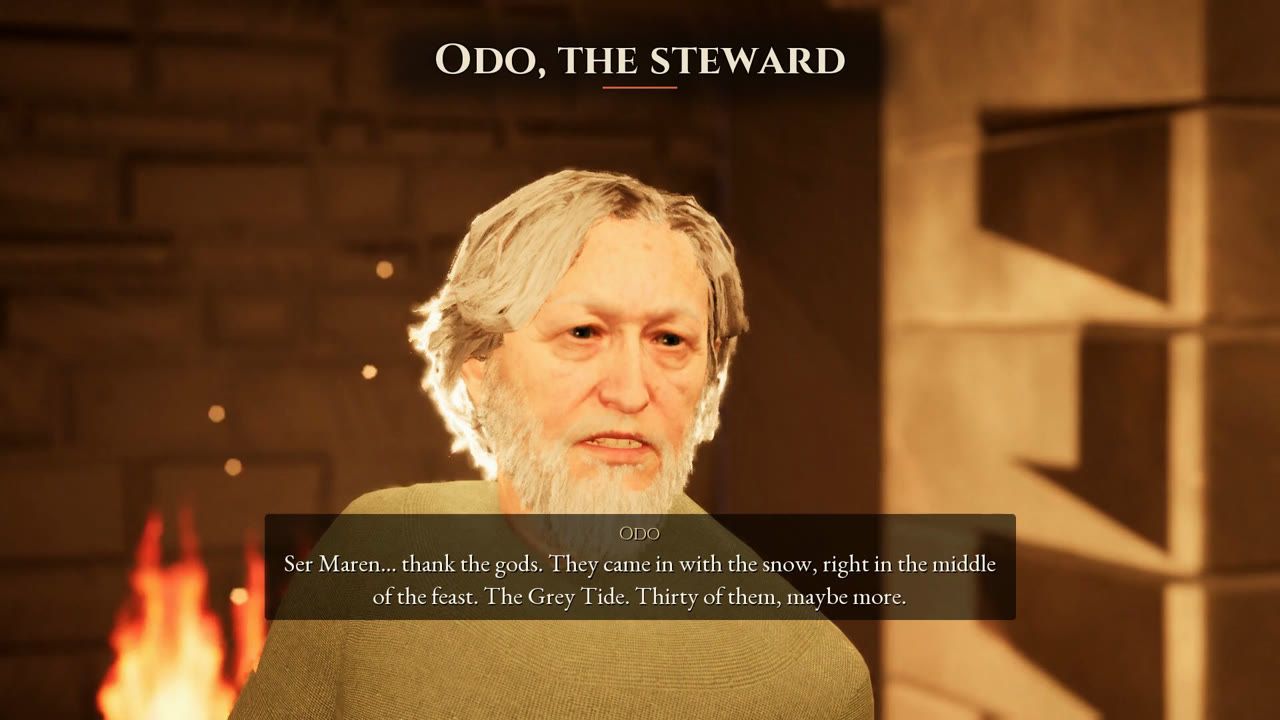
The steward's tunic. In the steward's voiced scene, patches of his skin showed through the front of his tunic below the beard, coming and going with his breathing and gestures through all four of his lines. One turn put a lining under the shirts so skin can't show through, his and the other characters' alike.
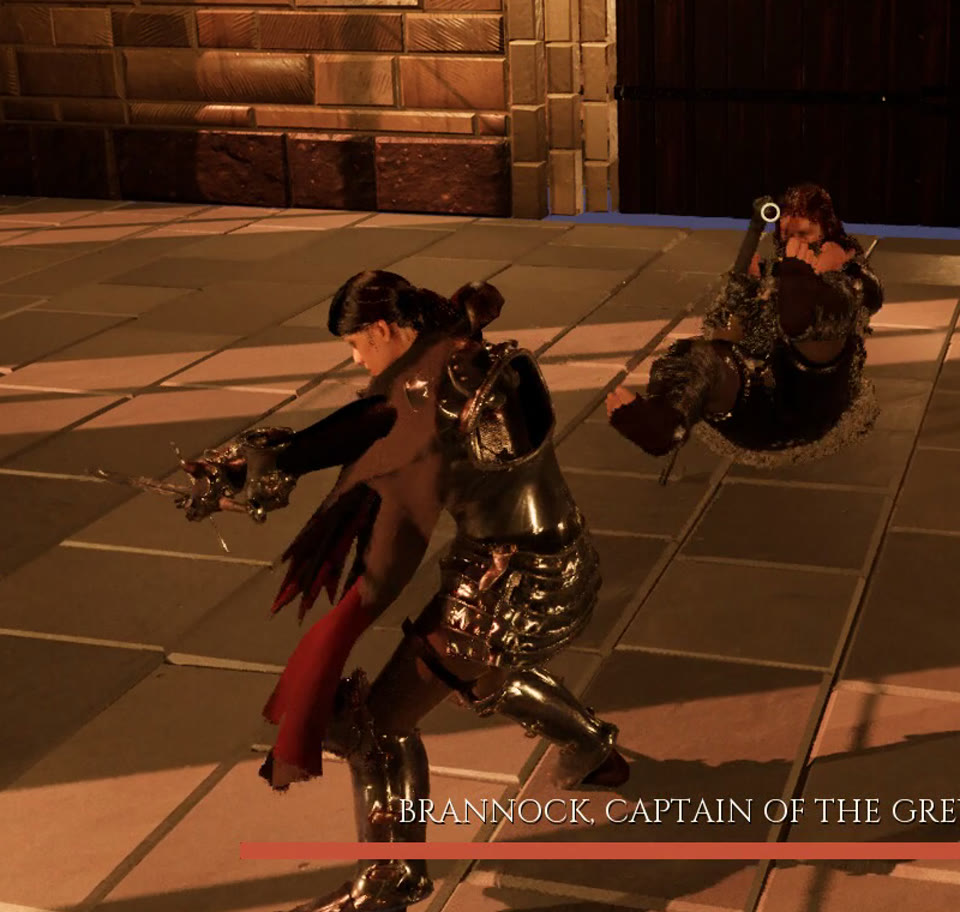
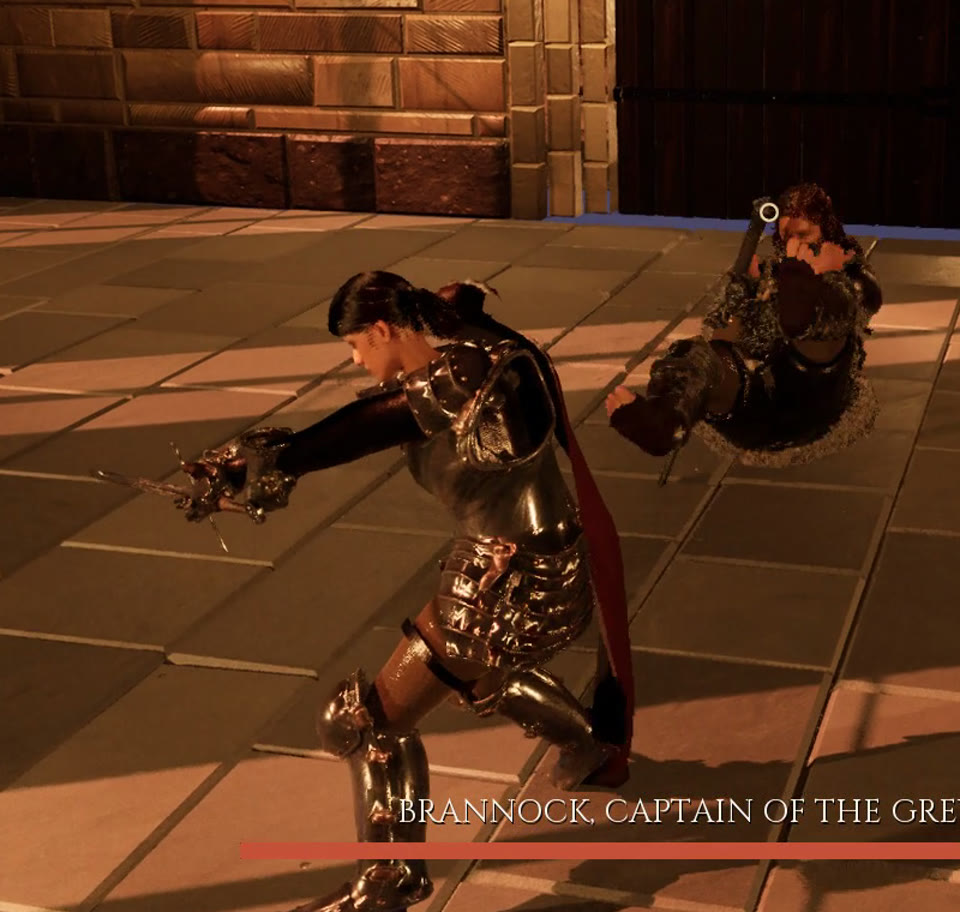
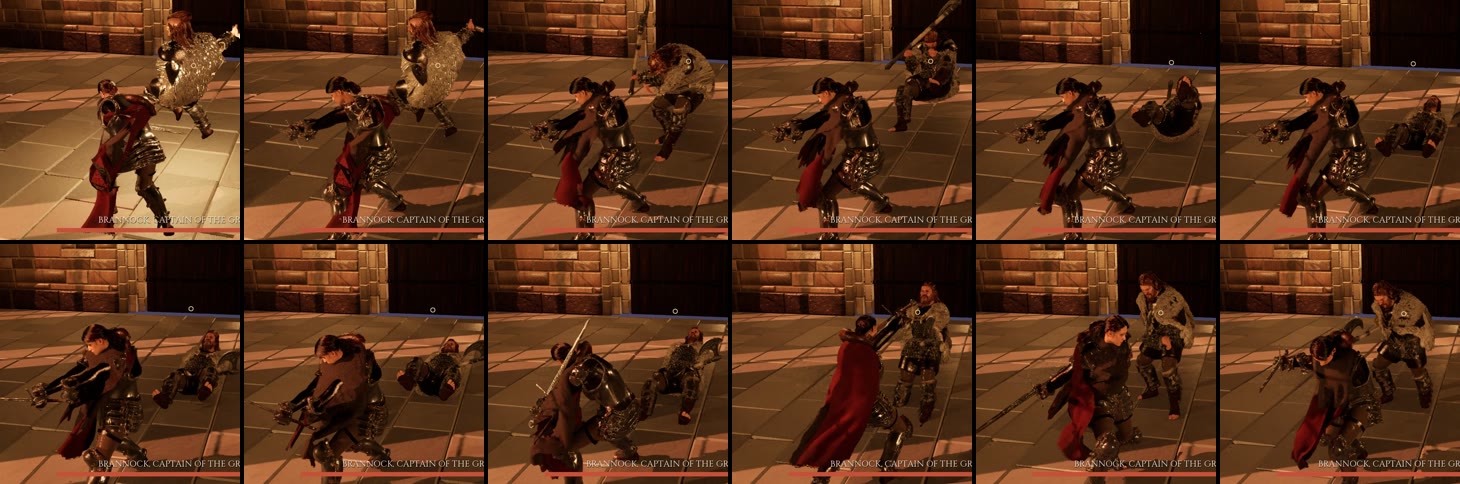
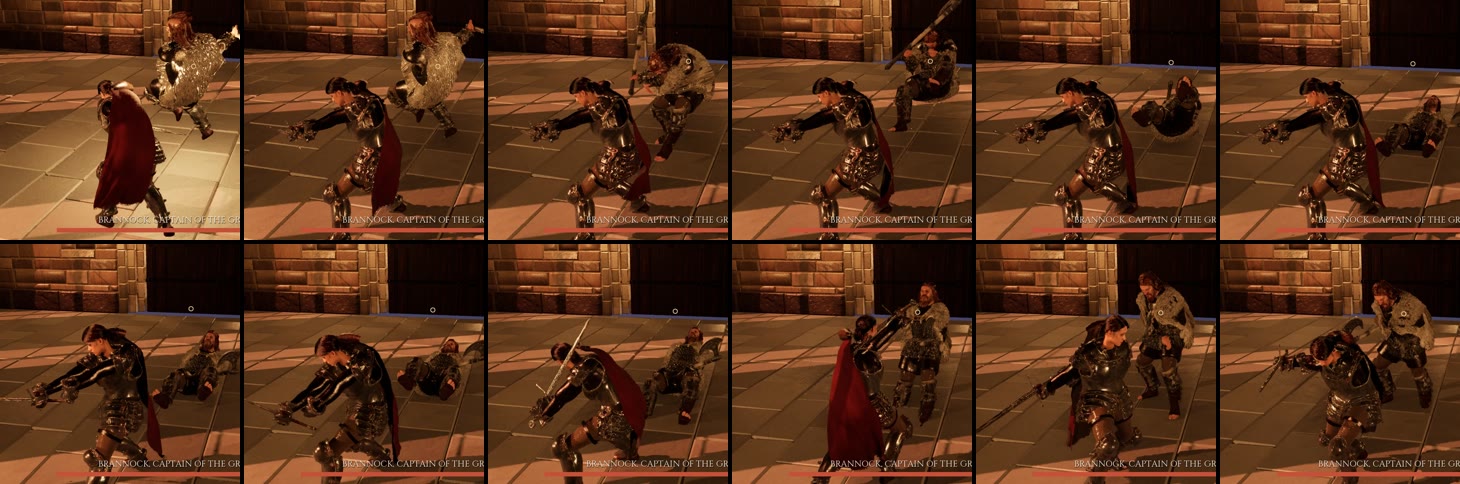
The knight's cloak, twice. The first cloak fix stopped it flying out flat to the side in the duel. The second was about her longest lunge: her sword arm and front leg went straight through the cloak, and at the end of the swing it wrapped round her chest inside out. The agent had accepted some of this on purpose in the turn before. Its reply said an arm or the sword could now show through the cloak, as the price of calming it down. We said that trade wasn't good enough.
Its next reply found the real cause. The lunge animation turns her hips about 90 degrees away from where her character is facing, and the cloak worked out her front and back from the character's facing, so in that move it treated her side as her back. The fix reads her front and back from her skeleton, gathers the cloak narrower behind her during attacks and settles it back over half a second, and lets her body push the cloth out last. The cloak looks narrower in fights now. That's the trade we did accept.
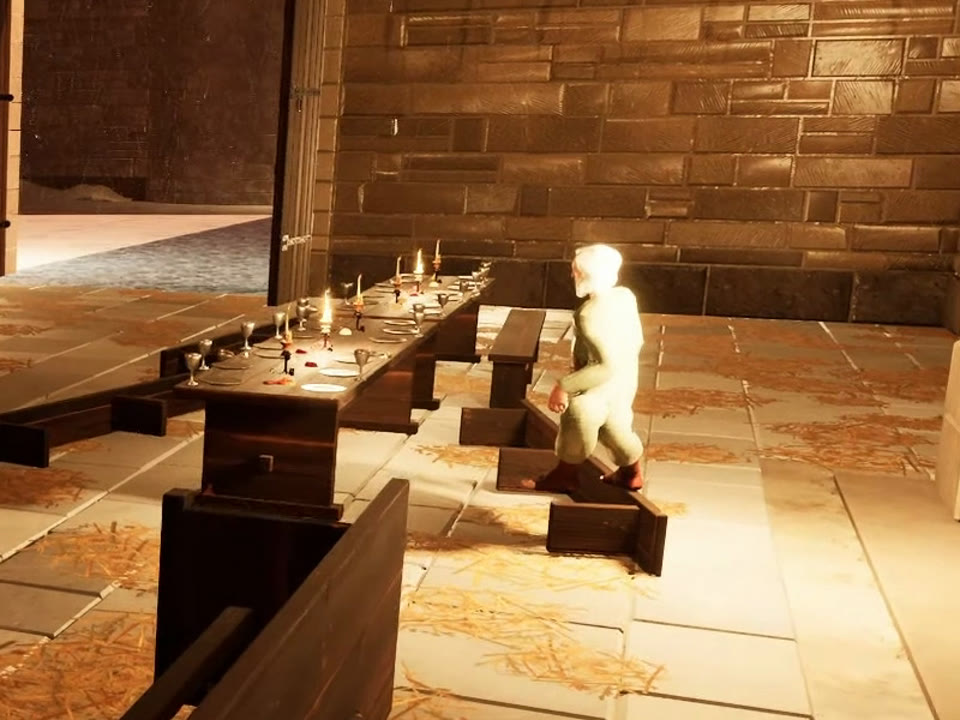
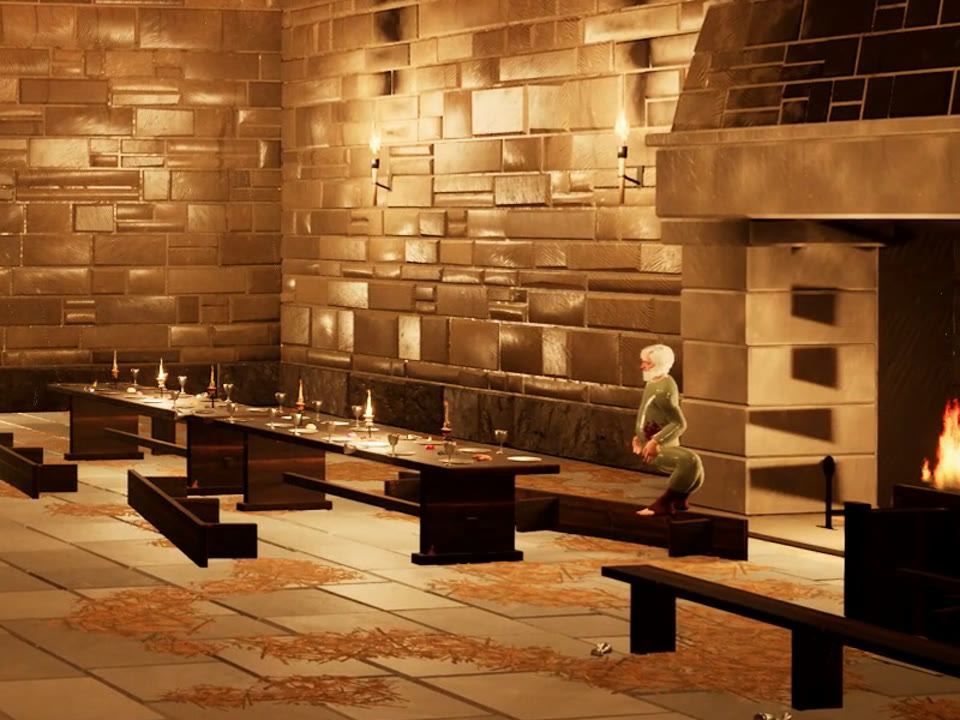
The steward going white. This one only showed up when we played the game streamed in a browser. Walking up to the steward from the fire side, he went flat bright white: face, hair, tunic and hands. He looked fine in his close-ups and in every recording the agent had made.
The cause wasn't his clothes or a level of detail, which is what we guessed in the prompt. Each hearth's light hung in the room at head height, about a metre out from the fireplace, and he sits about half a metre in front of it. Anything facing a light that close washes out. The demo recordings never put the camera behind him, so they never saw it. The fix moved each light into the mouth of its fireplace and added a softer one higher up to keep the hall as bright. Checking the other characters at every quality level turned up a second problem: at Low and Medium quality the knight lost her hair. That's fixed too.
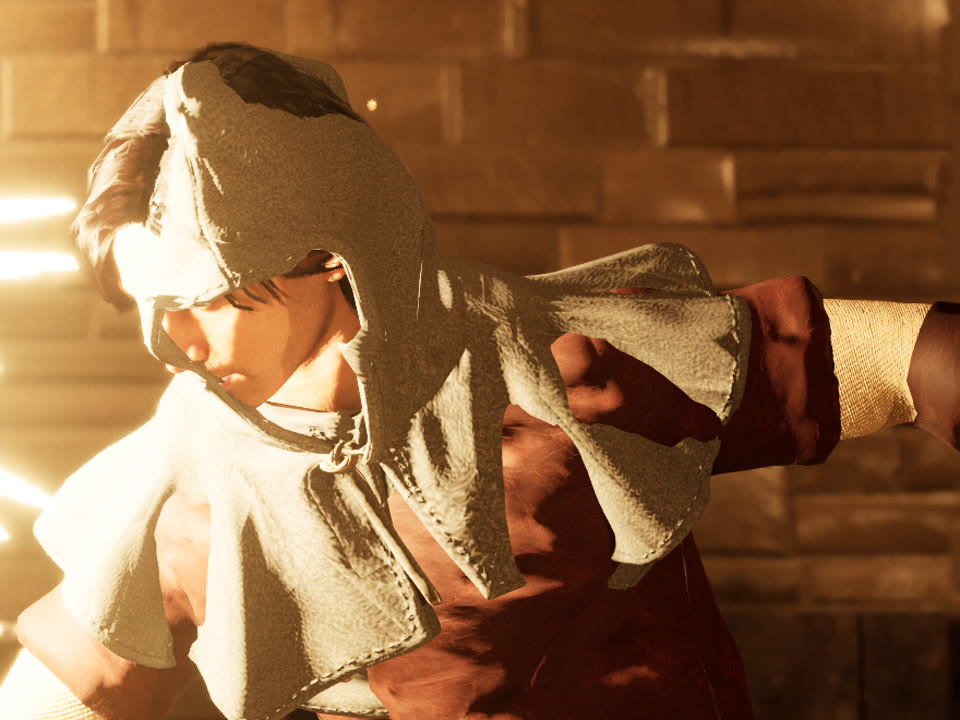
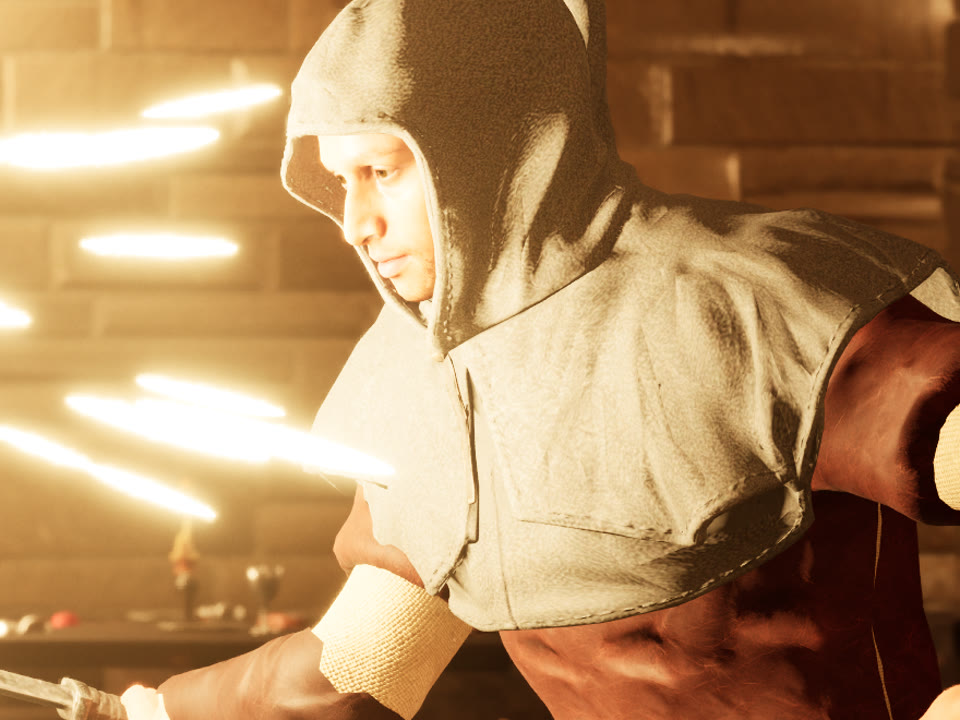
A raider's hood, twice. The best shot in the marketing kit was a close-up of a parry: sparks between the knight and a hooded raider. It was also the worst for the raider, whose hair and face pushed out through his cloth hood. His hair was a separate mesh no garment could push down, and the hood followed his neck rather than his head, so his head left it when he ducked into the parry. After that fix the same shot showed his red jerkin coming up through the hood's shoulder cape, which had been fitted to his bare body instead of the jerkin over it. The next turn refitted the cape and made it follow the same shoulder bones as the jerkin.
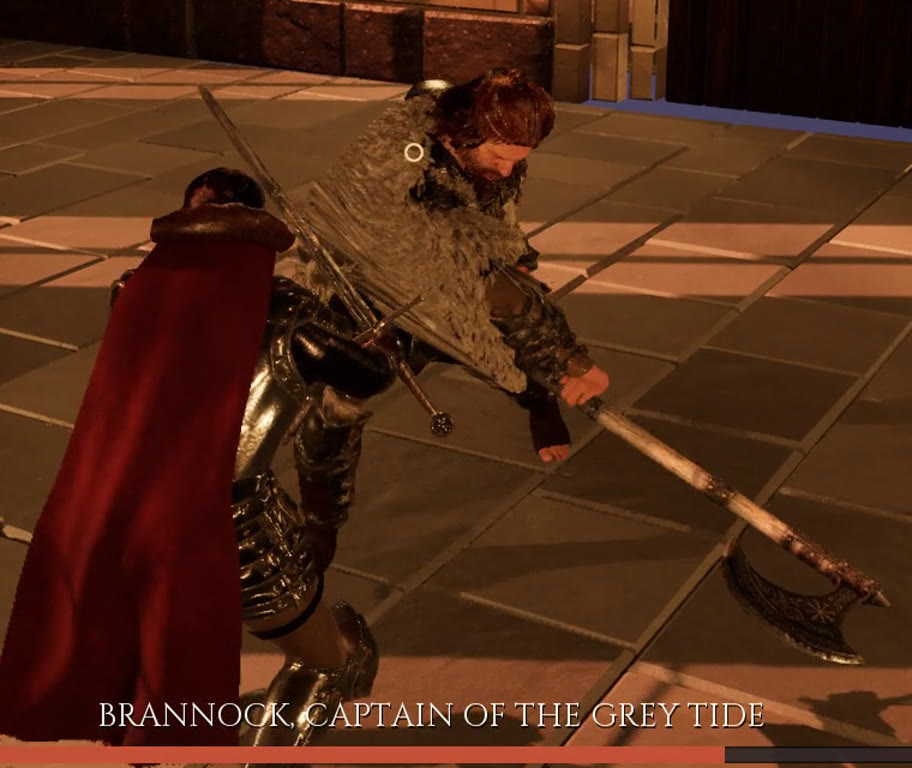
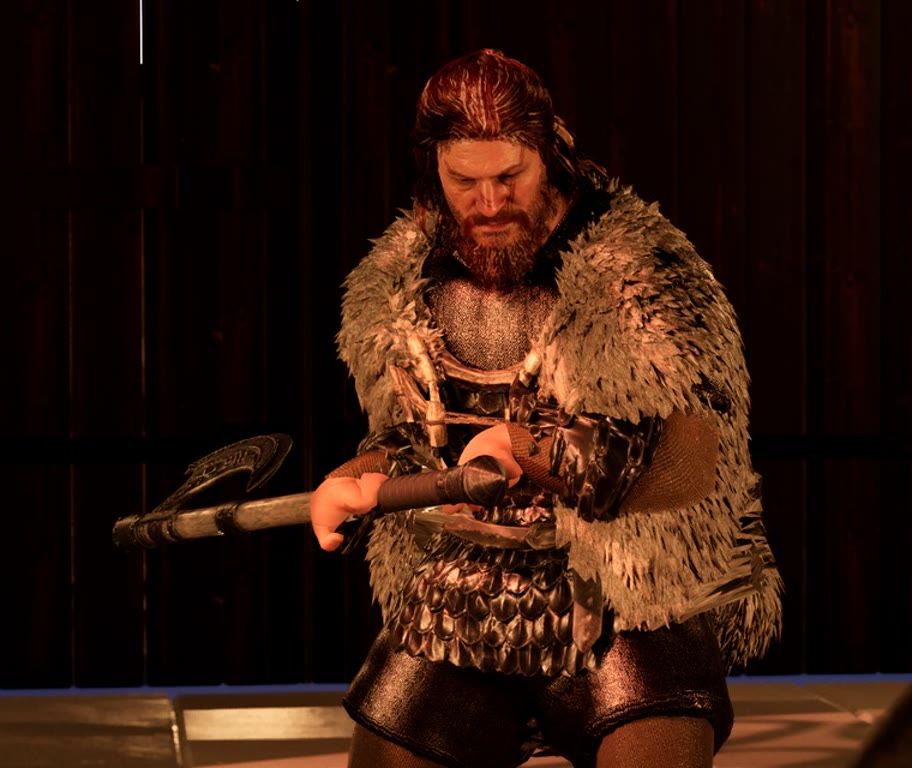
The captain's other arm. We made a thumbnail for the video from a frame of the duel, and the first question about it was where the raider captain's other arm had gone. He'd been swinging a big two-handed axe with one hand the whole time. His swings came from one-handed sword animations, his left hand couldn't reach the haft, and it ended up at his hip or under his fur mantle while the top of the haft ran into his body. The fix grips the haft with both hands on every frame of his fight and his speech, and turns the axe just enough to keep it out of him.
What did those prompts look like?
The same shape every time, and it's the shape we'd recommend for any fix you send the studio:
- What's wrong, in plain words, with the frames. "Her sword arm and front leg go straight through the cloak", plus the screenshots and the seconds in the recording where it happens.
- What must stay. Every fix risks the last one. The cloak prompts listed the earlier cloak fixes by name and asked for them to hold.
- How to check it, and what to send back. Frame by frame at 10 frames a second through every attack, dodge and hit, and a video of the fight.
The replies had a shape too: the cause, what changed, how it was checked, and a "still rough" list. That last list is the part we read first. It told us the cloak can still tuck under her for a frame mid-roll, the captain's mantle stretches into a tent on his widest swings, and a bit of the raider's tunic shows below the cape's hem from directly behind. None of those is fixed yet, and we'd rather know.
What did each fix cost after the game?
More than the fix. A game this size has a marketing kit made from its own frames, a trailer, a game page, downloads and, here, a video. Every fix that changed how something looks made some of those wrong.
Over those seven turns the marketing kit was revised four times: screenshots re-shot, and the store capsules, library art and page hero rebuilt from new renders when the captain's grip changed. The trailer was remade once the fire, the tunic, the cloak and the lighting were fixed. The game page was republished, the Windows, Linux and Android downloads were packaged again, and the video's footage of the finished game was re-recorded and re-cut more than once. One more problem was found by the agent that made the trailer, not by us: the knight's dodge roll passes straight through a shield raider. The trailer cuts around it. It isn't fixed yet either.
The lesson we took from that is about order. The closest cameras we had were the marketing kit's, and they were the harshest check the game got. We used them last.
What will we try next?
We're going to keep experimenting with this, in public, on the next Unreal games. None of the following is in the studio yet. These are the things we want to try:
- Close-ups before the kit, not after. In its last turn the agent added eighteen close shots of the raider's hood and the shield raider's mantle, from the front, side and back, to the level's shot list. We want every character to get that treatment in every move, as a check the agent runs before anyone makes a trailer.
- Watching from where the player stands. The white steward was only visible to someone walking around the game. We want playing the browser stream to be part of how a turn is checked, not just something we do for a video.
- Measuring as well as looking. The cloak turn shipped a log that reports, every frame, how deep the cloth is inside her body, arms or blade. That log flagged a single frame of arm inside the cloth that nobody could see in the video. We want more of them, written early.
- A second pair of eyes. The agent that builds a game is too close to it, the way any developer is. We want to see whether a reviewer whose only job is to find what's wrong in the footage catches what we caught by hand.
We'll write up what works. The building and the fixing are in our YouTube series, Make Games with AI, and the next Unreal episodes will show how these experiments go, including the ones that don't work.
Unreal is part of Professional, and the studio is invite-only while we build it. If you want to try this yourself, request an invite. The Unreal Engine post covers what the agent does in Unreal and what it doesn't do yet.
Frequently asked questions
Why didn't the agent catch these problems itself?
Because it checked the game from the cameras it had. The agent looks at every screenshot it takes and records gameplay with scripted demo modes, but those shots are mostly wide, from behind the player and at rest. Cloth clipping for a few frames of a lunge, or a face lit wrong from one side only, doesn't show in those stills. Full-size playback, close-ups and playing the game did show them.
How do you ask the vbgnt agent to fix something you saw in a video?
Describe what is wrong in plain words, attach frames from the footage as reference images with the time in the recording where it happens, list what must stay as it is, and say how to check the fix and what to send back, for example frame by frame at 10 frames a second and a video of the fight. Each fix works best as its own prompt.
What does fixing a game cost after its marketing is made?
Every fix that changes how the game looks makes some of its marketing wrong. For this game that meant four marketing kit revisions (re-shot screenshots and rebuilt store art), a remade trailer, a republished game page, new Windows, Linux and Android packages and re-recorded footage for the video. Fixing first and making the kit last saves most of that.
Can the agent check cloth and clipping by itself?
Partly. Asked to, it goes through a fight frame by frame at 10 frames a second and looks at every frame, and for the cloak it wrote a log that reports each frame how deep the cloth sits inside the body, arms or blade. It still checks from the cameras it chooses, which is why we want close-up checks from the front, side and back of every character to become a standard step.
Is this workflow available in vbgnt?
The fixing is: any prompt can attach reference images, ask for frame-by-frame checks and request videos, over MCP or in the studio. The experiments at the end of the post, such as close-up checks before the marketing kit and a dedicated reviewer, are not in the studio yet. Unreal is part of Professional, and the studio is invite-only while we build it.